


AI Video Enhancer - Video Quality Enhancer 4K
Sharpen, de-noise, and upscale videos to 4K in one tap. High-quality AI video enhancer with no sign-up required.
What Can BeautyPlus AI Video Enhancer Do?
1
Upscale Video to 4K for Free
Enhance video quality to 4K free automatically with AI. BeautyPlus can increase resolution to 4K without stretching out pixels, making your upscaled videos sharp and clear. Just tap to process, and your 4K resolution output will be ready within minutes.
2
3 Video Quality Enhancement Modes
BeautyPlus AI Video Enhancer offers 3 video enhancement modes for different requirements. Portrait HD mode to reconstruct facial details precisely for a natural portrait video. Upscale videos to 2K with the AI Repair mode, or use the AI Ultra HD mode to increase video quality to 4K.
3
Reduce Noise and Improve Lighting
Eliminate temporal noise in low-light videos with BeautyPlus AI. It smooths out grain while preserving sharp edges and realistic textures. Our AI video enhancer can also increase the lighting in your videos to boost visibility without giving videos a washed-out appearance.
4
Accurate Video Color Correction
If lighting conditions or camera issues have resulted in color distortions, BeautyPlus AI Video Enhancer can detect these issues and correct colors. The resulting output will feature true, vivid colors, capturing subjects and environments accurately.
Enhance Any Video with AI-Powered Precision

Increase Video Quality For Your Old Home Videos

Sharpen Portrait Videos and Perfect Skin Tones

Brighten Dark or Nighttime Videos for Clarity

Enhance Game Video Frame Interpolation
How to Increase Video Quality with BeautyPlus?
Upload Video
Choose Video Enhance Mode.
Download and save.
All Online Image & Video Editing Tools

Video Background Remover
Effortlessly refine your videos by removing backgrounds, allowing your subject to stand out. Ensuring your visuals remain clean and focused.
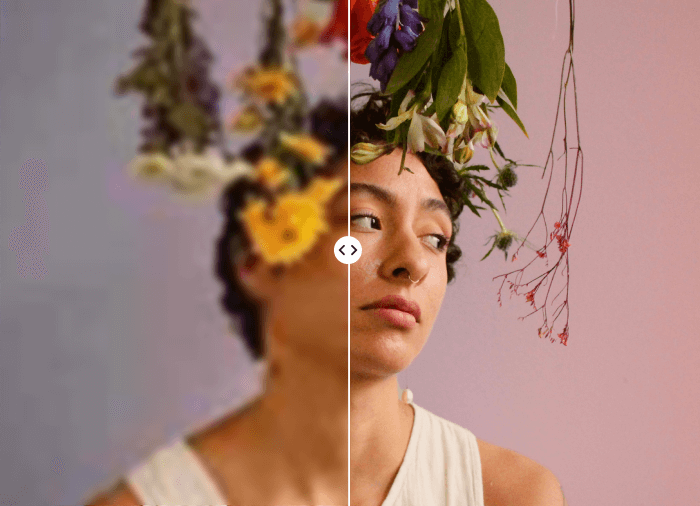
AI Image Enhancer
Increase photo quality online in seconds

Pinboard - Collage Maker
Combine multiple photos in one frame to make a photo collage.

AI Object Remover
Select the area with the object you want to erase using the AI Object Remover. With a quick swipe, clean up your image and remove distractions for a clear, refined result
User Reviews
FAQ
Can I improve the quality of a video after it’s recorded?
Yes. Our video quality enhancer tool uses AI to increase the resolution of your video. It improves clarity, removes noise and artifacts, and improves color and contrast.
What are the best tools for AI video enhancement?
BeautyPlus AI Video Enhancer can upscale your videos to 4K, retaining and enhancing detail, preserving accuracy, and ensuring natural-looking results.