app download btn
beautyplus logo

HomeAll Tools
AI Video Enhancer

AI Video Enhancer - Video Quality Enhancer 4K

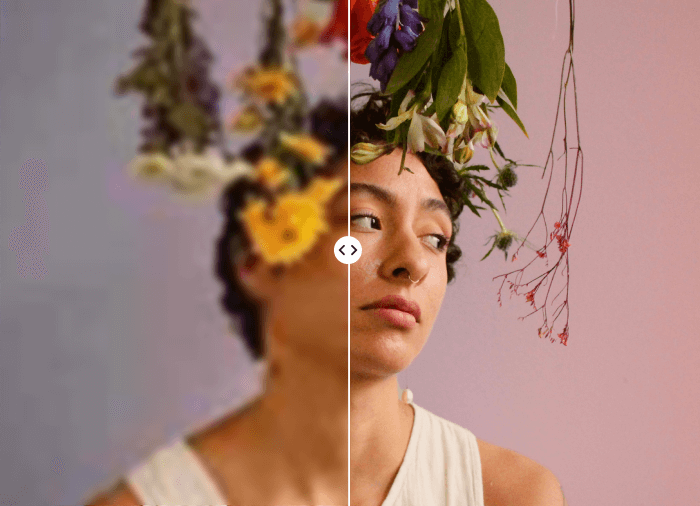
Sharpen, de-noise, and upscale videos to 4K in one tap. High-quality AI video enhancer with no sign-up required.

Upscale videoUpscale videoUpscale videoUpscale videoUpscale video
Scan to Download

Unlock More Free Features
& Get 7-day Free Trial in the App

What Can BeautyPlus AI Video Enhancer Do?

1

Upscale Video to 4K for Free

Enhance video quality to 4K free automatically with AI. BeautyPlus can increase resolution to 4K without stretching out pixels, making your upscaled videos sharp and clear. Just tap to process, and your 4K resolution output will be ready within minutes.

2

3 Video Quality Enhancement Modes

BeautyPlus AI Video Enhancer offers 3 video enhancement modes for different requirements. Portrait HD mode to reconstruct facial details precisely for a natural portrait video. Upscale videos to 2K with the AI Repair mode, or use the AI Ultra HD mode to increase video quality to 4K.

3

Reduce Noise and Improve Lighting

Eliminate temporal noise in low-light videos with BeautyPlus AI. It smooths out grain while preserving sharp edges and realistic textures. Our AI video enhancer can also increase the lighting in your videos to boost visibility without giving videos a washed-out appearance.

4

Accurate Video Color Correction

If lighting conditions or camera issues have resulted in color distortions, BeautyPlus AI Video Enhancer can detect these issues and correct colors. The resulting output will feature true, vivid colors, capturing subjects and environments accurately.

Enhance Any Video with AI-Powered Precision

BeautyPlus’ AI video quality enhancer boasts a blend of cutting-edge technology and user-friendly features that make it a superior choice for anyone looking to improve video quality.
AI Video enhancer

Increase Video Quality For Your Old Home Videos

Revive your low-resolution home videos, wedding videos, and vacation videos from the 80s and 90s. Our AI video quality enhancer upscales your old home video resolution to 4K, removes blocky artifacts and noise, and corrects colors to make faded memories vivid and clear again.
AI Video enhancer

Sharpen Portrait Videos and Perfect Skin Tones

Use the free video enhancer to reconstruct the details of blurry or out-of-focus faces in your videos. AI doesn’t simply upscale. It restores natural skin texture and feature details accurately, adding new pixels for high resolution. The result is natural, realistic, lifelike faces and expressions.
AI Video enhancer

Brighten Dark or Nighttime Videos for Clarity

Remove heavy grain and color noise from your nighttime photos while preserving details and enhancing clarity. Our AI video enhancer removes muddy low-light artifacts to produce clean images with enhanced lighting and balanced contrast.
AI Video enhancer

Enhance Game Video Frame Interpolation

Get your video game recordings ready to upload to platforms like TikTok and YouTube. BeautyPlus can boost 24fps or 30fps videos and gameplay recordings to 60fps or even 120fps. The tool reduces compression artifacts and stuttering from repeated uploads with intelligent frame interpolation.

How to Increase Video Quality with BeautyPlus?

step 1

Upload Video
Drag and drop or select your video to upload from your device.

step 2

Choose Video Enhance Mode.
Choose from three enhancement modes: Portrait HD, AI Repair, or AI Ultra HD. Select the one that best fits your video's needs.

step 3

Download and save.
Download and save the output video to your device for use in personal or commercial projects.

All Online Image & Video Editing Tools

User Reviews

Chen J.
“I uploaded some old home videos on a whim just to see what the video enhancer could do. I was amazed how clean the results were. Made them look like they were shot with a much more modern camera. Great tool.”
Clarence M.
“I took some videos at sunset on vacation that were grainy because of the fading light. I was trying to capture the colors, and they looked washed out. BeautyPlus AI Video Enhancer was able to fix all of that.”
Holly Q.
“I use AI Video Enhancer to prepare my videos for YT. Being able to increase the fps is amazing! And it’s fast and easy, so it doesn’t slow down my workflow.”

FAQ

Can I improve the quality of a video after it’s recorded?

Yes. Our video quality enhancer tool uses AI to increase the resolution of your video. It improves clarity, removes noise and artifacts, and improves color and contrast.

What are the best tools for AI video enhancement?

BeautyPlus AI Video Enhancer can upscale your videos to 4K, retaining and enhancing detail, preserving accuracy, and ensuring natural-looking results.

How do I make a blurry video clear on iPhone?

You can use our video resolution enhancer to make a blurry video clear on iPhone, Android devices, and laptop and desktop computers.

Is BeautyPlus AI Video Enhancer free?

The BeautyPlus AI video quality enhancer is completely free to use for 3 seconds. After that, you need to purchase credits.

What’s the difference between the three video enhancement modes?

Portrait HD mode sharpens facial details and smooths skin while keeping the original resolution. AI Repair mode can fix blurry footage by restoring it to 2K. AI Ultra HD mode provides the maximum quality boost by upscaling your video to 4K. You can choose the mode that best fits your needs.

What file formats can I use with BeautyPlus AI Video Enhancer?

The BeautyPlus video quality enhancer online supports MP4, MOV, AVI and MKV files.

Can I preview the enhanced video before I download it?

Yes, you can preview the results of the online AI video enhancer. Decide if you want to make more adjustments, or download the completed video after you see the preview.

Will enhancing a video with AI make it look unnatural?

BeautyPlus AI Video Enhancer retains realistic textures while smoothing out noise, ensuring a natural-looking result.

How long does it take to enhance a video with AI?

Processing time will depend on the length and quality of the original video. But with our advanced AI features, it’s expected that processing will be completed within minutes.

Can I enhance videos for free with AI? How do you ensure my privacy?

Yes, you can enhance your videos with us and it’s safe. We never retain your data after you close out of BeautyPlus. So, please download your outputs if you want to keep them before you quit the tool.