Trendy Valentine’s Day Photoshoot Ideas 2026
Valentine’s Day is one of the most heartfelt moments of the year, a time set aside to express your love for someone you trust, value, and appreciate. It is a day dedicated entirely to that bond, and celebrating it can make the connection feel even stronger. In that spirit, posting a photo is one simple way to show your partner how proud you are to have them by your side. These trendy Valentine’s Day photoshoot ideas are just here to keep you in tune with the moment, so your feed can reflect the warmth of the occasion while capturing memories you will both look back on.
 Download on App Store
 Get It on Google Play
Valentine’s Photoshoot Ideas
These 10 Valentines Photoshoot Ideas require little to no extravagant prep. You likely have everything you would need for these photo shoot ideas already at home.
1. Photobooth style
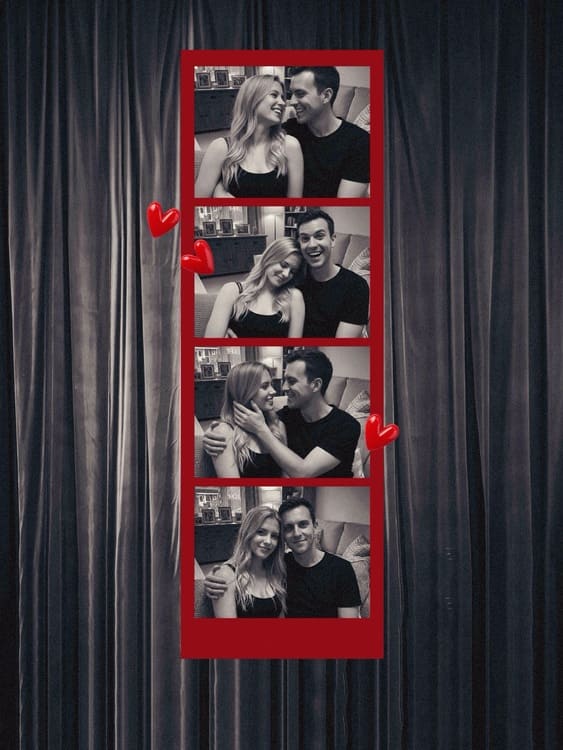
This is a simple in-home photo idea that you can try without leaving your room. BeautyPlus’s online photo booth tool runs in your browser, offers frames, delays, filters, and stickers, and lets you shoot anytime from your laptop with just a few clicks.
Set up your laptop on a desk or stable surface near a window for soft lighting. Start with a relaxed, front-facing pose with your partner and start the camera.
2. Heart-shaped light and shadow contrast
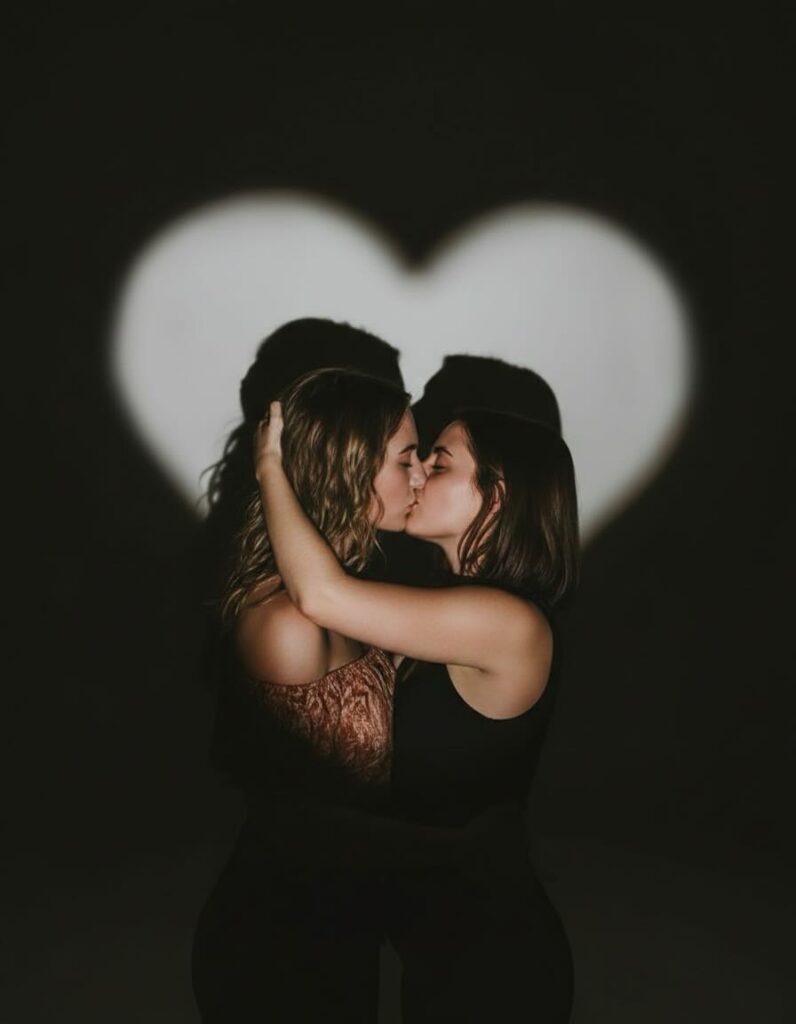
This is a simple, almost no-cost Valentine’s photo idea you can try at home. Just rest your phone on a tripod or a table and turn on the back-camera flash. Craft out a heart shaped tube with the help of a toilet paper core and it will create a soft heart shadow on the wall that you and your partner could stand next to for the photo.
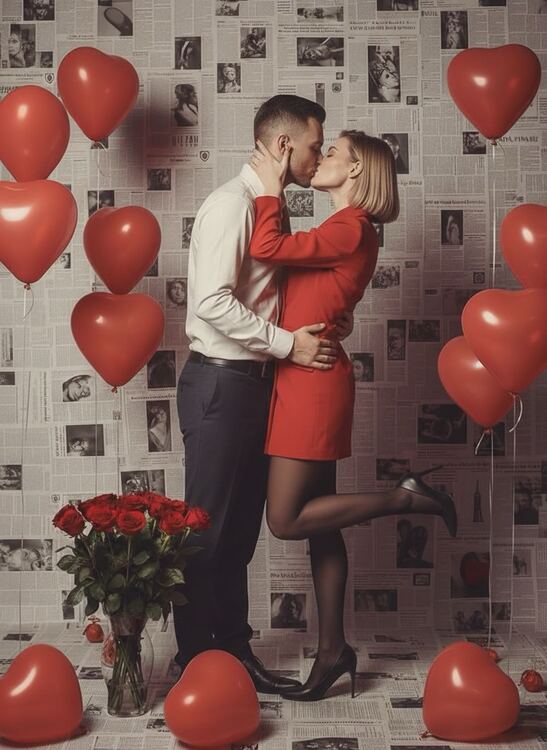
3. Newspaper Backdrop
Choose a plain wall in your room and cover it with overlapping newspaper sheets. Add hand-drawn hearts, ribbons, or small Valentine doodles across the paper. Keep the lighting soft and even so the textures and decorations show clearly in the background.
Stand close to the newspaper wall and lean along with your partner and pose either sitting or standing, facing the camera.
4. Red Carnival
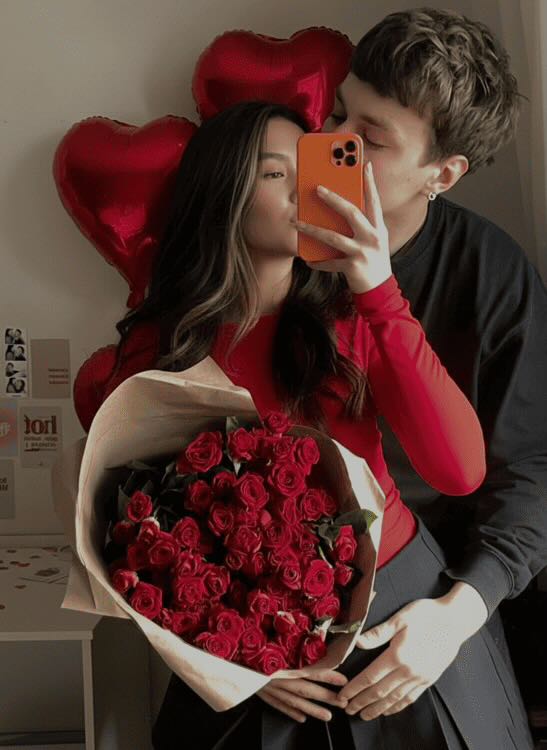
For a red carnival theme, think red flowers, a red dress, matching lipstick, heels, and heart-shaped balloons to fill the frame with warmth and romantic energy.
Set up a corner of your room using red decorations like balloons, paper hearts, and flowers. Keep the background simple so the red elements stand out. Hold a bunch of heart balloons close to your chest or let them float above your shoulder and pose with one hand on your hip, or gently hold a flower while looking at the camera.
5. Outdoor photoshoot
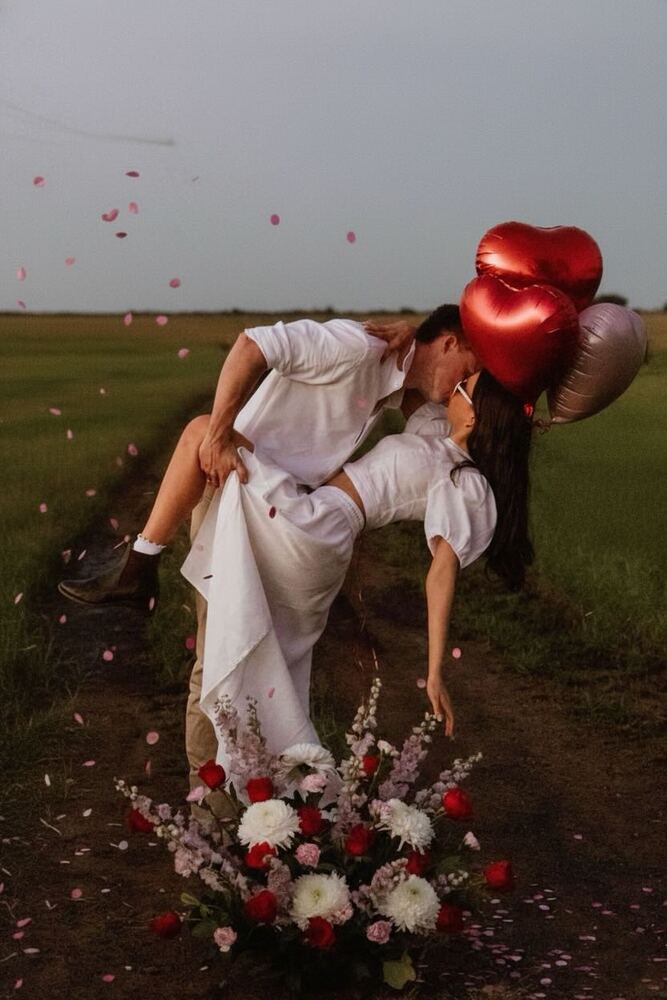
An outdoorsy photo with your loved one is a simple way to celebrate Valentine’s Day and share the moment. Choose a green, open space with natural light, like a park path, a flower bed, or a quiet corner of your lawn. Bring a small bunch of red roses or a few heart balloons to add a soft Valentine touch. Stand close together while holding hands, or walk side by side for a natural, candid feel.
6. Photoshoots in front of the mirror with lipstick words
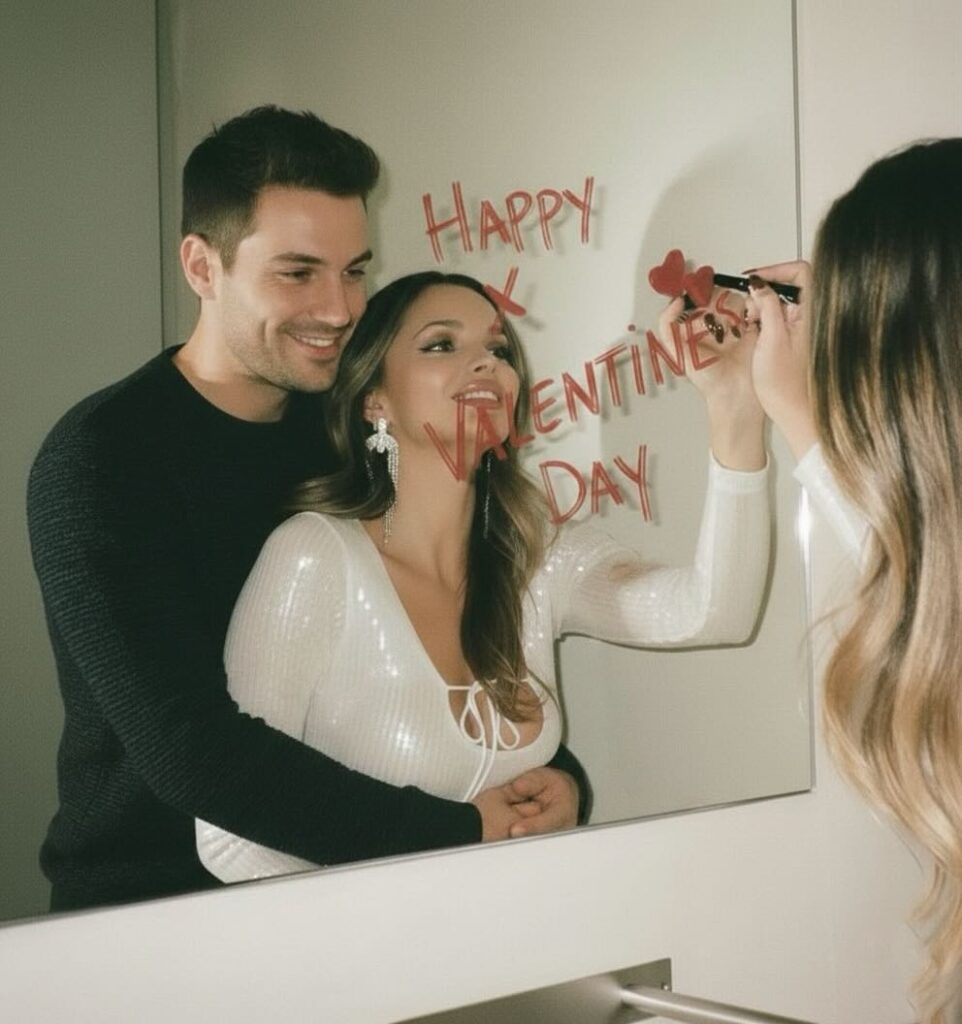
Draw a heart on the mirror with lipstick, then stand inside the shape and take the photo. Stand close together inside the heart shape and look at the mirror. You can hold each other, rest your heads together, or share a soft smile while one of you holds the phone for the photo.
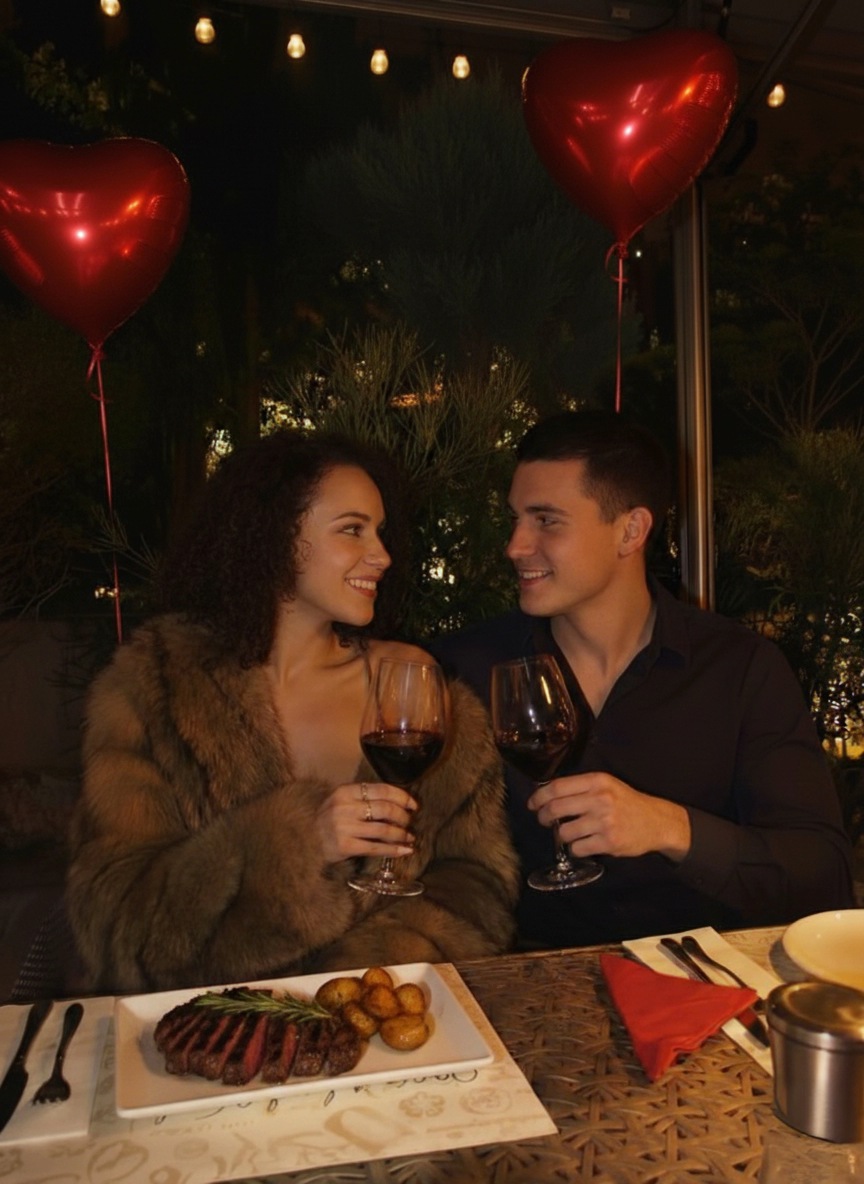
7. Valentine’s dinner photoshoot
If you and your partner are planning a dinner out, a candlelit table with a glass of red wine can create a lovely Valentine’s photo. Choose a table with soft, low lighting and a visible candle in the frame.
Sit across from each other and lean slightly toward the center of the table. You can hold hands, raise your glasses for a small toast, or share a quiet smile while the phone captures the moment from the side.
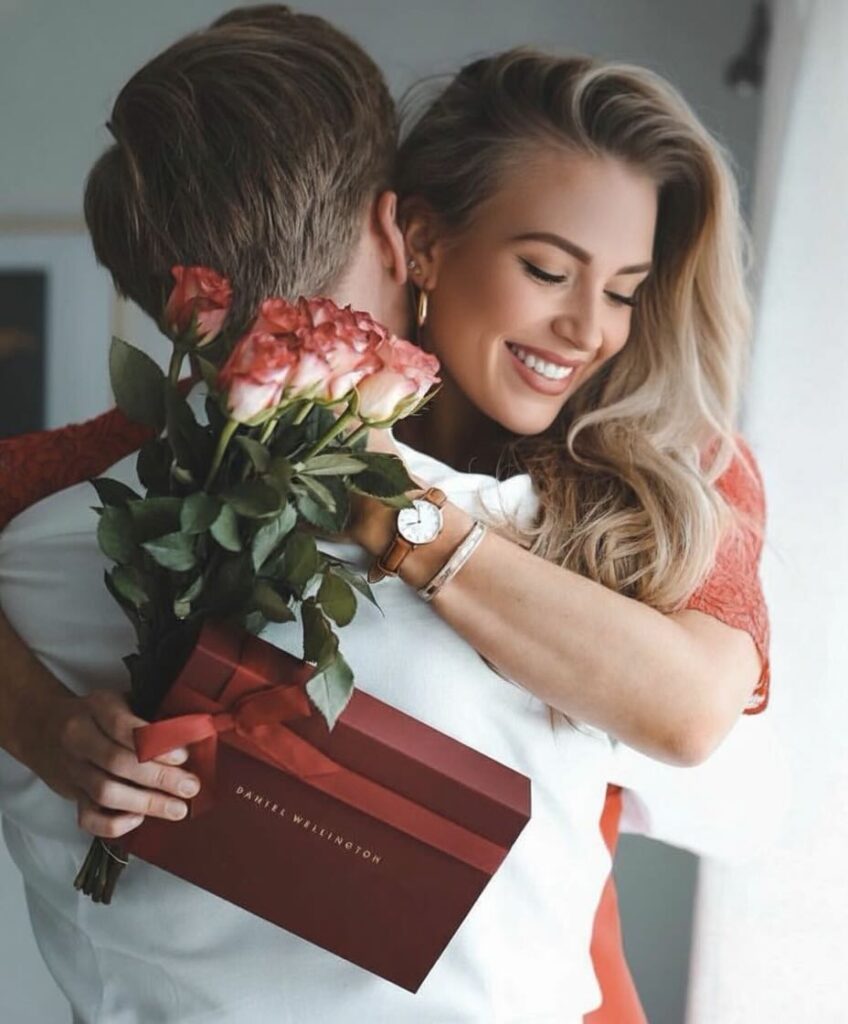
8. Record a happy gift moment
Valentine’s Day often comes with a small surprise or gift, and that reaction can make a very sweet photo. Place the gift on a table, bed, or in your partner’s hands in a softly lit room. Keep the background simple, maybe with a few hearts, flowers, or wrapping paper around to give the scene a gentle Valentine feel, and just set the camera so you get the perfect Valentines shot.
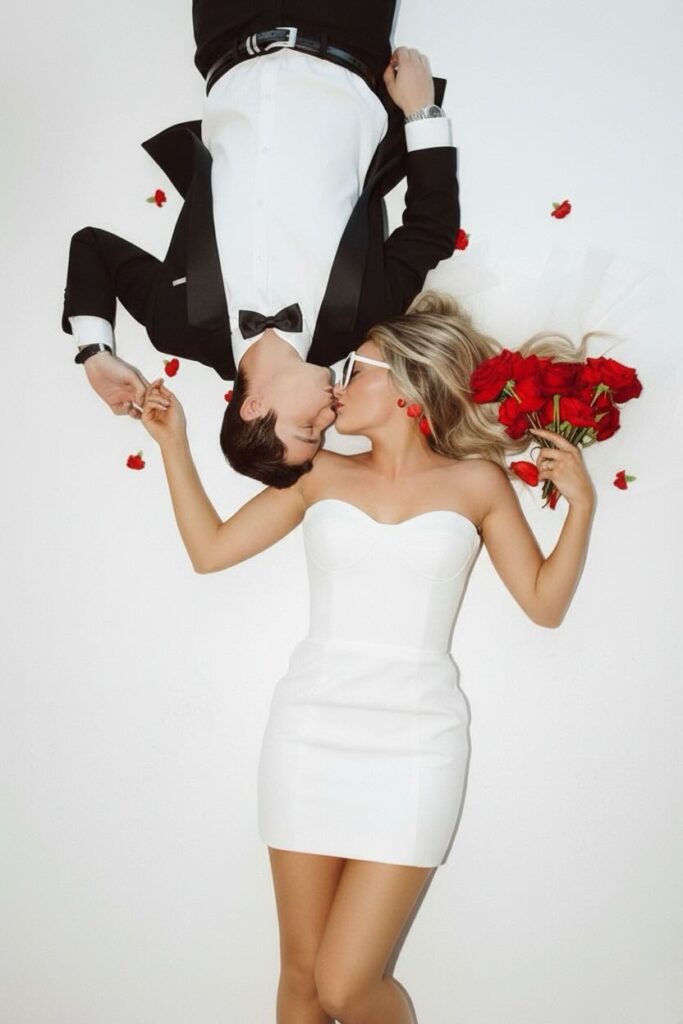
9. Love kiss in bed
You can turn your bed into a simple photo studio with almost no setup. Spread clean white sheets across the bed, and scatter rose petals on top. Lie on opposite ends of the bed facing each other, then lean in for a gentle kiss. Take the photo from a top view so both sides are visible.
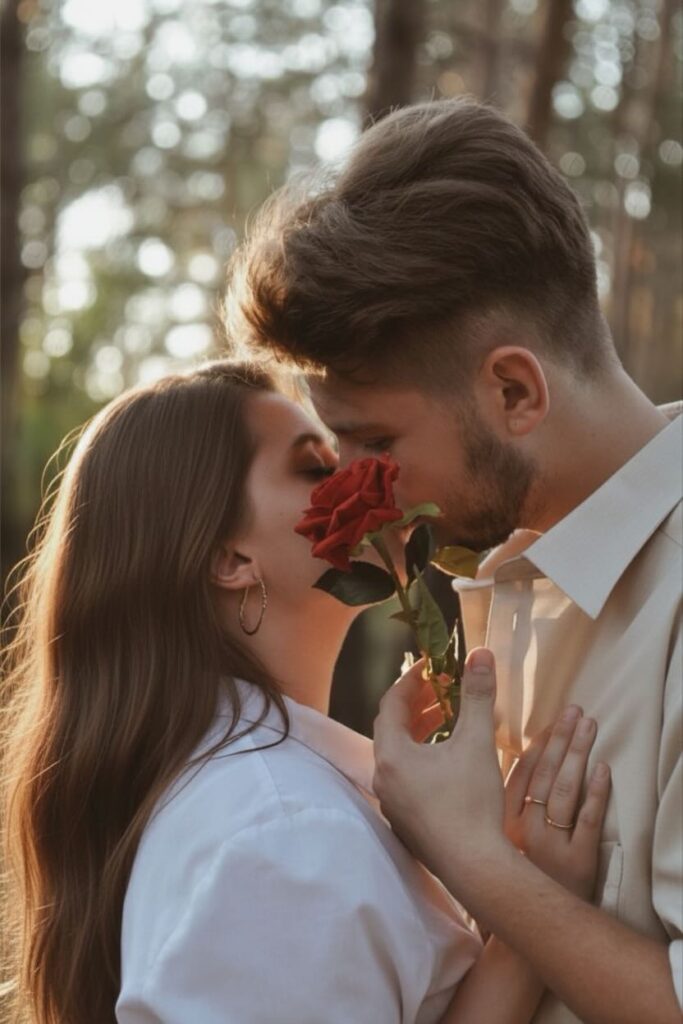
10. Hidden kiss with roses
This particular pose has been trending because of its clever and aesthetic idea. Using a rose to hide the kiss adds a symbolic touch while keeping the photo soft, romantic, and visually pleasing. Just lean in for the kiss while one of you holds the rose at the center.
Valentine’s Photo Editing Ideas
If the valentine photoshoot ideas seem interesting to you, see how you can spice them up further, with a little editing. BeautyPlus has several editing options for you to explore so let’s get right to it.
1. Valentine Templates
Getting props, dressing up, and setting the right lighting can take a lot of time, especially on Valentine’s Day. If you would rather keep things simple, BeautyPlus templates make the process effortless.
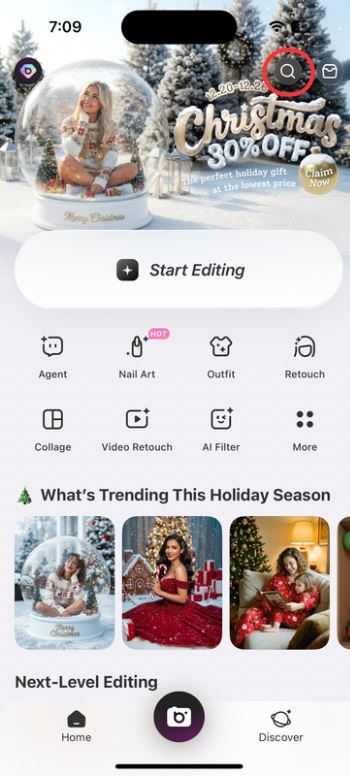
1. Open BeautyPlus and tap the “Search” icon in the top right.
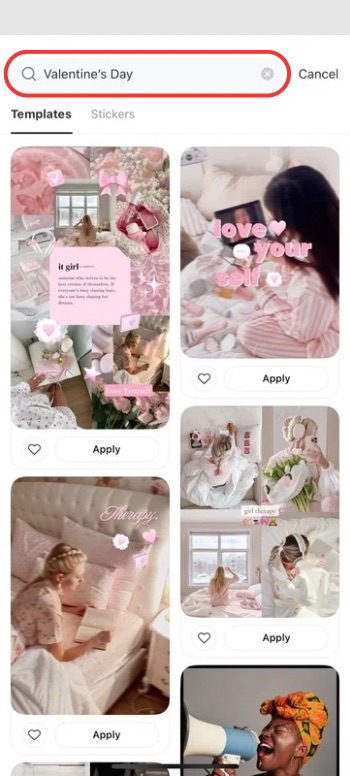
2. In the search bar, type Valentine’s Day, then run the search.
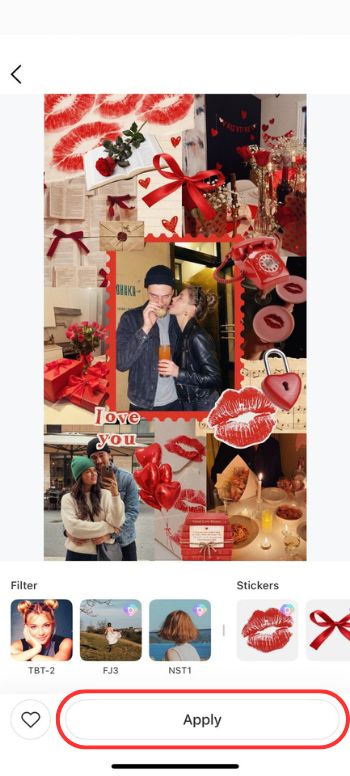
3. Choose a template you like and tap “Apply” to upload your image.
4. Save the image to your device by tapping the “Save” button in the top right of the screen.
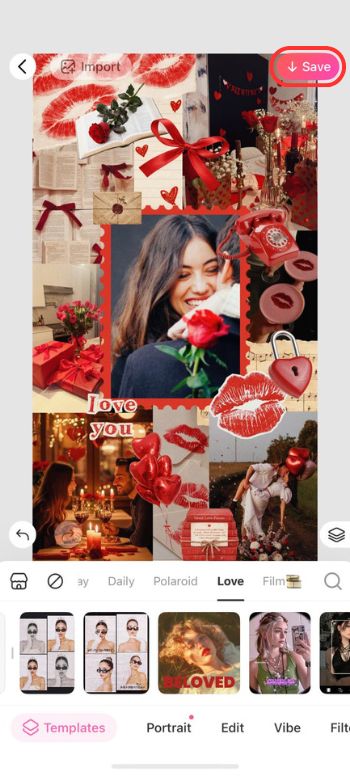
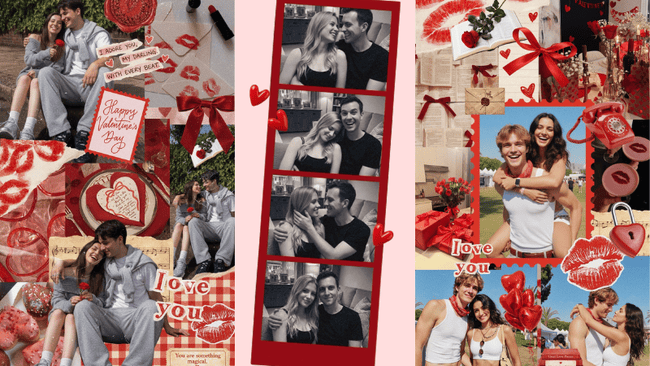
Example: The red-themed template with heart balloons and kiss elements fits the Valentine mood perfectly, and it lets you add three photos into one layout. It feels cute and balanced, and it also applies soft filters to tie everything together into a smooth, romantic look.
Features: Ready-made frames, automatic layout, built-in color themes, easy one-tap application, and the option to adjust text, stickers, or effects inside the template.
2. Valentine Stickers
If you already have a photo of you and your loved one but don’t want to rely on a heavy template, you can customize it yourself with Valentine-themed stickers.
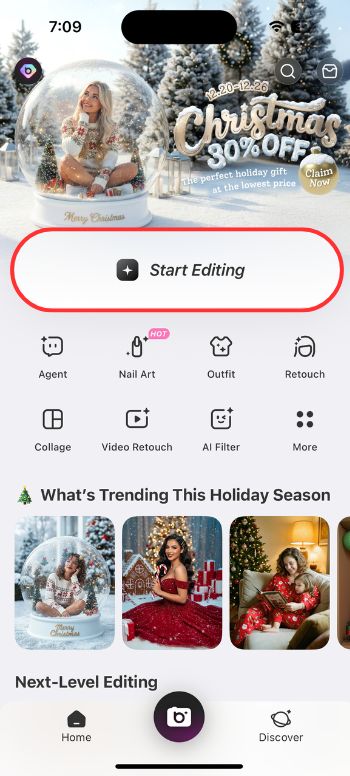
1. Open BeautyPlus and tap “Start Editing” to upload your photo.
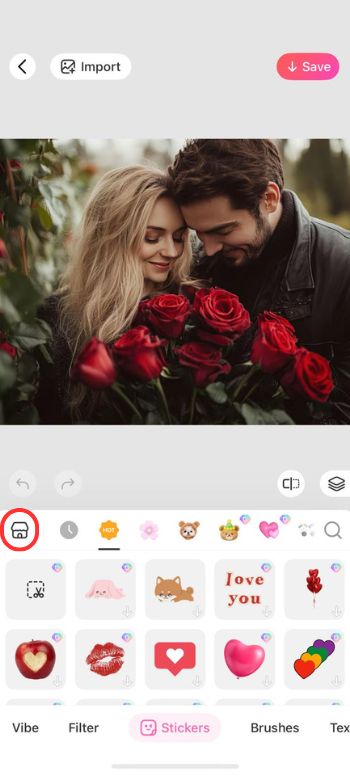
2. Go to the “Stickers” section and search for Love by tapping the “hut” icon on top left.
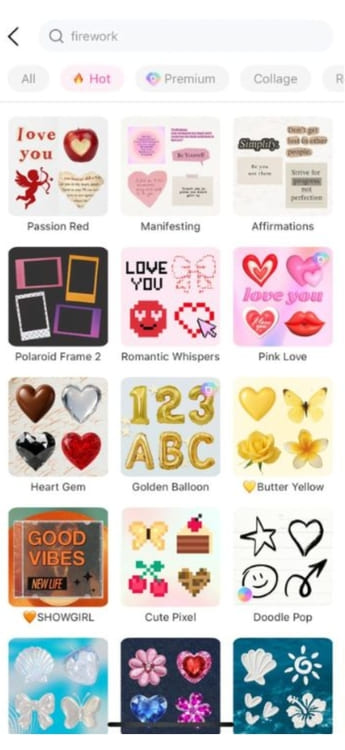
3. Search for the sticker you like by typing in searches like “love”, “Valentines”, “heart”, etc. or get an entire Valentine sticker pack by searching for “Passion red”.
4. Save the photo by tapping the “Save” button at the top right of the screen.
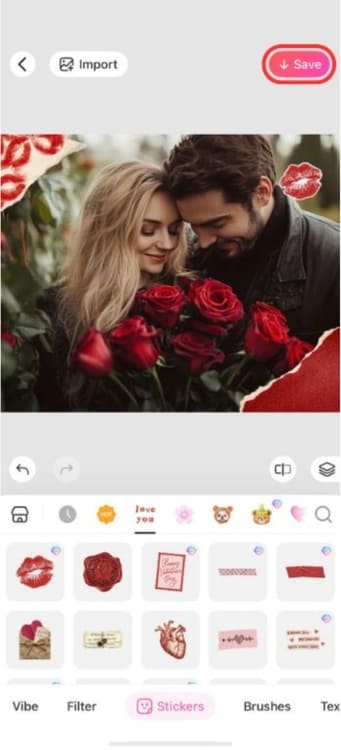
Example: If you search for the “Passion Red” sticker pack, you will find a collection filled with Valentine-themed stickers. It includes hearts, roses, love notes, and other romantic elements you can easily place on your photo to match the occasion.
Features: Large sticker library, flexible placement, resizing and rotation controls, layering options, and the ability to keep the original photo style without heavy effects.
3. Special AI Filters
Another option is to try one of the AI Valentine trends. You just upload your photo and let the AI handle the rest. BeautyPlus has built-in AI trends you can preview before applying them, so there’s no need to write prompts or adjust settings.
1. Open BeautyPlus and upload your own photo.
2. Tap “Edit” to enter the editing screen.
3. Go to “AI Filter” and choose the Valentines effect you like. The filter “Warm hug” is quite popular for Valentines so feel free to choose that.
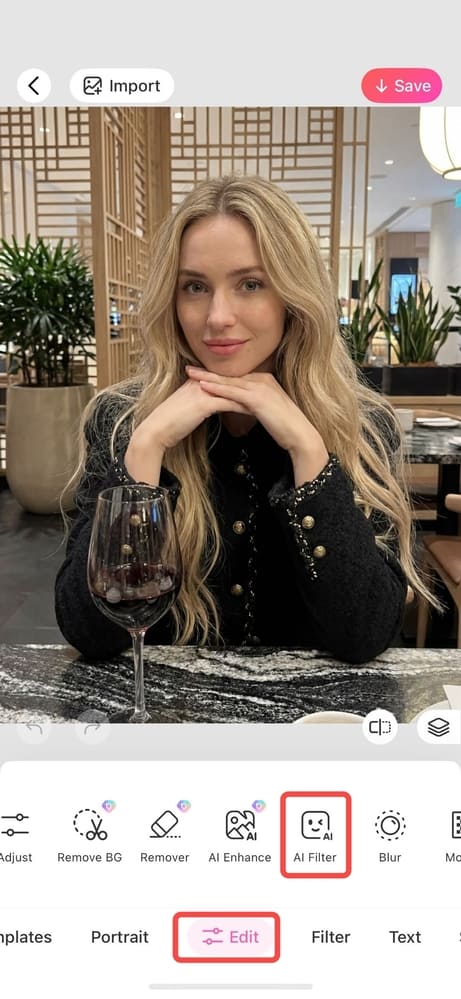
4. Upload the photo of your significant other
5. Apply the filter and it will automatically generate the warm hug photo for you. Then tap the Save button at the top right to download the photo.
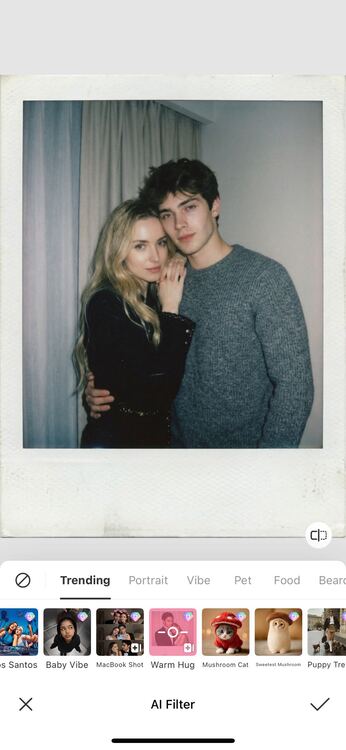
Example: A simple photo of you and your partner can instantly turn into a cozy, dim-light hugging scene, even if you’re miles apart. There’s no need to set up a camera or arrange the lighting yourself, since BeautyPlus can generate the look for you with just a few taps.
Features: One-tap AI styling, no prompts required, automatic background and lighting adjustments. It’s especially helpful if you’re in a long-distance relationship or not together for Valentine’s Day, since you can still create romantic photos without needing to take them in the same place.
Bottom Line
Valentine’s Day is all about celebrating love, and sharing photos together is already a meaningful way to express that. But these Valentine photo ideas can make the whole experience feel even more special. BeautyPlus gives you a simple way to get your pictures ready for the occasion, with tools and templates that help you create polished Valentine shots in just a few steps.