
5 Best AI Influencer Generators in 2026
Scrolling through Reels, Shorts, or TikTok, you must have come across creators who seem somewhat synthetic yet strangely human.
These AI-generated personas of virtual influencers are produced via the best AI influencer generator tools. They are less likely to become involved in scandals and can appear in multiple places at the same time. Because of this, they are drawing massive business deals from big-name brands.
And if this is something you are looking to explore, you don’t need to build an entire agency from the ground up. The best AI influencer generator tools can produce influencers that feel and talk like real people, with little to no heavy technical skills required.
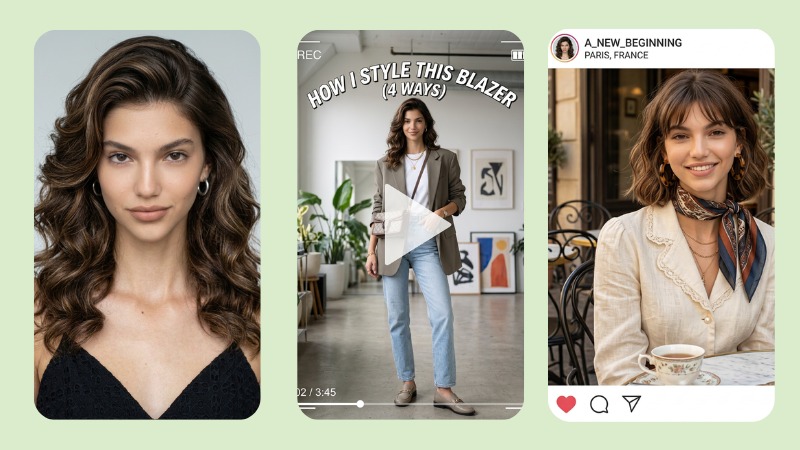
Best AI Influencer Generators at a Glance
The best AI influencer generator tools differ in their strengths. Here’s a quick comparison of what each one offers.
| Tool | Best for | Free option | Main strength |
|---|---|---|---|
| BeautyPlus | Beginners | ✅ | Easy persona + reels |
| Higgsfield | Viral videos | ✅ | Motion + realism |
| Picsart | Aesthetic personas | ✅ | Trendy styles |
| HeyGen | Talking avatars | ✅ | Lip-sync videos |
| ZenCreator | Creative control | ❌ | Non-expiring credits |
5 Best AI Influencer Generators in 2026
1. BeautyPlus AI Influencer Generator
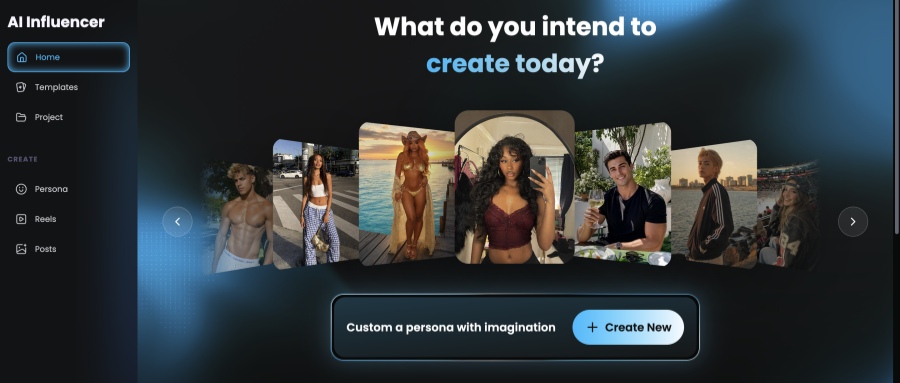
A good AI influencer generator should help maintain consistent personas across all generated content.
BeautyPlus AI Influencer not only gives you preset templates, but also allows you to add an existing persona.
Its template library also makes it easier to create posts and videos around trending formats, from dance videos to makeup transitions. Since many of the templates are already based on popular social media styles, you do not have to build every content idea from scratch.
You can use the AI influencer feature for free up to the point of generating a persona. After that, there are affordable pricing plans for users who want to continue creating more content.
Key features
- Build a persona from scratch, from a template, or from a reference photo
- Reusable Persona that carries over across posts and reels, so your “face” stays the same
- Template library built around actual trending formats (dance videos, makeup transitions, etc.)
- Recreate / Continue Generating options for turning one persona into an ongoing content series
Pricing
- Free: limited AI usage, exports come watermarked
- Pro — $12/mo: 200 credits, 40+ AI image creations, HD watermark-free exports
- Max — $22/mo: 1,500 credits, 100+ AI image creations, UHD exports, higher usage caps
Best for: Solo creators who want one recognizable face across TikTok and Instagram, using templates and simple edits instead of wrestling with prompts.
2. Higgsfield
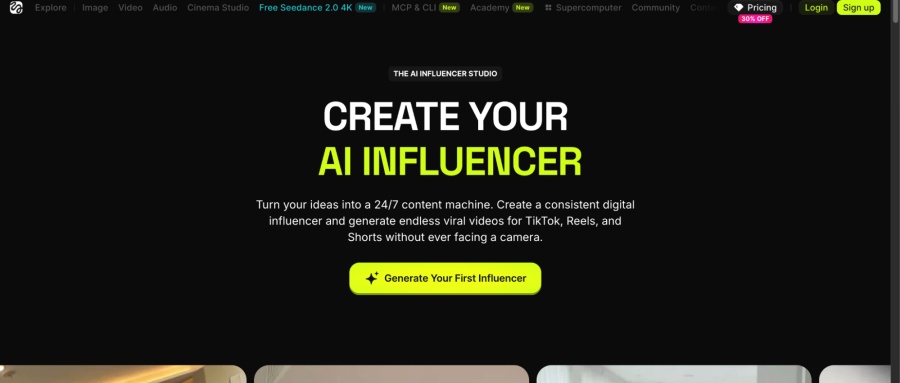
Higgsfield is a well-known name in the AI generation space, used by many creators and businesses to create realistic videos from a single photo. Its AI Influencer Studio is equally impressive, especially because of how far it lets you push a persona visually.
This does not just mean you get more features to make your character look unique. It means you can really think outside the box and create something that does not look like every other AI persona online. If you want a crocodile head with a metallic feminine body, the tool can work with that. If you want a very specific vitiligo pattern, even something as unusual as a checkered vitiligo look, it can still produce impressive results.
Key features
- Deep detail control — makeup, imperfections, outfits, even emotional expression
- Motion transfer, so your character can mimic a reference video (think: viral dance challenges)
- Outfit swaps, angle changes, character recasting
- Product/prop insertion for sponsorship-style content
Pricing
- Starter — $19/mo: ~270 credits
- Plus — $59/mo: ~1,200 credits/mo
- Ultra — $129/mo: ~3,000+ credits
Best for: Creators who care about cinematic stills and want to copy trending motion or dance challenges onto their own character.
3. Picsart
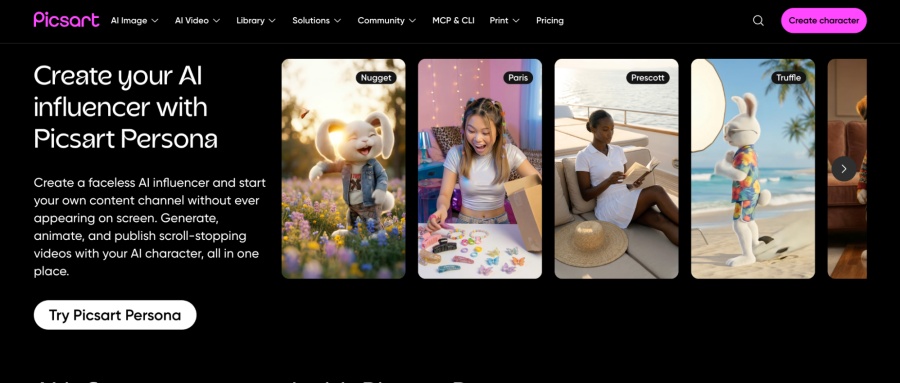
If you’re chronically online, you must have stopped at some point to watch a random AI-generated fruit story. And guess where you can create content like that? Picsart.
Picsart works really well for creating niche AI videos, where you can build images and videos from scratch using existing unique personas. These include AI fruits, luxury-style looks, old money themes, pets, and other playful character ideas.
Some notable persona styles include AI fruits, luxury elite, coquette, old money, and pets. These templates make it easier to create content that feels trendy without having to build every idea from scratch.
Key features
- Curated aesthetic starting points that turn into a full character you can reuse
- Motion controls for short clips
- Storyline feature for multi-scene content using the same character
- Works for human, pet, and fantasy-style personas alike
Pricing
- Free tier, though credits are pretty limited
- Pro — $15/mo: 500 credits
- Ultra — $75/mo: 2,500 credits
Best for: Creators chasing a specific curated look — Y2K, cottagecore, old money — who want a consistent identity and quick short-form content, all inside a familiar editor.
4. HeyGen
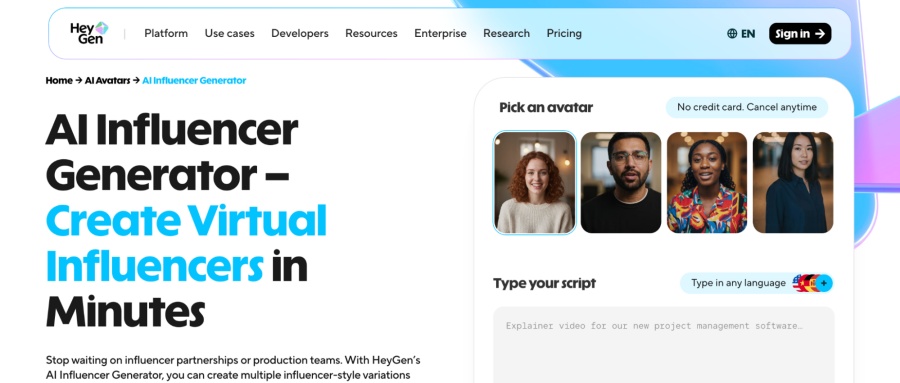
HeyGen is for people who want ready-made social media content, informative videos, or a face for their brand without revealing their actual identity. It also works well for users who want to create content without reading scripts on camera, doing multiple takes, or getting ready for a full shoot.
HeyGen handles most of the process in one place, with many personas to choose from. Its accurate lip-syncing and natural gestures make the videos look realistic and easier to use for brand, educational, or social media content.
Key features
- Custom or “digital twin” avatar creation
- Natural lip-sync and gesture animation straight from a script
- Multilingual voice support with matching lip sync
- Built with A/B testing and campaign volume in mind
Pricing
- Free: 3 videos/month, capped at 1 minute each
- Creator — $29/mo: 600 credits
- Pro — $49/mo: 1,000 credits
- Business — $149/mo
Best for: Marketers who need a script-to-video spokesperson — ads, testimonials, multilingual campaigns — rather than a scrollable Instagram grid.
5. ZenCreator
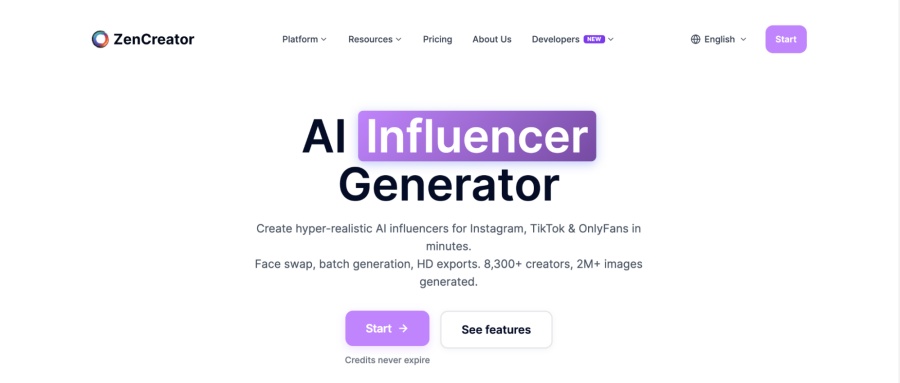
Of all the AI influencer tools discussed, ZenCreator is the only one that does not offer a free version right off the bat. You have to pay for credits before using them, but the credit prices are relatively flexible.
With ZenCreator, you can bring offbeat artistic visions to life using AI. It offers several templates to produce an AI-generated influencer where you can experiment with different personas, styles, and character ideas, with fewer restrictions around mature content compared to some other tools.
While it is fun to play around with these creative options, it is also important to remember your responsibility as a creator. The content you publish still reaches real consumers, so it should be created and shared with care.
Key features
- Style presets alongside full prompt control
- Face swap to keep the same persona across different poses and outfits
- Batch generation for producing content in bulk
- Export sizes built for Instagram and TikTok (1:1, 4:5, 9:16)
Pricing
- Starter — $19.99: 200 credits
- Creator — $49.99: 550 credits
- Influencer — $99: 1,200 credits
- Professional — $499: 6,300 credits
Best for: Creators who want affordable, non-expiring credit packs, ready-made social export sizes, and are comfortable using face-swap to lock in their persona.
How to Make an AI Influencer with BeautyPlus?
If you want to create an AI model and are intimidated by all the features, BeautyPlus is the easiest to get started with. Through the guide below on how to make an AI influencer, you can generate your very first online AI persona.
Create Your First AI Influencer
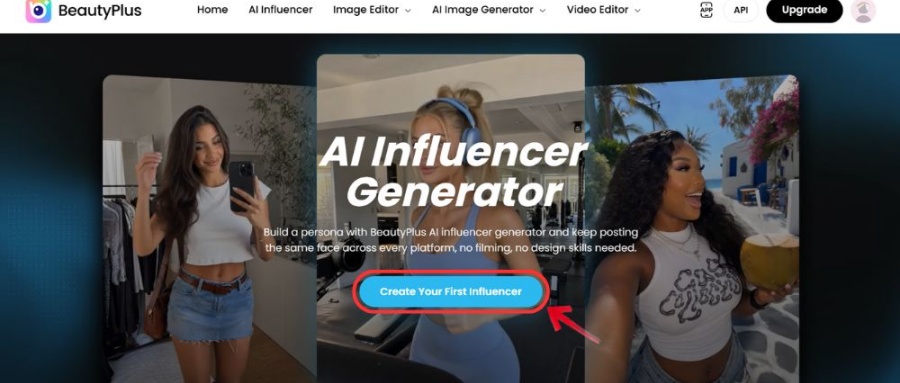
1. Head over to BeautyPlus AI Influencer tool and click “Create Your First Influencer” on the online tool.
2. Click “Create New” to start building a new persona.
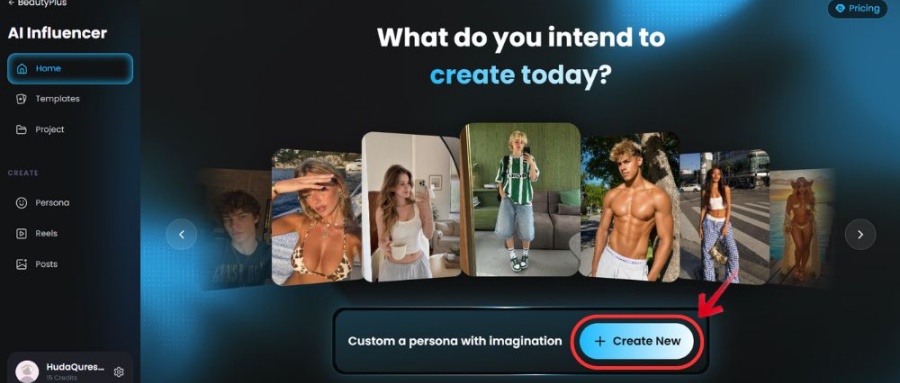
3. Select a template or click “Custom” to create your own persona.
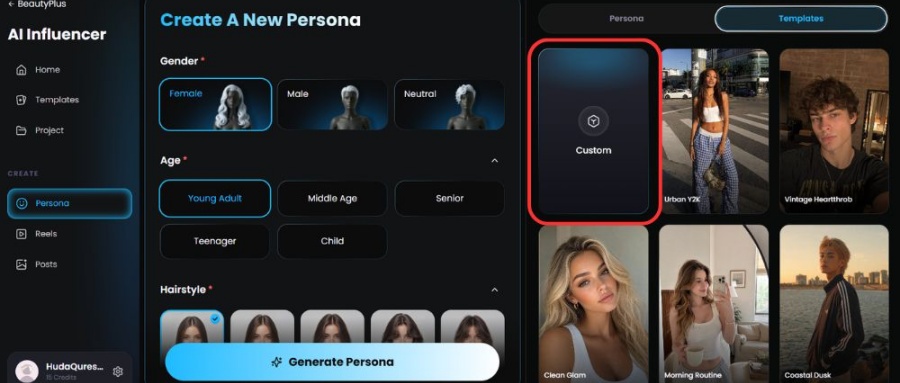
4. Fill in the basic details, such as hair color, skin tone, eye color, etc.
5. Add a reference image if you want the AI influencer to follow a certain look. This step is optional.
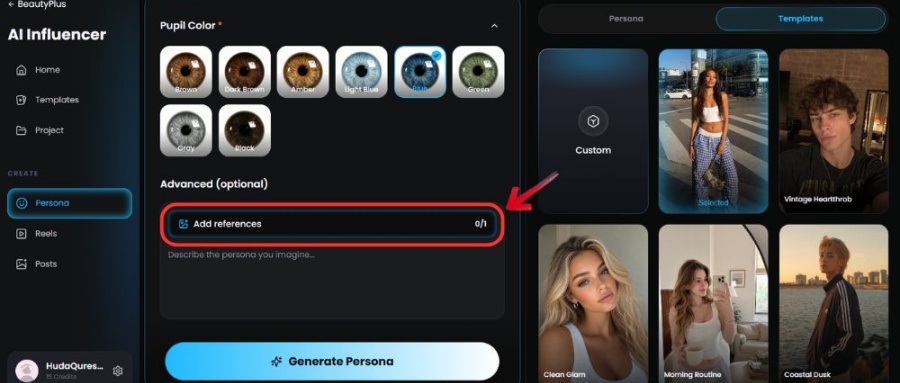
6. Click “Generate Persona” and wait for the AI influencer to be created.
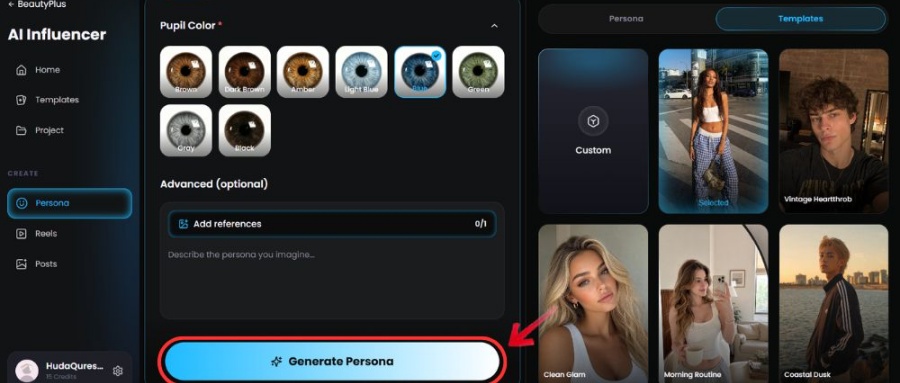
7. Click “Download” to save the final AI image.
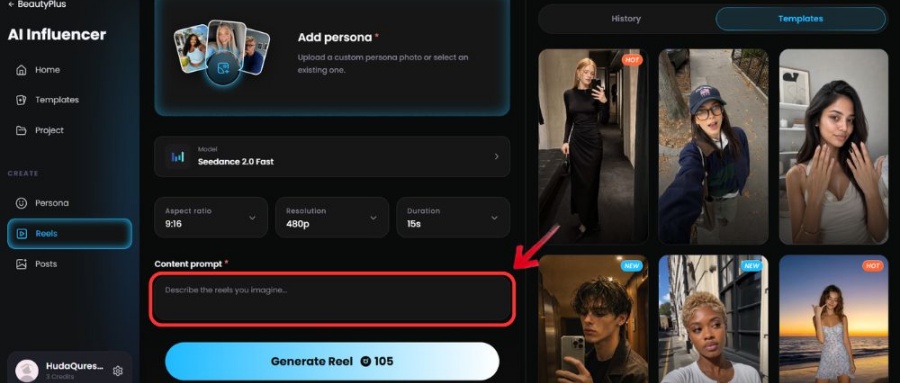
Create AI Reels
1. Click “Reels” from the dashboard.
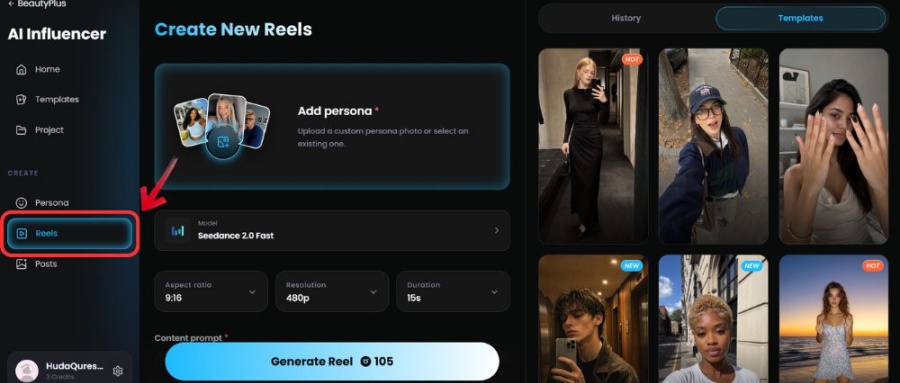
2. Click “Add Persona” and select the AI influencer you want to use.
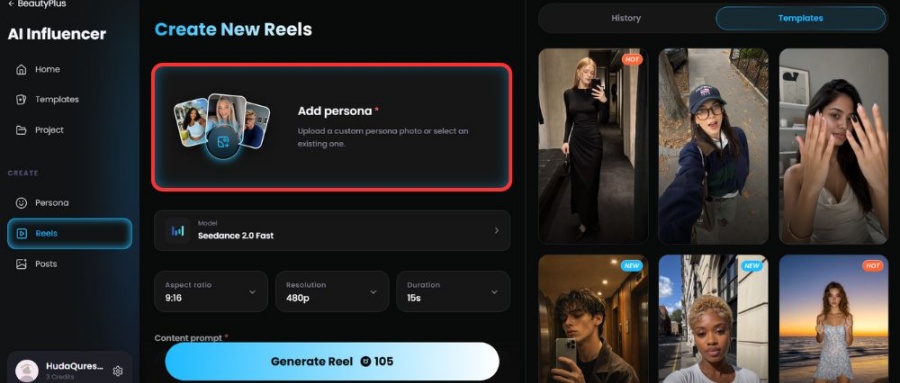
3. Choose a template or click “Create from Scratch” to write a custom prompt.
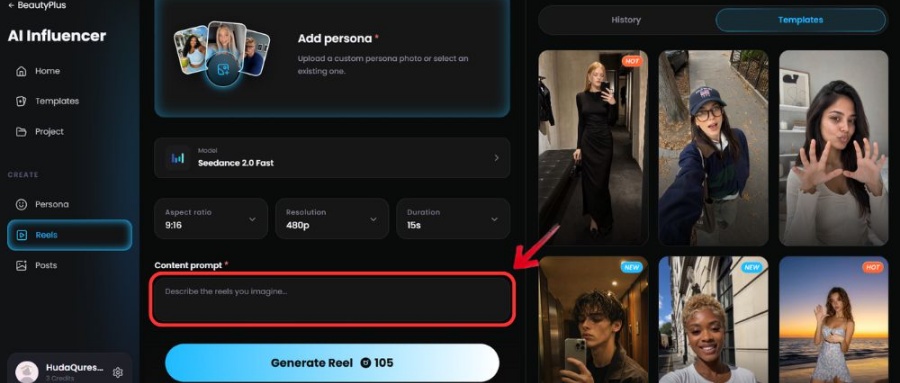
4. Add a reference image or video if needed. This step is optional.
5. Click “Generate Reel” and wait for the video to process.
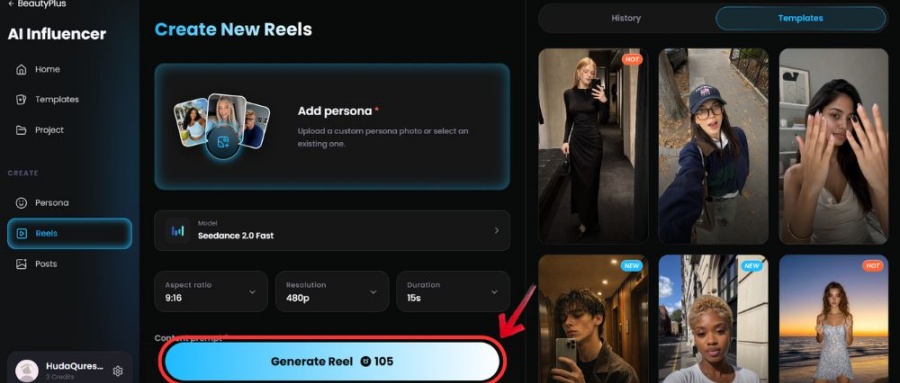
6. Click “Download Reel” to save the final video.
Create AI Posts
1. Click “Posts” from the dashboard.
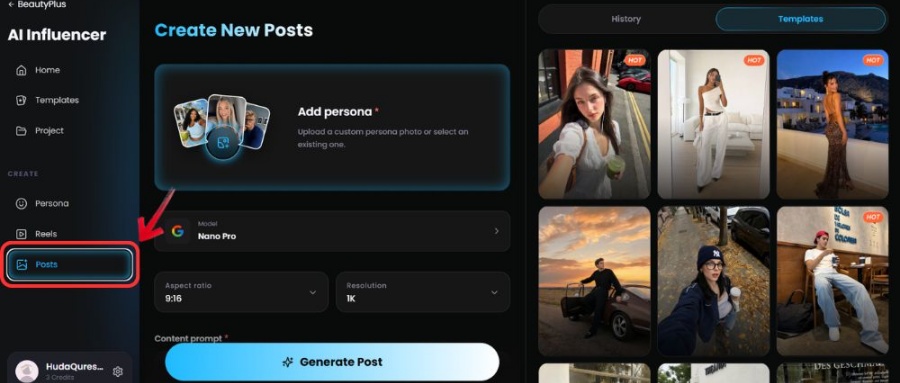
2. Click “Select Persona” and choose the AI influencer you want to use.
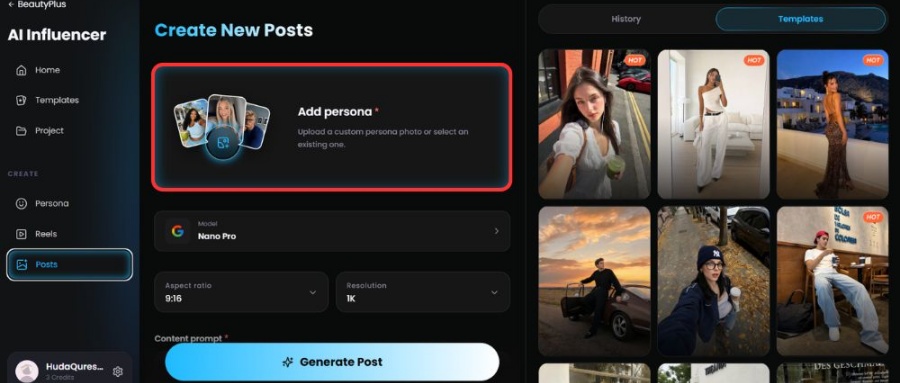
3. Choose a post template.
4. Add your content prompt to explain what the post should show.
5. Click “Generate Post” and wait for the image to be created.
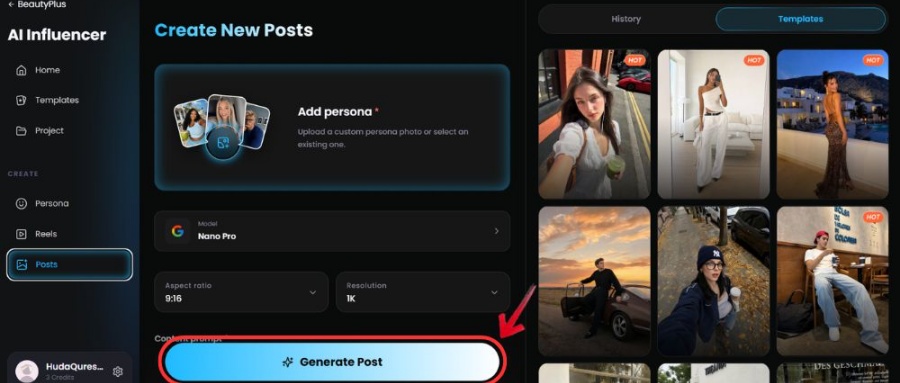
6. Click “Download AI Post” or “Export” to save the final post.
Conclusion
The best AI influencer generators are competing to offer the most up-to-date templates that help users create content that sells, or at least has a better chance of going viral. BeautyPlus stands out here because it does not just keep up with trends. In many ways, it also gives users the tools to create fresh trends of their own.
Visit BeautyPlus AI Influencer Generator today, and create a realistic AI persona that will become the new face of your brand online.
FAQs
BeautyPlus has an AI influencer generator free of cost, but to an extent. You can create a persona, but beyond that, you need to sign up for premium plans. Picsart and Higgsfield also have free tiers if you want to compare.
Lil Miquela, Aitana López, and Imma are the big names people point to. Worth a scroll just to see how far the “is this real” trick can go.
Pick a tool like BeautyPlus, build your persona (template or reference photo works), lock in the look, then generate posts/reels off that same persona so it stays consistent across the campaign.
AI influencers are basically influencer personas generated through AI. Brands like them because they can “show up” everywhere at once without time limits, scheduling stress, or the unpredictability that often comes with real creators.
Yes, BeautyPlus lets you create one at no cost. Paying only kicks in once you want more content or cleaner exports.
Absolutely, BeautyPlus’s built-in templates do most of the heavy lifting, no Photoshop knowledge needed.