
5 Best Mustache Filter Apps and Online Tools to Try in 2026
Key Takeaways
- BeautyPlus is the most practical mustache filter for precise brush control and custom prompts.
- OpenArt offers advanced models and inpainting controls but has a more complex workspace.
- VEED suits creators who want to turn their finished image into video.
- AIChangHair provides simple prompt-based styling with resolution and credit options.
- Media.io uses Nano Banana Pro but requires credits despite its free mustache filter messaging.
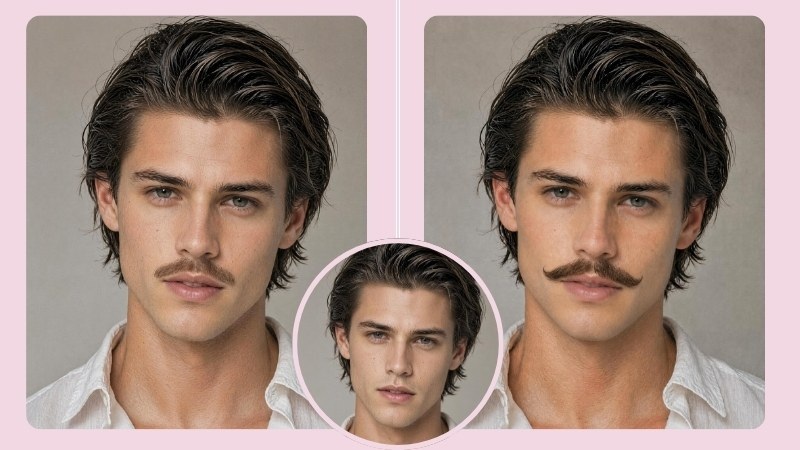
Wondering, “What would I look like with a mustache?” This guide compares five online mustache filter tools for realism, customization, pricing, and identity preservation. Whether you want to add a mustache to a photo for style testing or social content, these mustache AI tools offer different levels of control.
Best Mustache Filter Apps and Online Tools at a Glance
| Tool | Best for | Free option | Main strength |
|---|---|---|---|
| BeautyPlus | Quick presets and customizable mustache previews | ✅ | Ready-made styles plus precise brush selection and custom prompts |
| aichangehair | Trying multiple styles without manual masking | ✅ | Simple prompt workflow with 1K, 2K, and 4K options |
| OpenArt | Advanced selected-area AI editing | ✅ | Detailed inpainting, model, and selection controls |
| VEED | Creators who want to continue into video | ✅ | Prompt-based editing connected to image-to-video tools |
| Media.io | Prompt-driven mustache experiments | ✅ | Ready-made prompts powered by Nano Banana Pro |
Top 5 Mustache Filter Apps and Online Tools
1. BeautyPlus
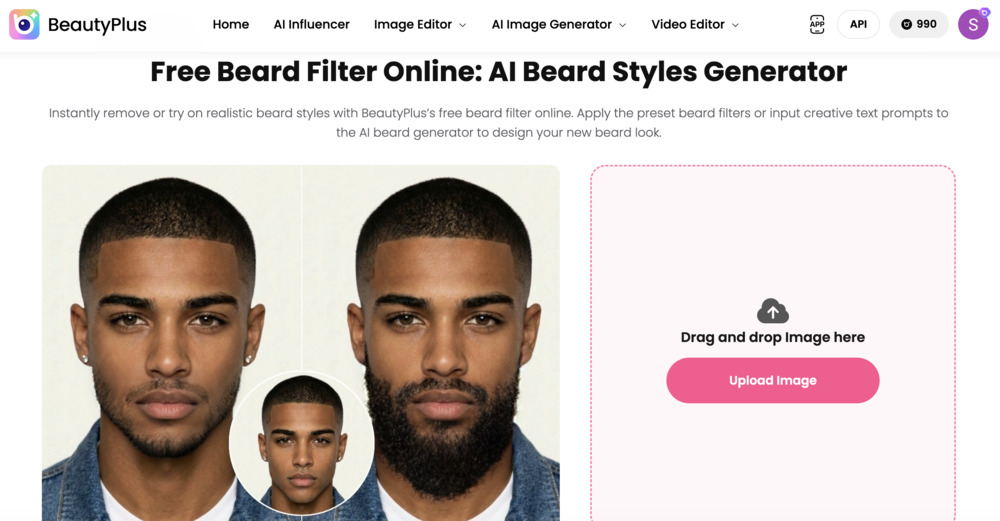
BeautyPlus gives you more control than a basic mustache sticker. Upload a clear portrait and choose between Preset and Custom modes. Preset offers ready-made facial hair styles for quick results, while Custom lets you brush over the upper-lip area and describe a look such as a “thin pencil mustache,” “dark brown chevron,” or “handlebar mustache with curled ends.”
In Custom mode, the brush lets you control exactly where the mustache appears, helping avoid unwanted changes to the chin, jaw, or nearby skin. Fine-tune the selection with the eraser, zoom, undo, and redo tools, then compare the before and after.
Key features
- Generate an edit in around 10 seconds
- Choose ready-made styles in Preset mode
- Create a personalized look in Custom mode
- Customize the mustache’s style, thickness, color, and placement
- Adjust selections with brush size, eraser, zoom, undo, and redo
Pricing
- Free: One trial generation
- Pro: $12 with 200 credits
- Max: $17 with 500 credits
Best for: Anyone who wants a quick facial hair preset or a realistic, customized mustache for profile pictures, memes, and social posts.
2. AIChangeHair
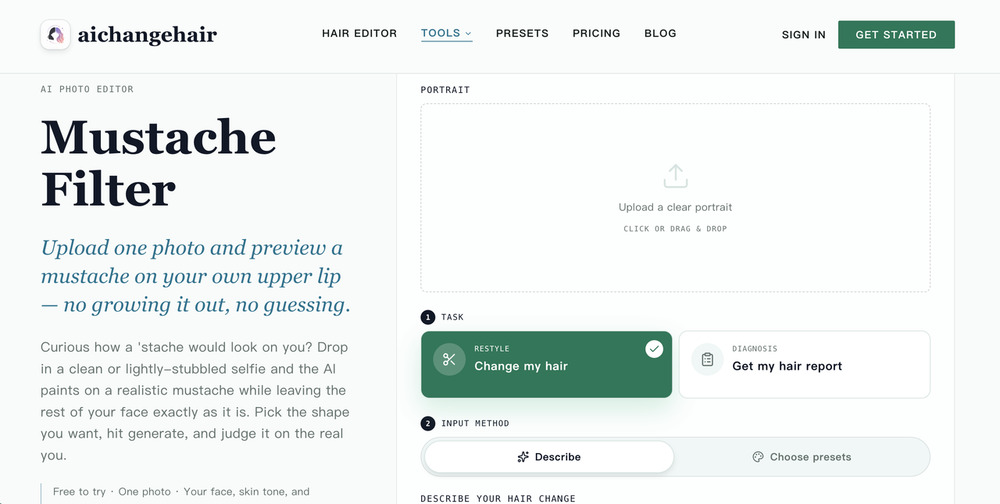
AIChangeHair offers a focused mustache page inside a larger hair-editing platform. Its prompt box is prefilled with a request to add a natural mustache while keeping the face and identity unchanged. Users can keep that instruction or replace it with a more specific style, color, or thickness.
The editor also makes resolution part of the credit decision. A 1K result costs fewer credits than a 2K or 4K result, so users can test an idea at a lower resolution before spending more on a sharper version.
One catch: generation requires sign-in for free signup credits, so users can’t fully preview the final edit as a guest. Its official page also makes strong claims about preserving the entire face and background. Those claims should be treated as goals rather than guarantees because generative edits can still introduce unwanted changes.
Key features
- Pre-filled prompt that can be customized by style, thickness, and color
- Custom descriptions for different mustache styles
- Identity-focused prompts designed to limit changes beyond the mustache area
- Three quality options: 1K, 2K, and 4K
- Simple upload, describe, select quality, and generate workflow
Pricing
- Free: 20 credits at signup, plus 10 daily credits when claimed
- Monthly: $14.99/mo, 800 credits per month
- Yearly: $83.88 for the first year, with 14,400 credits upfront; renews at $179.88 per year
- One-time packs: $9.90 for 300 credits, $19.90 for 650, or $39.90 for 1,400
Best for: People who want to test several mustache styles on their own face using text prompts rather than manual masking, and who do not mind signing up or using credits for each result.
3. OpenArt
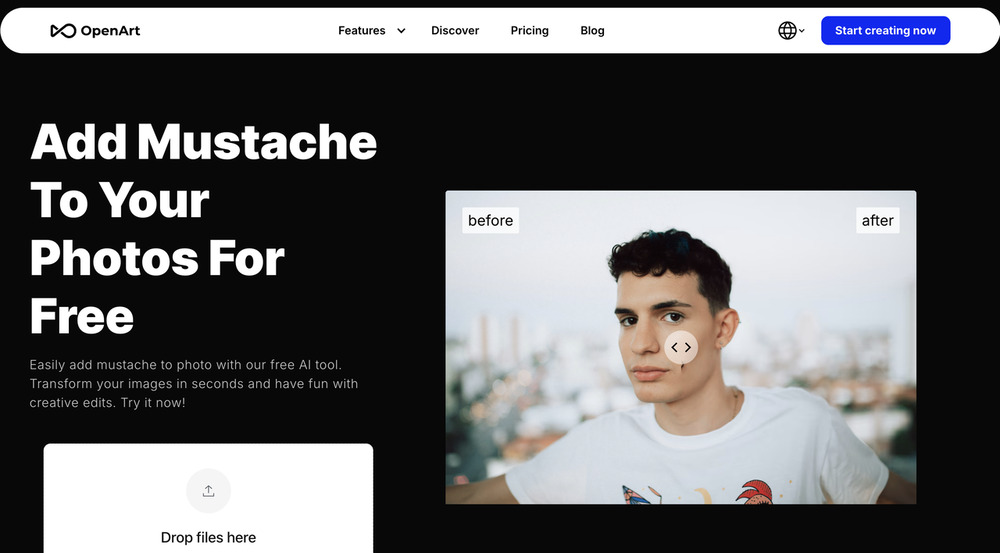
OpenArt’s mustache filter is part of a larger AI image-editing suite. Upload a photo, and it opens in the Inpaint editor with “Mustache” already entered as the prompt. From there, select the upper-lip area, adjust the description, choose a model, and generate.
You can mark the area using Click Area or Manual Brush, then choose from Quick, Premium (FLUX.2 Pro), or Advanced models. These extra controls are useful if you are familiar with AI editing, but the workspace may feel too complex if you just want a quick mustache preview.
You can access the editor as a guest, but you must sign up or upgrade before generating the final result. This makes it less convenient for users who want to try the full tool without creating an account.
Key features
- Prompt prefilled as “Mustache,” with room to rewrite style, color, and thickness
- Click Area and Manual Brush tools to select the edit region
- Model choices including Quick, Premium (FLUX.2 Pro), and Advanced
- Additional suite tools such as Remove, Expand, Stylize, Background, and Face editing
Pricing
- Starter: from $14/seat/month with 4,000 credits/month
- Plus: from $34/seat/month with 12,000 credits/month
- Pro: from $56/seat/month with 24,000 credits/month
- Wonder: $240/seat/month with 106,000 credits/month
Best for: People who want selected-area AI inpainting and do not mind working inside a larger image-editing suite, especially if they may keep editing the same photo after adding a mustache.
4. VEED
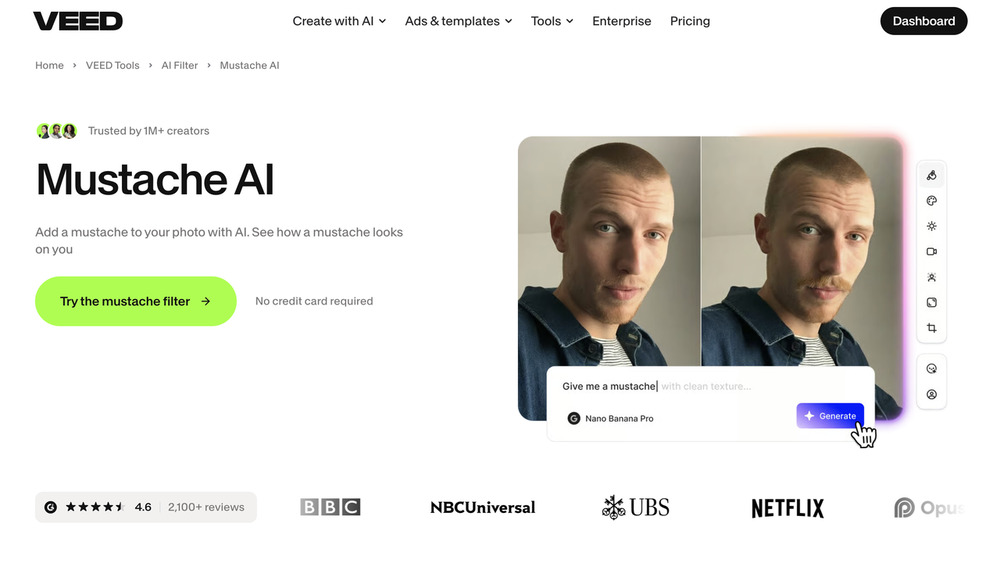
VEED’s mustache filter lets you upload a photo, describe a style, and preview the result. However, it is not a standalone filter. Clicking “Try the mustache filter” opens VEED’s AI Playground, which also includes tools for image generation, video editing, and AI characters.
The workflow is fully prompt-based: upload a portrait, describe a Chevron, Handlebar, Pencil, or another mustache style, choose an AI model, and generate. This is easy to use, but the result depends on the model. In our test with Flux 2, it added the mustache but also changed parts of the face, making the output feel more like a new portrait than a realistic try-on.
You can access the AI Playground as a guest, but generating an image requires a free account and credits.
Key features
- Prompt-based mustache editing with no manual brush required
- Multiple AI model options
- Credit counter shown before generation
- Option to download the image or continue into image-to-video / video tools
Pricing
- Creator: $25/user/month with 500 credits
- Pro: $45/user/month with 2,500 credits
- Studio: $79/user/month with 15,000 credits
Best for: Creators who want a prompt-based mustache edit and may continue into VEED’s video workflow afterward.
5. Media.io
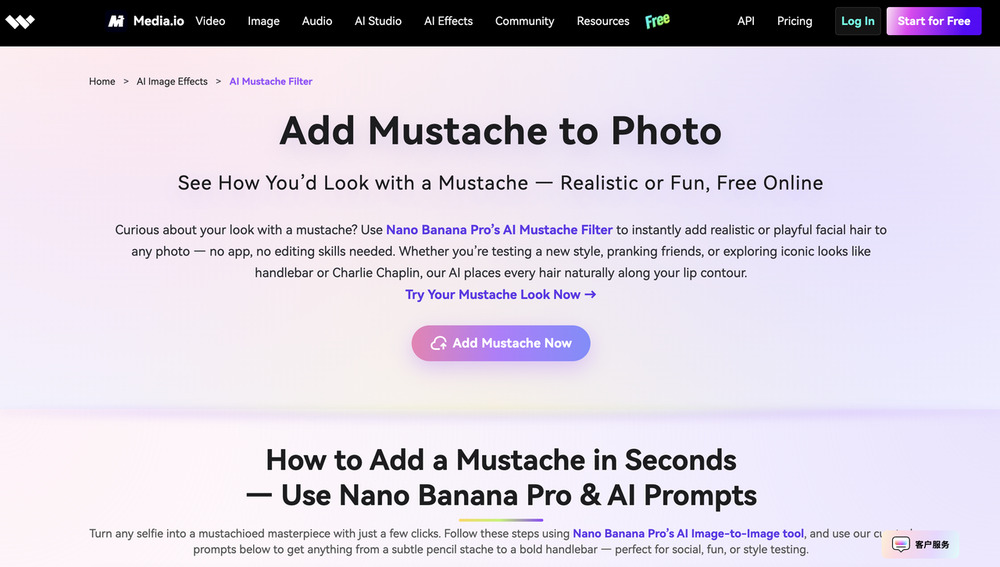
Media.io markets itself as a free online mustache filter, but what you actually get is a prompt-based Image to Image edit powered by Nano Banana Pro. You upload a portrait, describe the mustache you want, and let the model regenerate the look. That makes it flexible for realistic Chevron styles or louder Handlebar looks, especially since the page already provides copyable prompts.
The catch is that this is not a one-tap beauty filter. There is no brush for the upper lip and no mustache preset tray. Everything depends on the text prompt, and generation sits behind Media.io’s credit system. In testing, users need to sign in before generating an image. New users receive 5 credits after their first login, and the cost of each generation depends on the AI model selected. So it works best if you are fine writing prompts and using credits, not if you just want a quick guest try-on.
Key features
- Prompt-based mustache edits through Media.io Image to Image
- Nano Banana Pro model for the generation
- Ready-made prompt examples of realistic and iconic styles
- Access to Media.io’s wider AI image and video tools
Pricing
- Free: 3 daily check-in credits, limited generations, 720p exports with watermark
- Standard: $10.99/mo monthly, with 100 credits/month
- Premium: $19.99/mo monthly, with 400 credits/month
Best for: People who want prompt-driven mustache experiments and already like Media.io’s credit-based AI tools. Less ideal if you want a simple, no-login mustache try-on with direct upper-lip control.
How to Use the Mustache Filter Online
Use the Beard Filter In Preset Mode
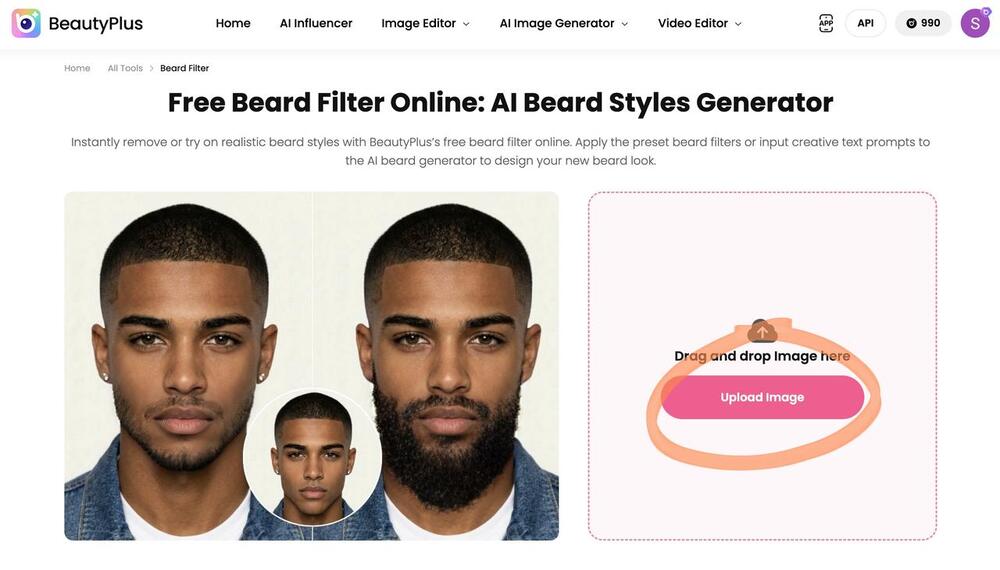
- Step 1: Go to the Free Beard Filter Online and click “Upload Image” to add your photo.
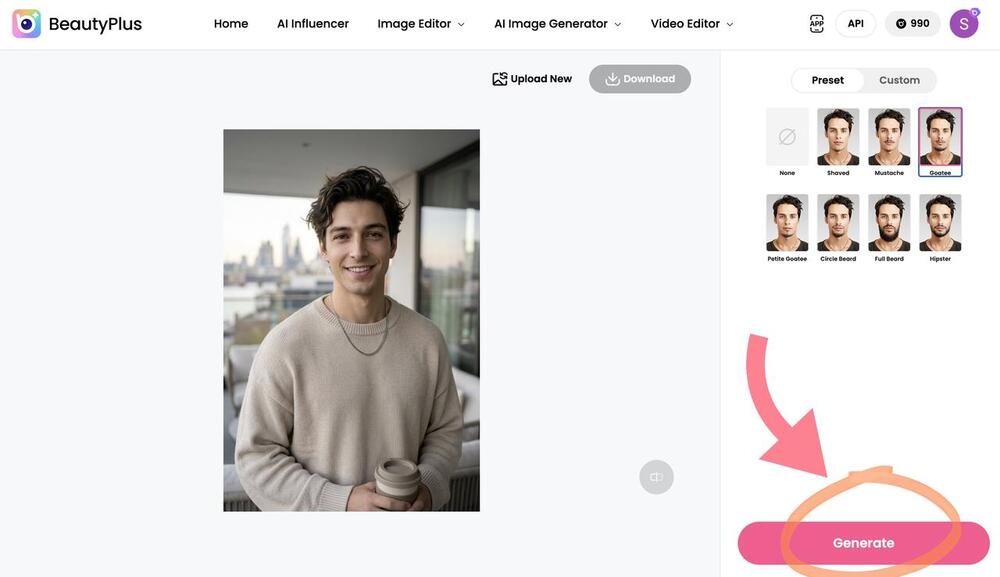
- Step 2: Choose “Preset” to apply a ready-made beard style, then click “Generate” and wait for the AI to apply the beard style.
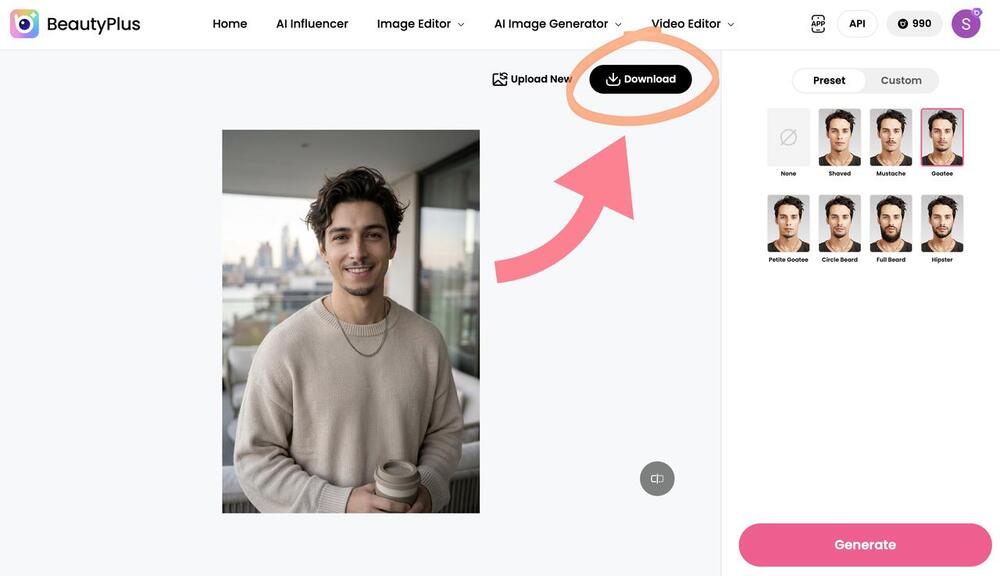
- Step 3: Preview the result, then click “Download” to save your image.
Use the Beard Filter In Custom Mode
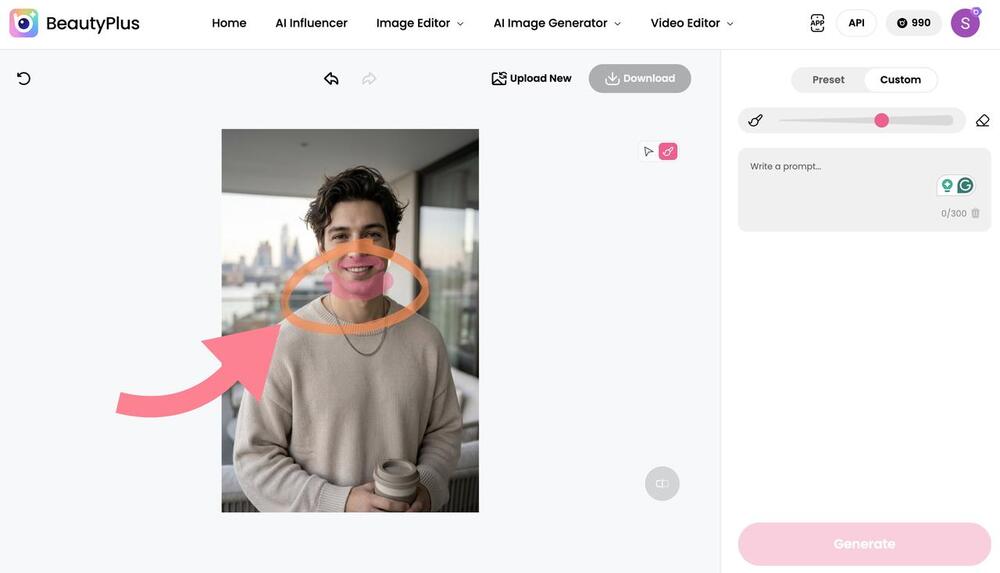
- Step 1: Use the round highlighter to highlight the upper lip area (and jaws if you also want to try on a beard).
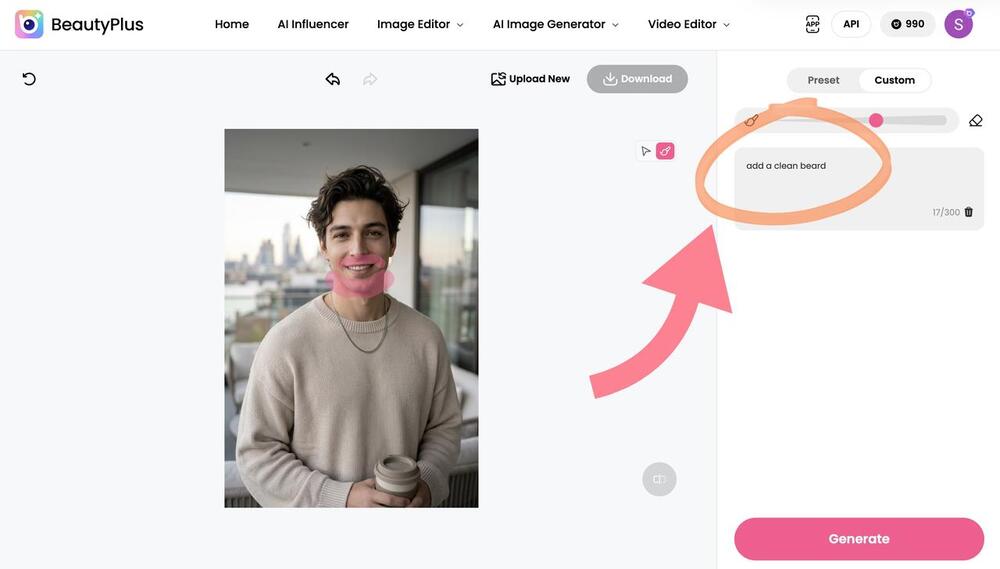
- Step 2: Once done, provide a prompt (about the type of mustache you want) to the tool.
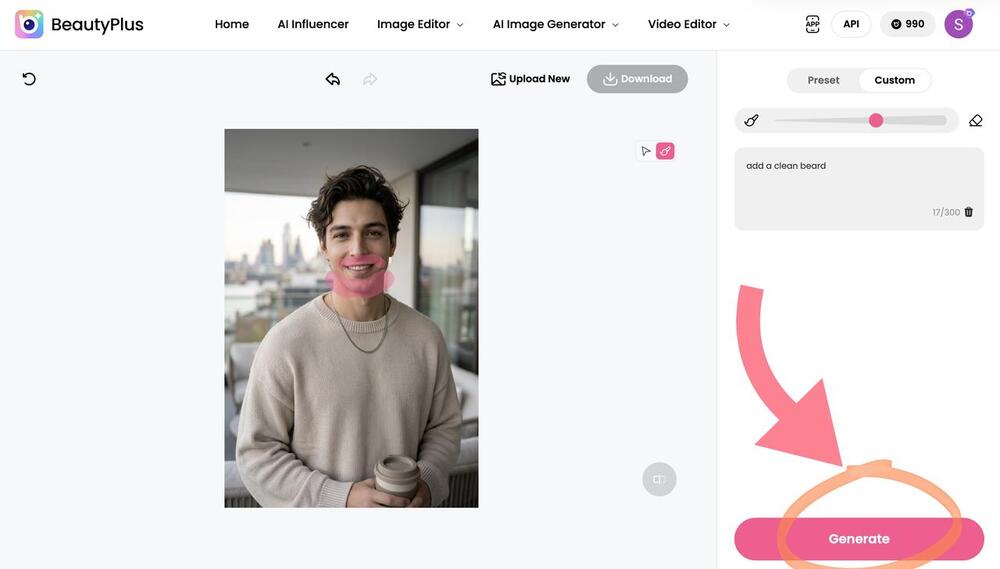
- Step 3: Click “Generate.”
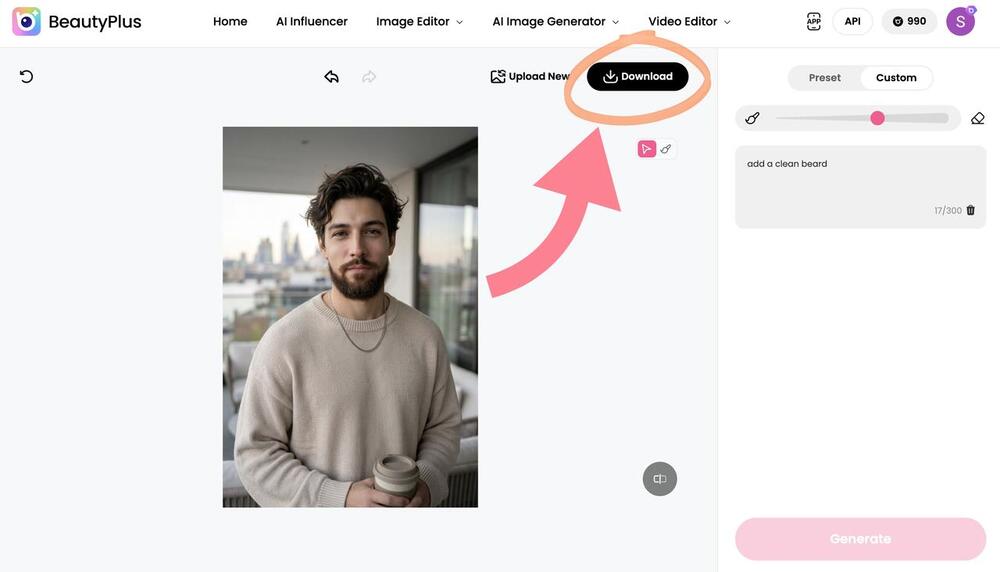
- Step 4: To save the picture, tap on the “Download” button.
How to Add Mustache to Photo with BeautyPlus APP
Here’s how you can use the BeautyPlus app to try on Mustache filters:
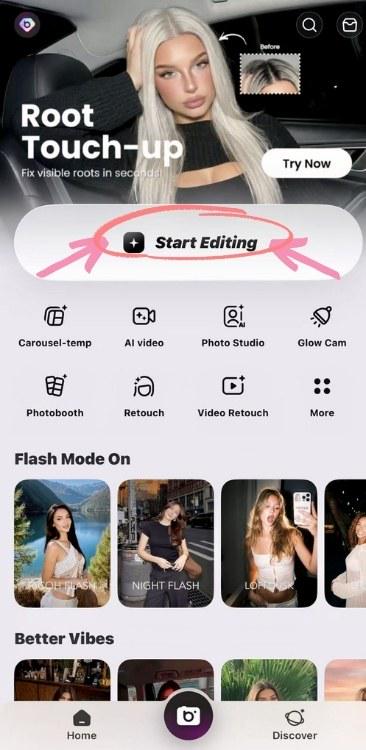
- Step 1: Go to the BeautyPlus app and click on the “Start editing” option to upload the picture that you would like to try the mustache filter on.
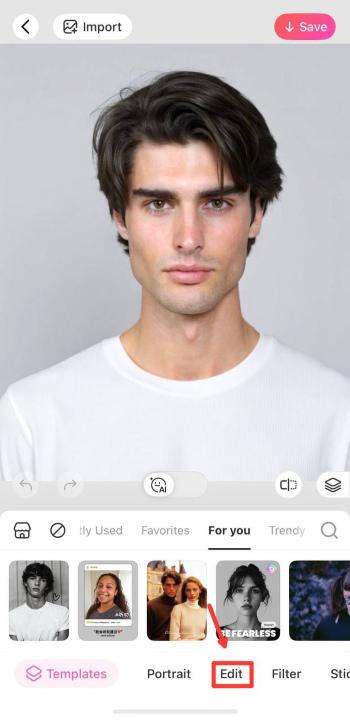
- Step 2: Once the picture is uploaded, choose the “Edit” option.
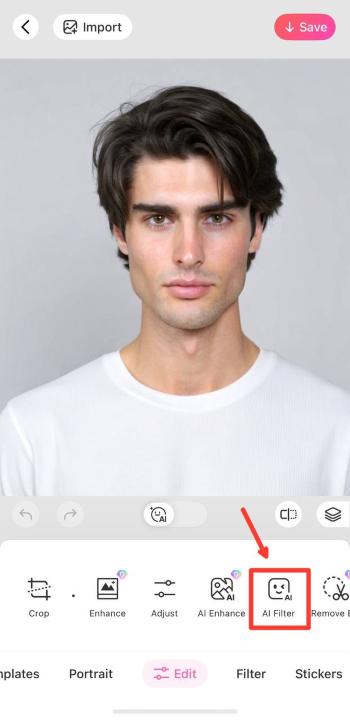
- Step 3: Tap on “AI filter.”
- Step 4: Swipe a little to the right to find the “Beards” option.
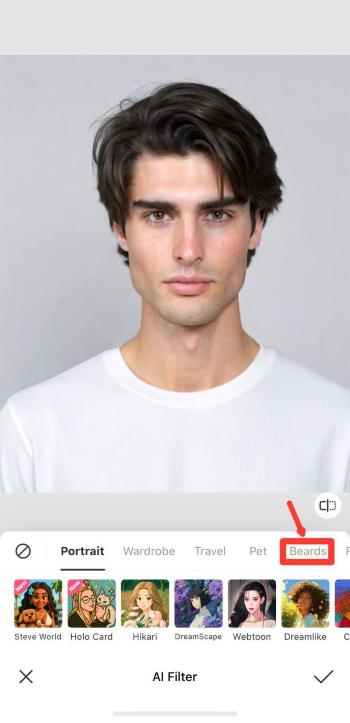
- Step 5: Swipe to the right to go through all the filters and then choose the one you would prefer to try on.
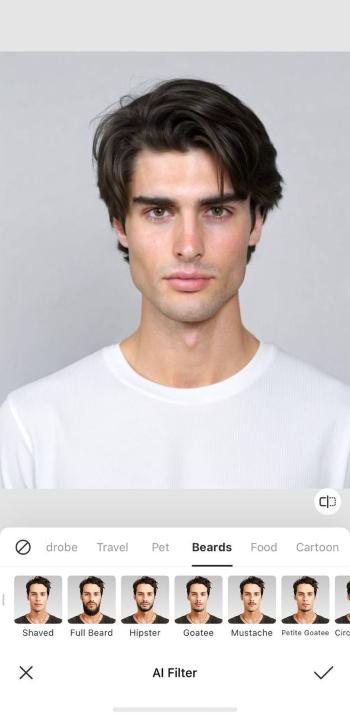
- Step 6: Once the image is ready, click on “Tick”
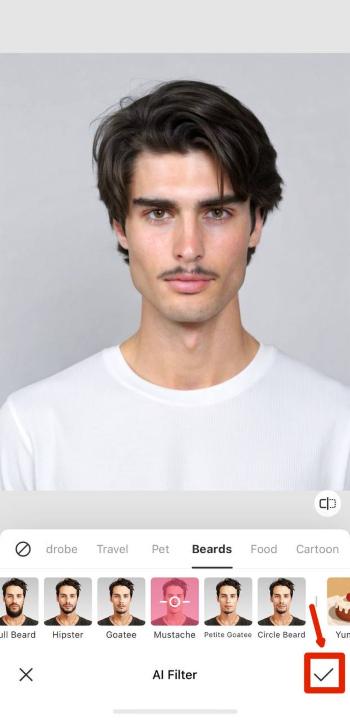
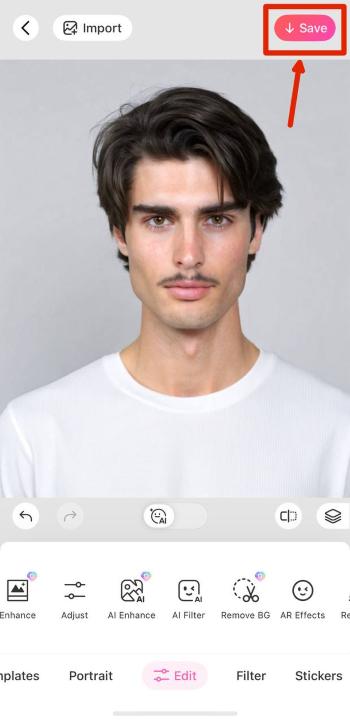
- Step 7: To save the image, tap on the “Save” button on the top right of the screen.
 Download on App Store
 Get It on Google Play
Popular Mustache Styles to Try in 2026
Current grooming trends favor the Chevron, Beardstache, Pencil, and Handlebar. Try each style with a mustache filter before deciding which one suits your face and personal style.
Chevron Mustache
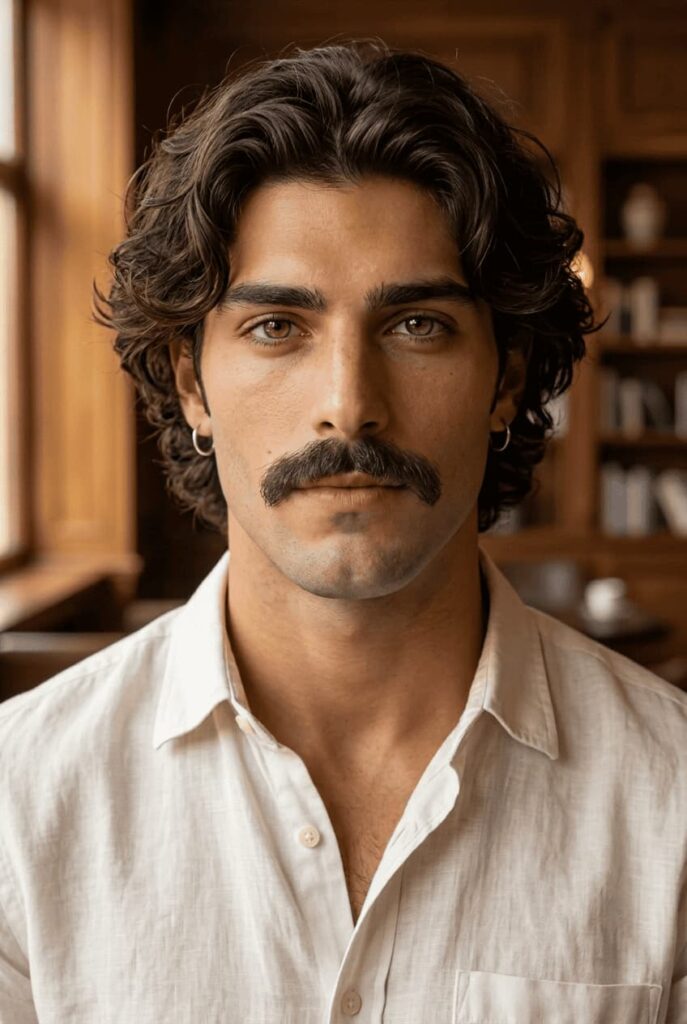
The Chevron is currently one of the most popular choices. Its thick, natural shape creates a confident look without requiring curled ends or detailed styling.
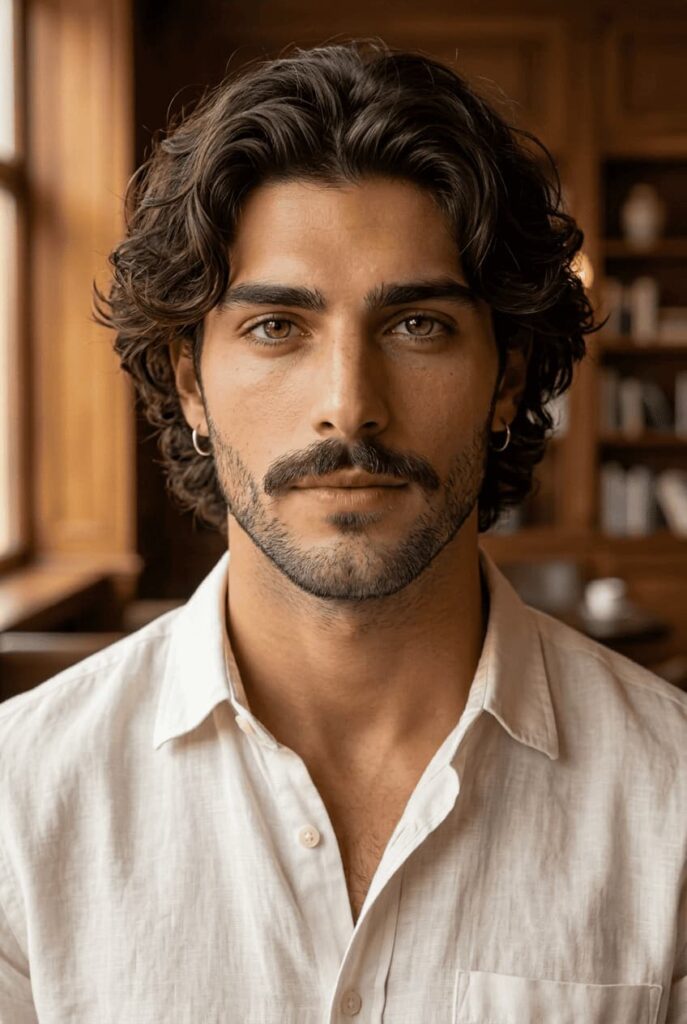
Beardstache
The Beardstache pairs a prominent mustache with short, neat stubble. It offers a modern, relaxed option for anyone who finds a standalone mustache too dramatic.
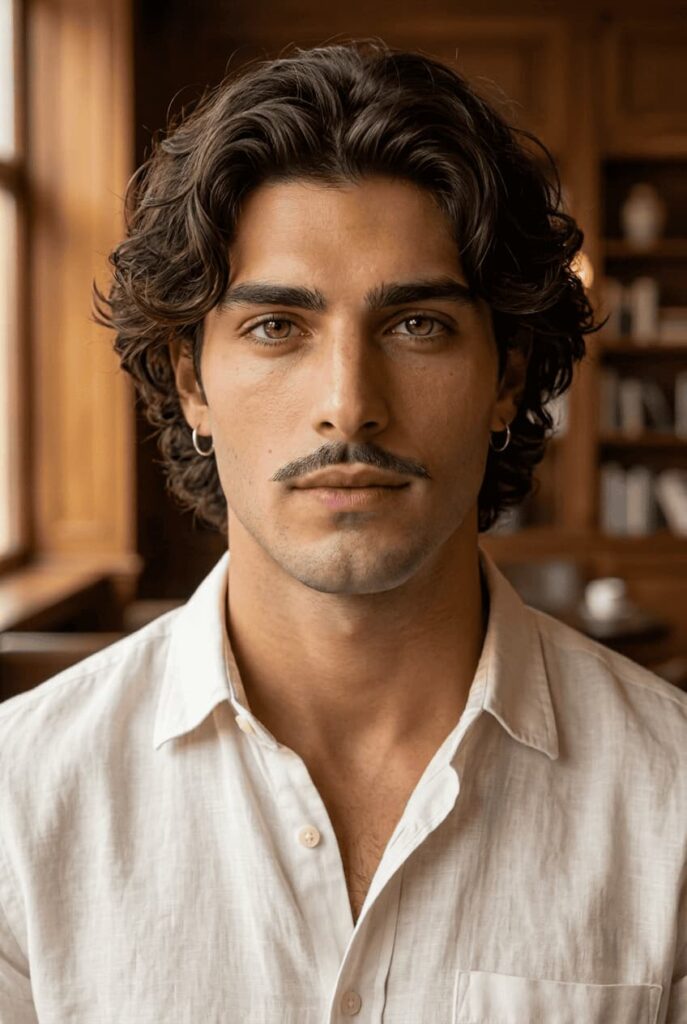
Pencil Mustache
The Pencil is thin, precise, and inspired by classic Hollywood. It works well for a refined look without adding too much visual weight around the mouth.
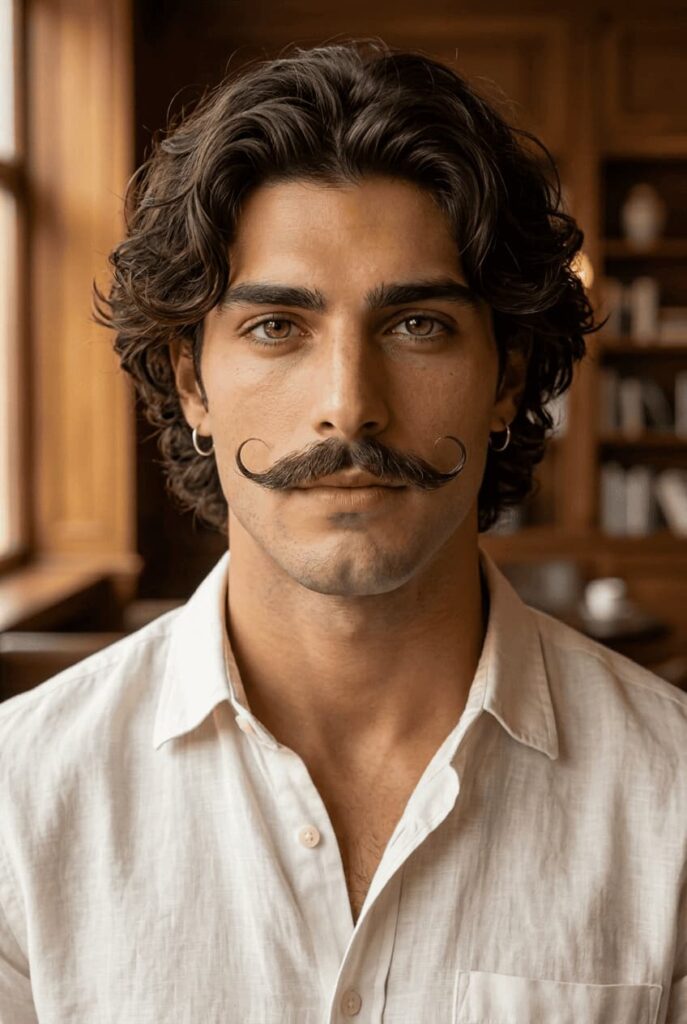
Handlebar Mustache
The Handlebar features longer ends that curl upward. It is a bolder choice for anyone who wants a vintage, distinctive, or playful style.
Conclusion
Choosing the right mustache filter depends on how much control you need. BeautyPlus offers quick, ready-made presets and a Custom mode for precise brush selection and text prompts. AIChangeHair provides a simpler prompt workflow, OpenArt offers advanced inpainting, VEED works well for videos, and Media.io uses a credit-based system.
Try the BeautyPlus Mustache Filter for either one-click styles or a fully customized look. One trial generation is available before credits apply.
FAQs
The best option depends on the content you want to create. BeautyPlus is useful for controlled photo edits, VEED suits creators who may turn the image into a video, and Media.io offers prompt-based image generation.
Upload a clear portrait, select or describe the mustache style, and generate the image. With BeautyPlus AI Replace, brush over the upper lip and enter a prompt such as “Add a natural dark brown Chevron mustache. No beard.” Review the result before downloading it.
BeautyPlus, OpenArt, VEED, Media.io, and AIChangeHair can all add a mustache to a photo. BeautyPlus and OpenArt use selected-area editing, while VEED, Media.io, and AIChangeHair rely mainly on text prompts.
Yes, but the result depends on the source photo and AI model. Use a clear, front-facing portrait and describe the mustache’s style, color, thickness, and position. AI results are only visual previews and may not match your real facial-hair growth.
Use an online mustache filter that supports prompts or presets. Upload the picture, request a style such as Chevron, Pencil, or Handlebar, and generate the edit. No traditional layer editing is required, although some tools ask you to mark the upper-lip area first.
Some provide a free trial or limited credits, but most are not unlimited. BeautyPlus offers one trial before charging 5 credits per generated image. Media.io provides daily check-in credits, while VEED and OpenArt use paid credit systems.
It can. Image-to-image models may alter the mouth, jaw, skin, or facial identity while adding the mustache. For example, Flux 2 in VEED may generate the requested facial hair but also change the face. Selected-area tools can reduce this risk, but they cannot eliminate it completely.
Make the prompt more specific and generate another version. Include the style, color, thickness, and placement, then add “no beard” and “keep the face unchanged.” If the tool provides a brush, limit the selected area to the upper lip. Each retry may consume additional credits.