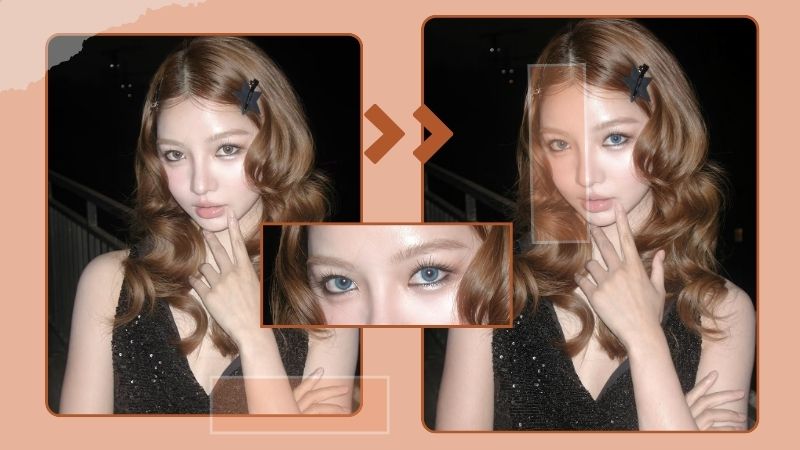
What Would I Look Like with Long Hair?
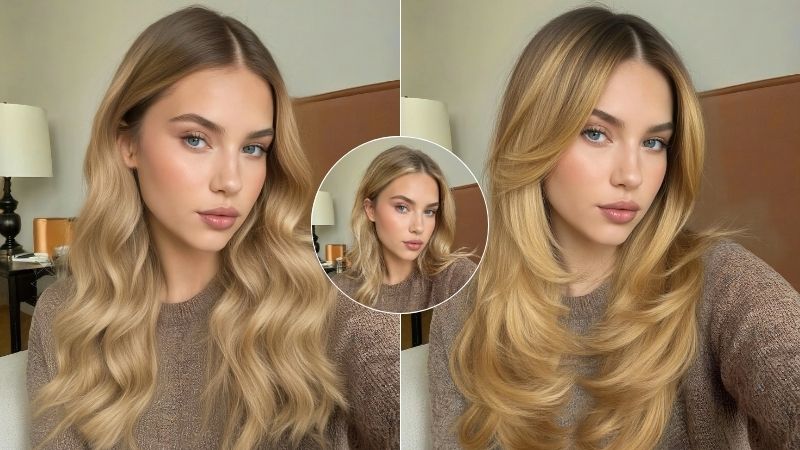
Short hair is easy to manage, and for some people, having longer hair just isn’t an option, which makes complete sense. It’s not for everyone. Some prefer a length that’s simple to maintain, others have textured hair that doesn’t grow beyond a certain point, and some deal with concerns like hair fall or alopecia, making long hair something they choose not to pursue. Still, it’s natural to be curious about how would I look with long hair. Today, we’ll explore tools that give you a true-to-life sense for your question of what would I look like with long hair.
Method 1: Test Long Hair Filter with Online Tools
To finally settle your curiosity about how to know if long hair suits you, these hair filter online tools might help you see a version of yourself with longer, luxurious hair.
BeautyPlus
BeautyPlus has smartly positioned itself as a one-stop solution for AI-powered photo editing, offering results that are not only accurate and natural but also consistently reliable. Its long hair filter doesn’t just show you how you might look with longer hair. Instead, it lets you explore long hair AI filters in different styles, so you can see how various looks would suit you before making any real changes.
 Download on App Store
 Get It on Google Play
Pros
- Very easy to use with no learning curve
- Results look natural and close to real-life expectations
- Offers multiple long hair styles instead of a single preview
- Free trials available, which is helpful for first-time users
Cons
- Limited number of free generations
- Requires a good-quality, front-facing portrait for best results
Step-by-step Guidance
1. Open your browser and head over to BeautyPlus’ long hair filter page.
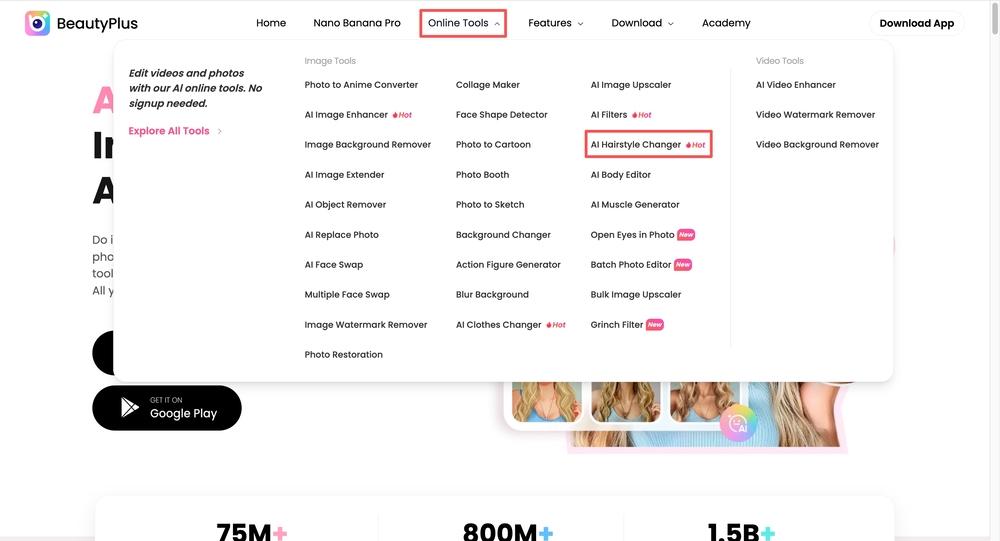
2. Click “Upload Image” or drag and drop your photo into the upload area.
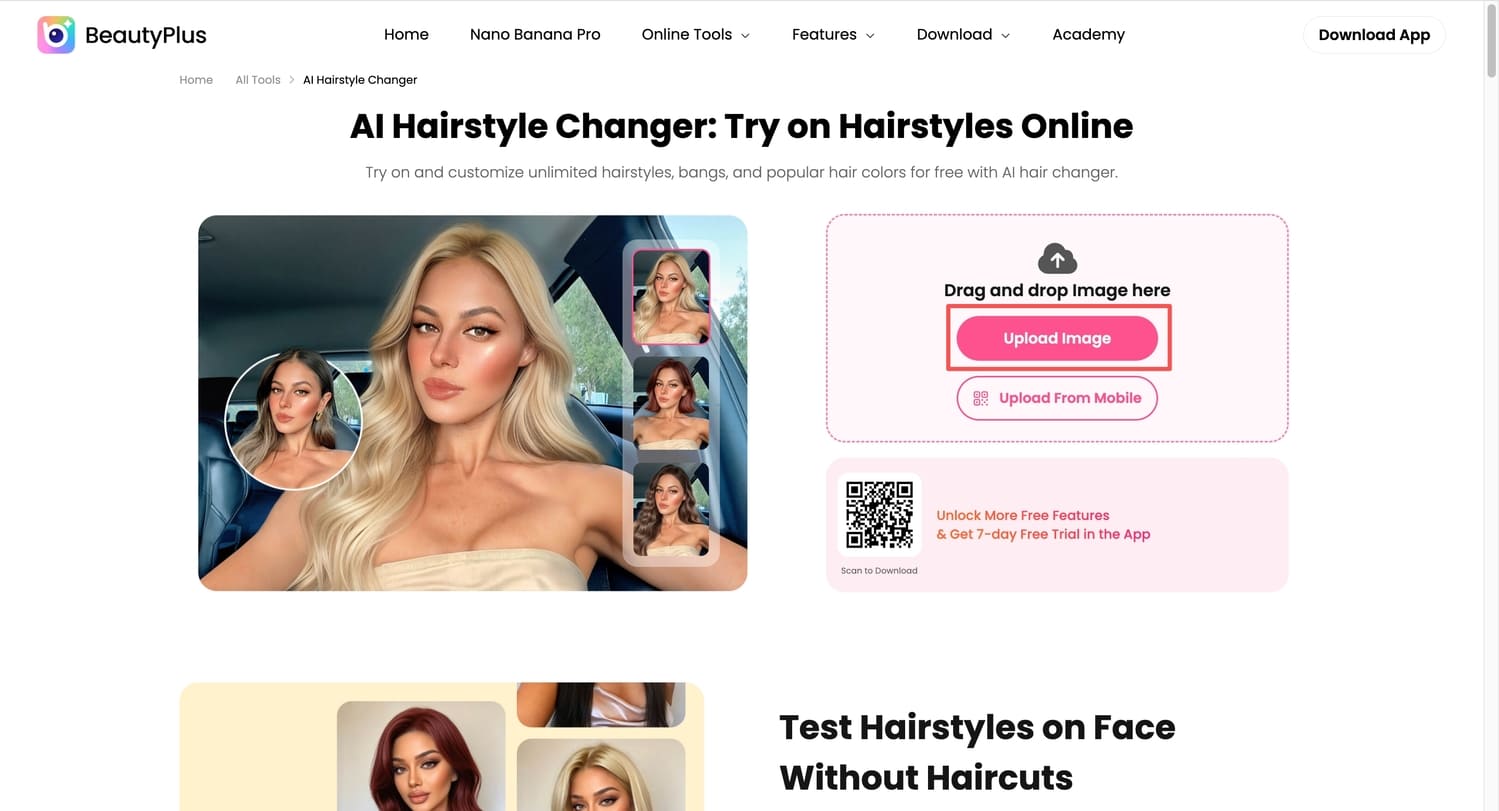
3. Once your photo loads, choose a long hair filter/style from the available options, and then click “Generate” to preview the final results.
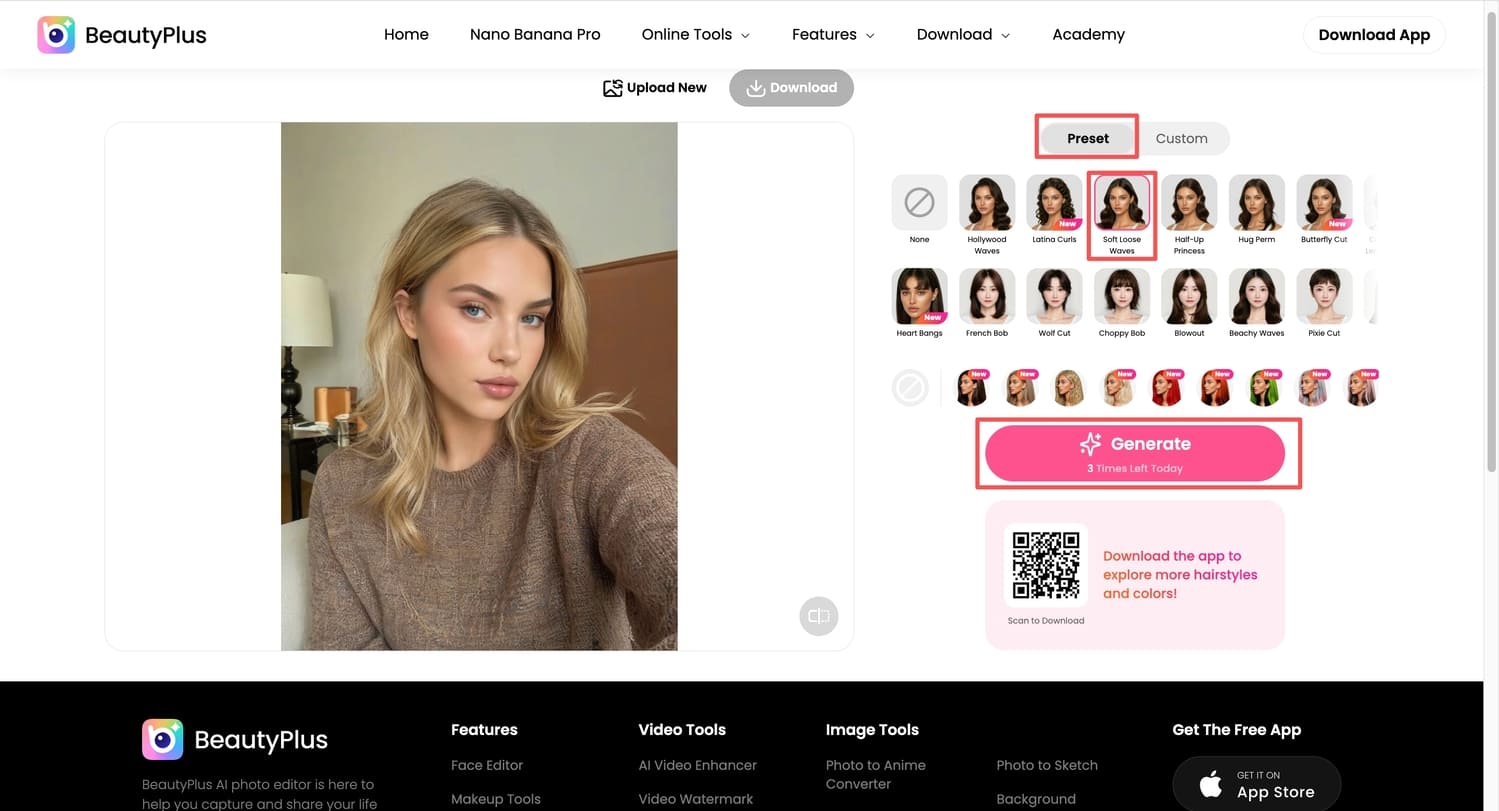
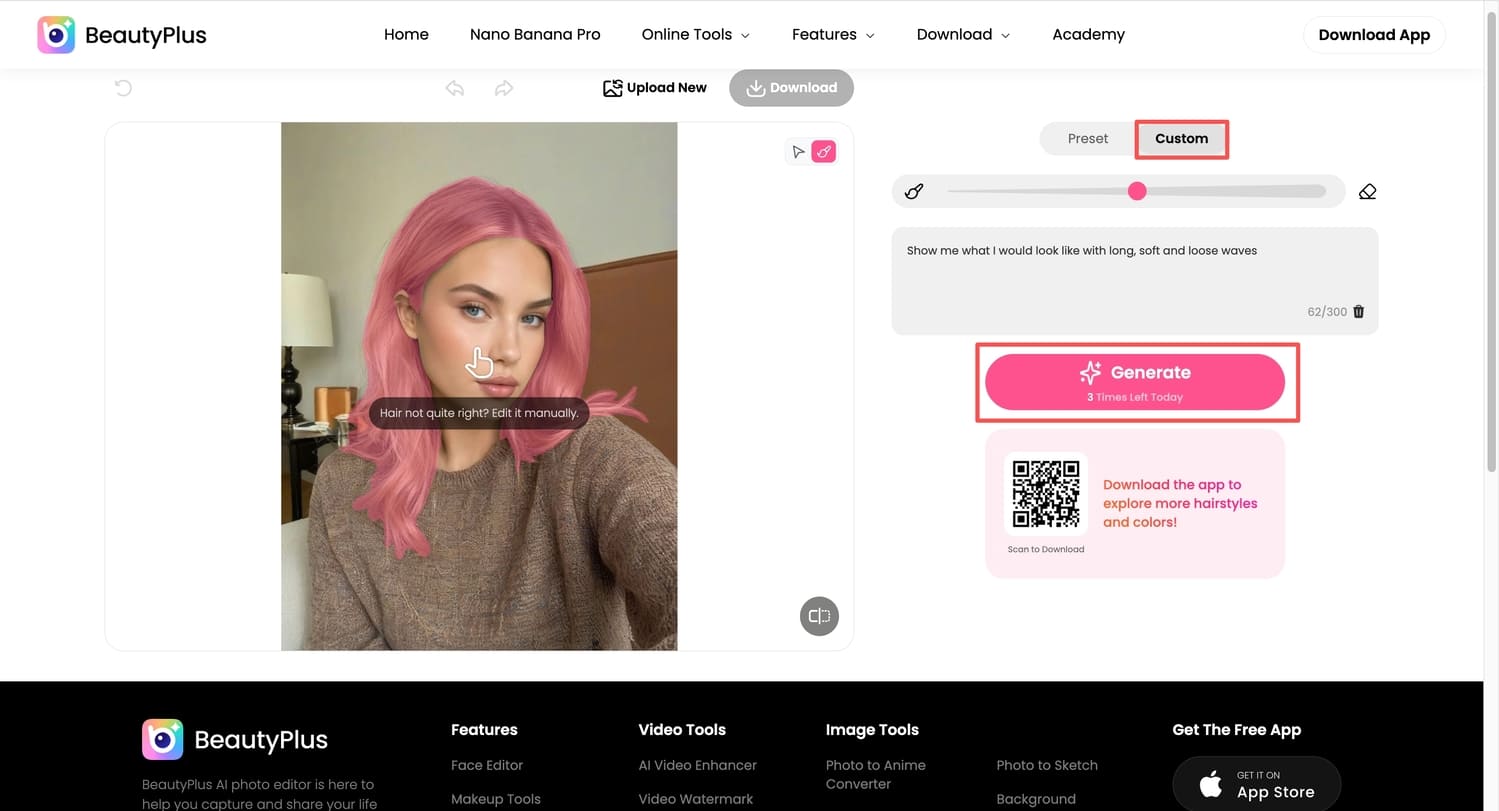
4. If you want a more customized look, you can select the “Custom” option, besides the “Preset” option, and add in your prompt according to the changes you would like in your image, and click “Generate”.
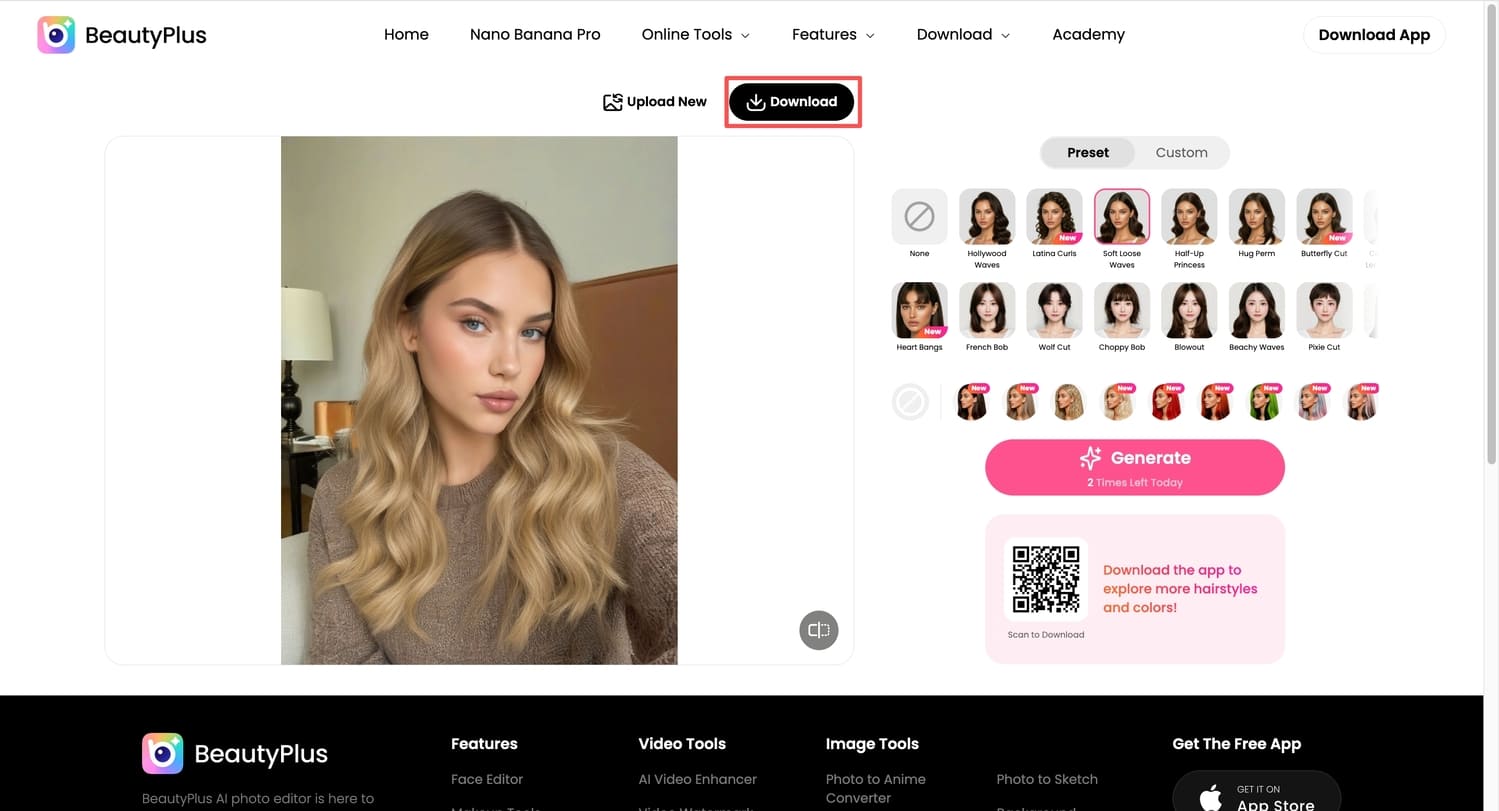
5. Let the tool generate the preview, and once you’re happy with it, you can download the image to your device by clicking “Download”.
Gemini
With Gemini, exploring your creative vision feels almost limitless. It gives you a blank canvas to work with, and with the right prompt, it can bring your ideas to life in a surprisingly sufficient way. The key is being descriptive, as the model relies on natural learning, meaning the clarity and detail of your prompt directly influence the quality of the results you receive.
Pros
- Gives complete creative freedom with custom prompts
- Works well for visualizing specific styles, textures, or vibes
- No preset limitations, making experimentation almost endless
Cons
- Results depend heavily on how detailed your prompt is
- Not always consistent for realistic hair placement
- Requires some trial and error to get accurate outcomes
Step-by-step Guidance
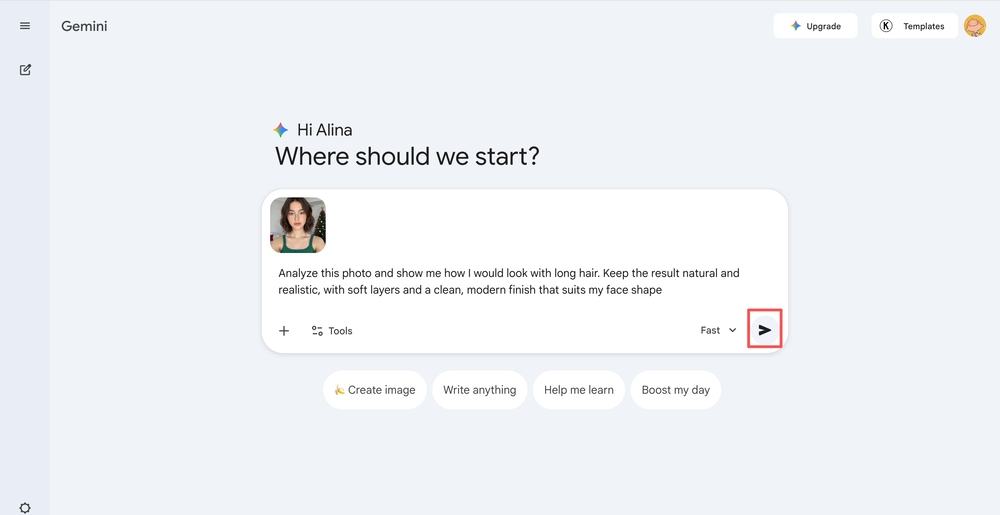
1. Open your browser and head over to Google Gemini Online Tool.
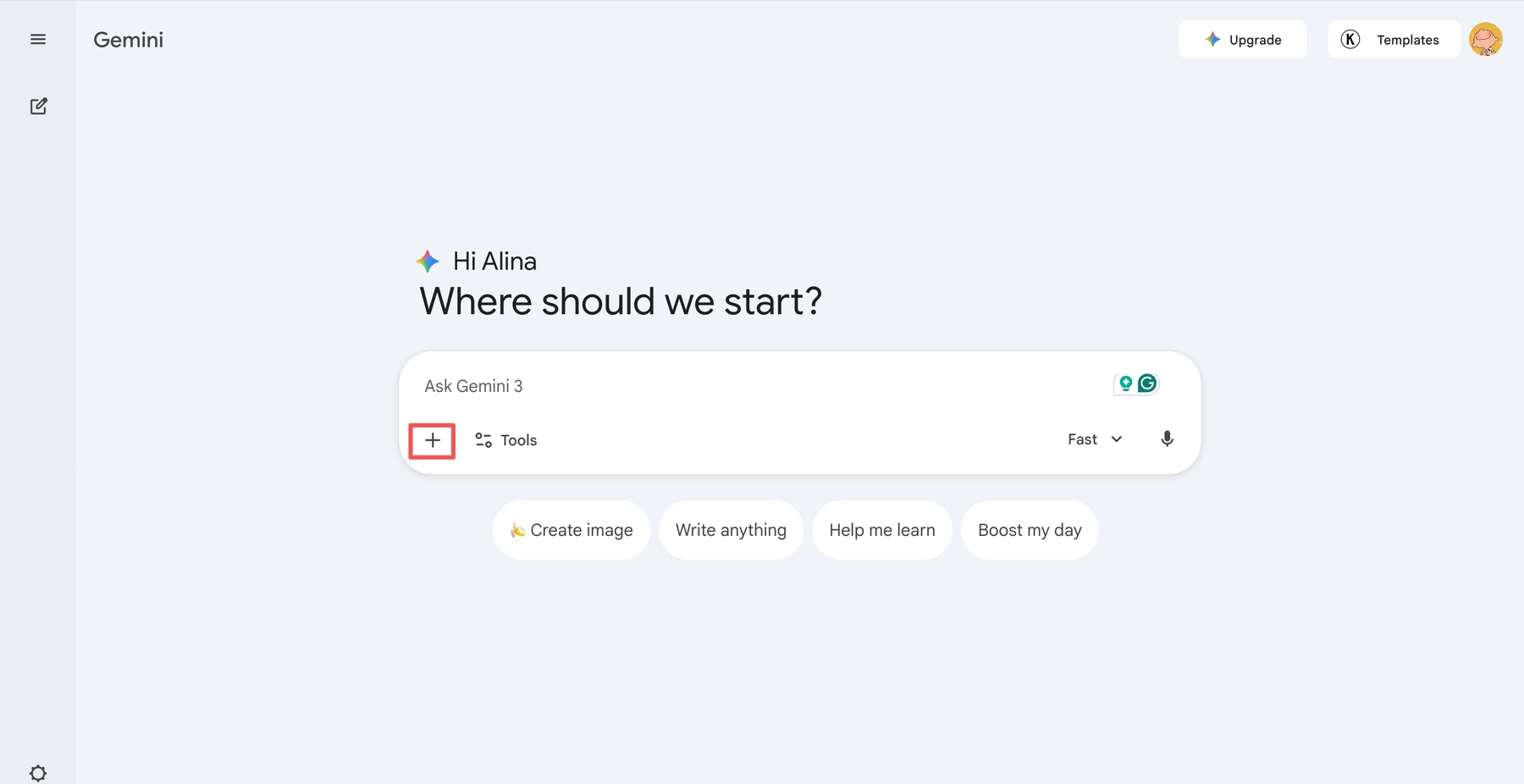
2. Tap the “+” icon in the chat bar to upload a photo from your gallery or take a new one.
3. Type your prompt in the text box detailing the kind of hairstyle you want. You can choose to copy and paste this prompt or customise your own.“Analyze this photo and show me how I would look with long hair. Keep the result natural and realistic, with soft layers and a clean, modern finish that suits my face shape.” And tap send.
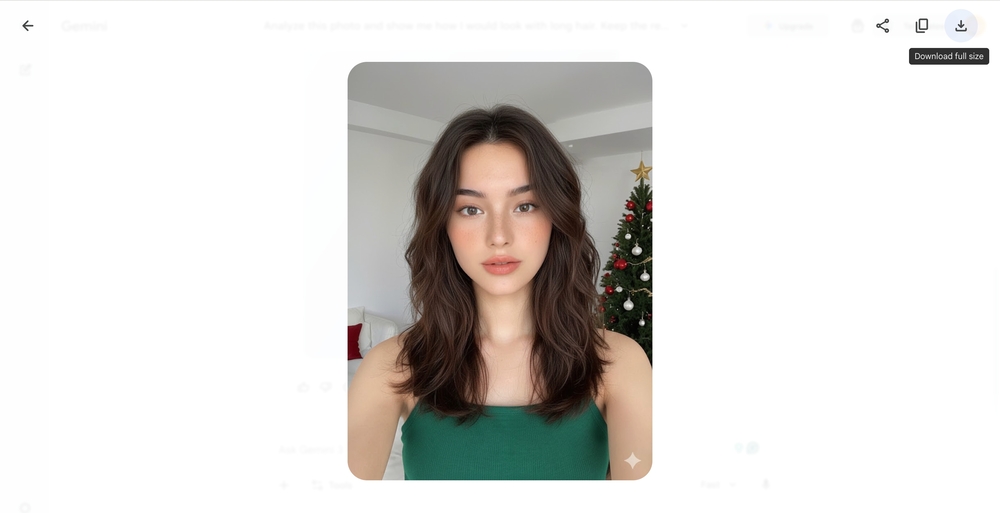
4. When satisfied with the results, save the image to your device by tapping the download icon on the image.
Method 2: Virtual Try on Long Hair on App
App filters are another, just as wonderful, if not more convenient, way of exploring hairstyle try on free of charge. Whether they are better than the long hair filter online is subjective, but with BeautyPlus, you seldom ever have to take any chances.
BeautyPlus
Getting long hair previews, whether just to see how you’d look or to post online, works best when everything is done on your phone. Transferring photos back and forth between a PC and a phone often reduces quality, and handling them directly on your phone is usually more practical and makes more sense. The BeautyPlus app offers a similar, easy way to try long hair using its built-in tools. Here’s how you can get long hair through the BeautyPlus app.
Pros
- Convenient to use directly on your phone without losing image quality
- Fast and intuitive editing flow
- Hairstyle try-ons feel more refined for social sharing
- No need to transfer files between devices
Cons
- Some styles or features may be app-only or locked
- Requires downloading the app
Step-by-step Guidance
1. Open the BeautyPlus app on your phone; it is compatible with both iOS devices and Android.
2. Tap “Start Editing”, which will prompt you to select an image from your phone’s gallery or camera.
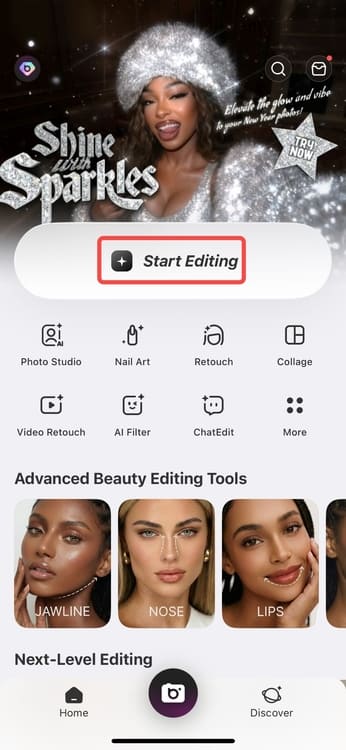
3. Upload a clear, front-facing photo so the hair feature can apply results more accurately.
4. Once the image loads, tap “Portrait” from the editing tools and inside the Portrait section, select “Hair” to open all hair editing options.
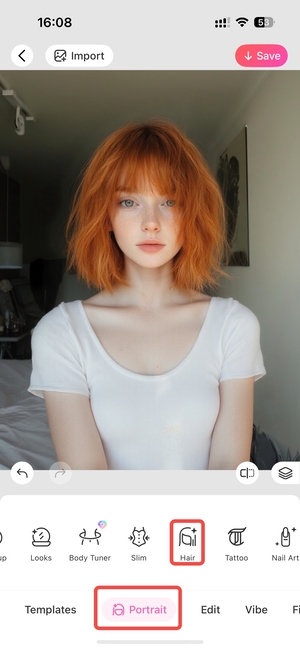
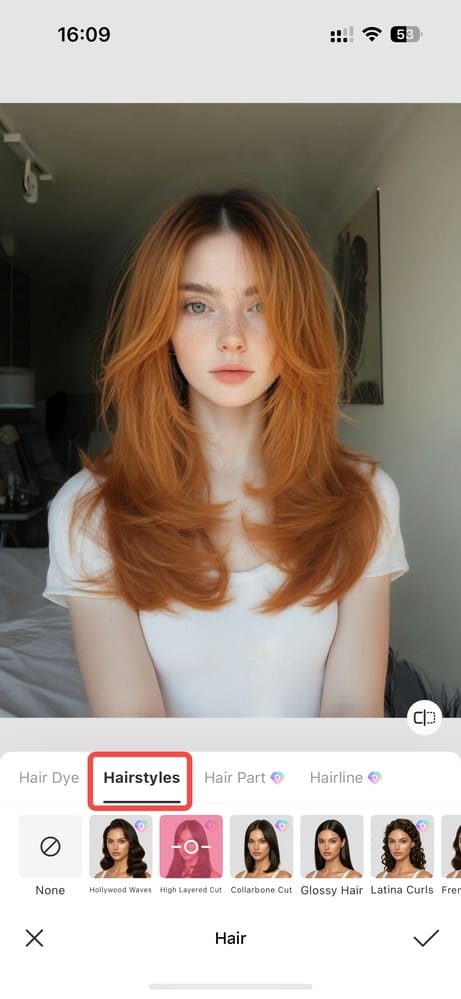
5. Tap “Hairstyles” to view the available styles designed for realistic try-ons. Choose a long hair hairstyle that fits your preference and apply it to preview how it looks on you.
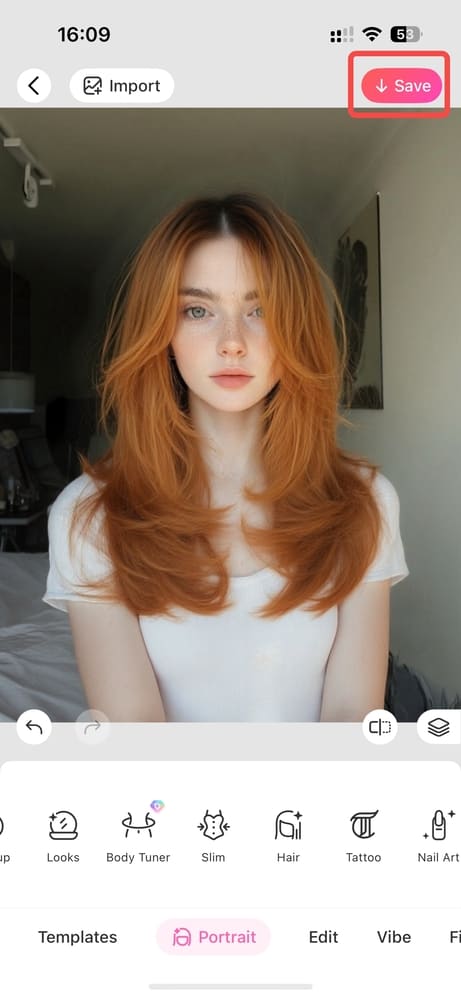
6. After reviewing the result, “Save” the image if you’re happy with the look.
4 Trendy Long Hair Ideas 2026
Butterfly Haircut for Long Hair
The butterfly haircut is similar to a layered haircut but with noticeably more volume. This volume comes from much shorter layers around the crown and face, which lift the hair and fall outward, giving the style its “butterfly” shape. While almost anyone can wear it, the look is especially popular among younger adults and older teens.
Barely-There Layers Long Hair
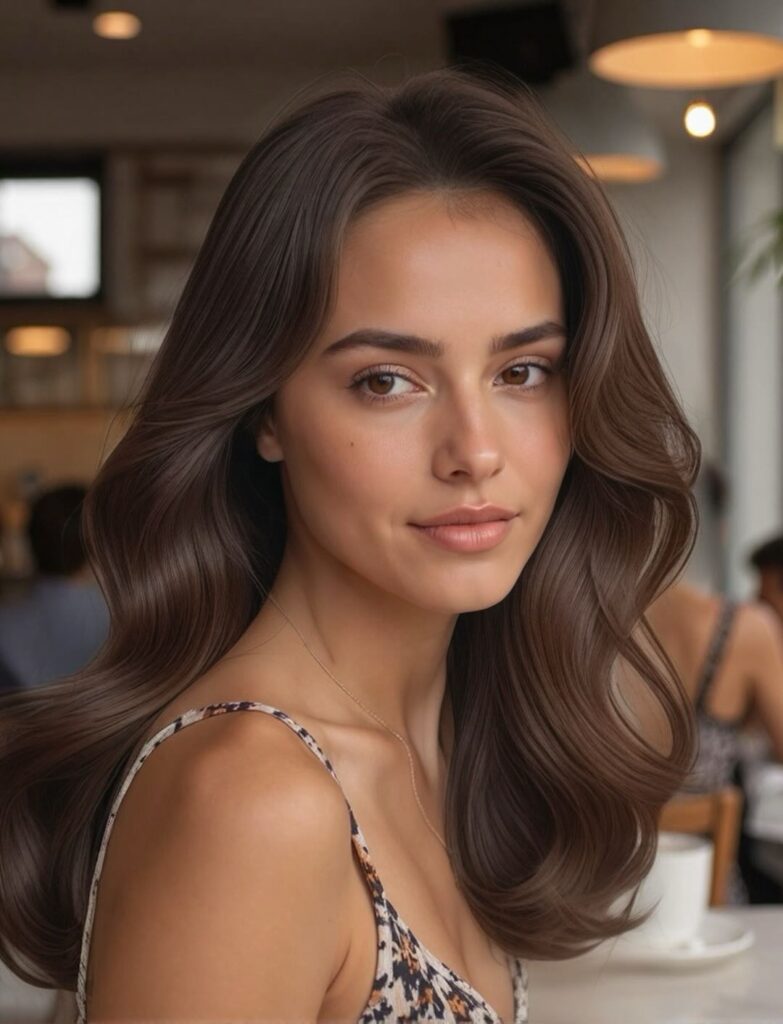
Barely-there layers speak for themselves. They’re so subtle that you can hardly tell they’re there, but that minimal approach gives the hair a clean, polished look. For anyone going for a “clean girl” aesthetic or wanting something easy to maintain, especially with straight to lightly wavy hair, this can be a great choice to consider.
Lightly Layered Long Hair
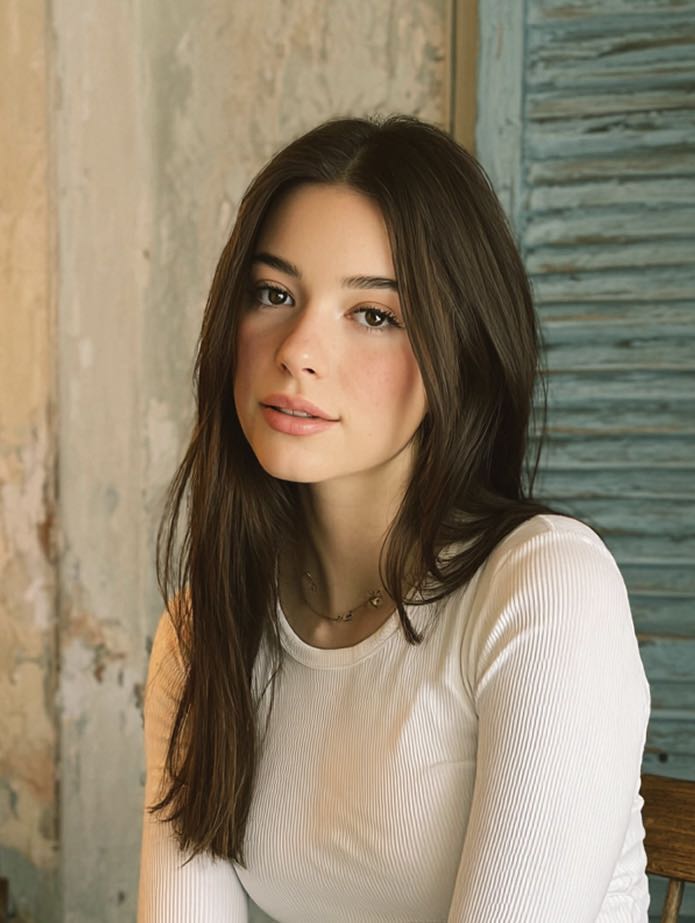
Lightly layered long hair is another great option for anyone who wants subtle, inward layers that are visible enough to catch the eye. The layers are evenly placed, maintaining structure and movement, making it a style that works well for everyday wear.
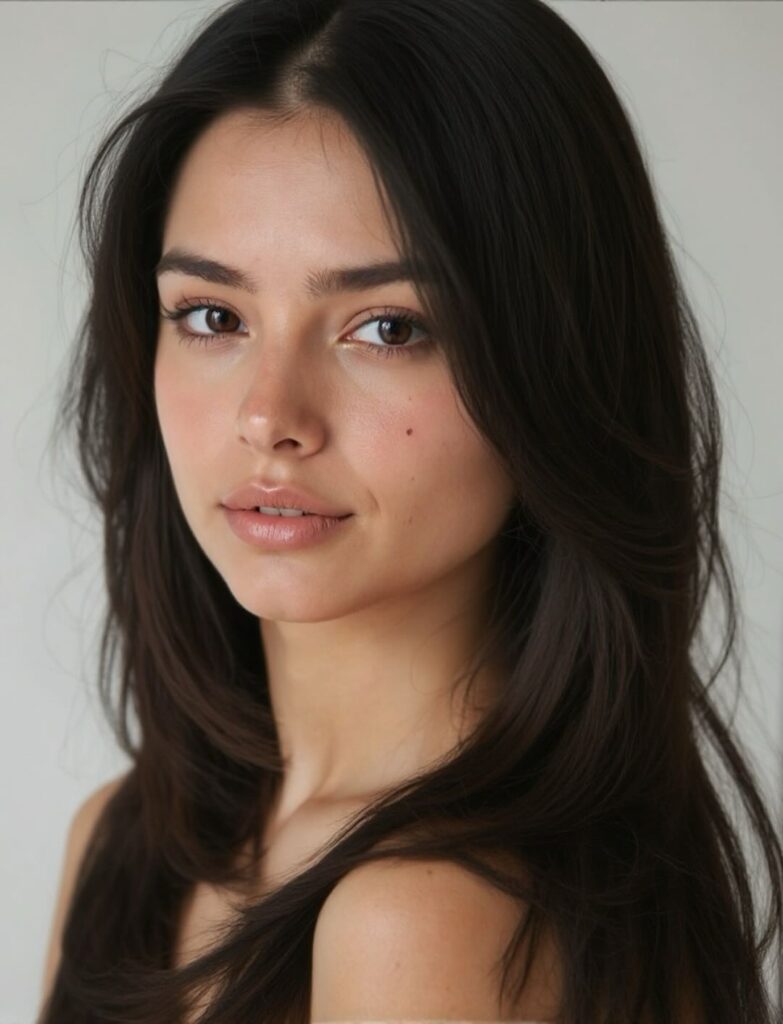
High Layered Long Hair
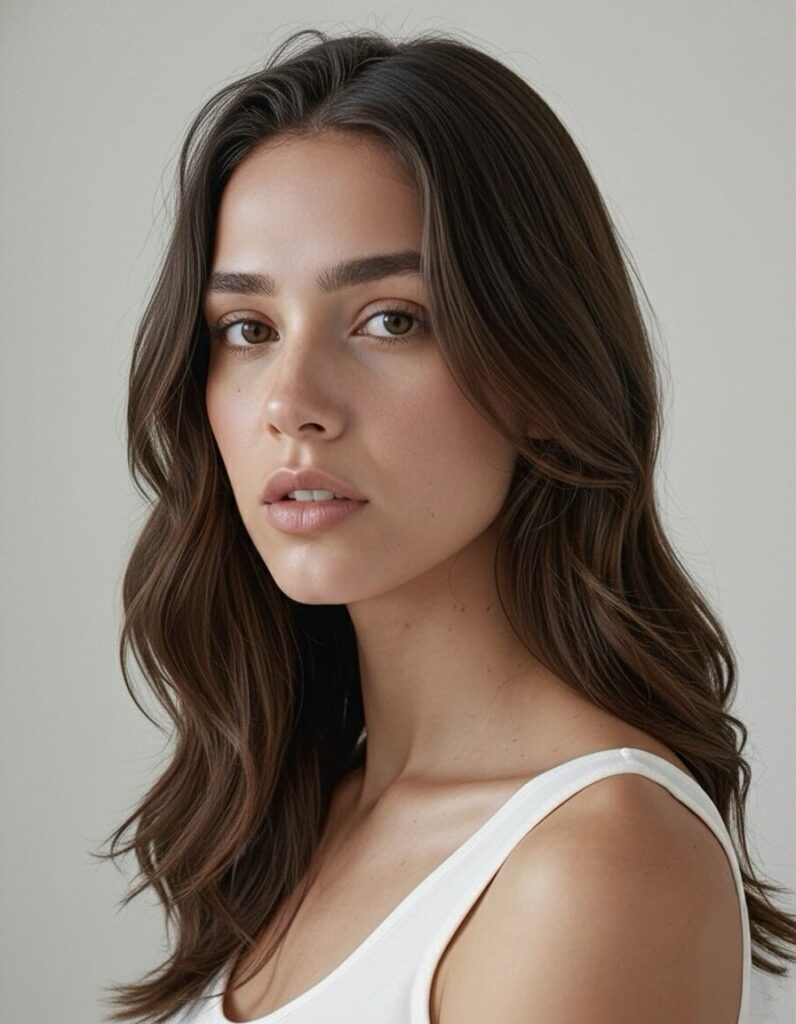
High layered hair is another layered look that leans into a more defined and pronounced style. The layers are clearly visible and shaped by the cut itself, giving the hair a bold, structured appearance. While anyone can wear it, and it even works well on shorter lengths, the final impression depends on how you choose to style it. Overall, it’s a strong option for people who want a fashionable, statement-making look.
Bottom Line
Hair comes in many colors and textures, and one thing that’s completely within your control is the length. Try-ons are one of those tools that people from earlier times would have benefited greatly from, and since we have them now, it makes sense to use them and appreciate how accurate and useful they’ve become.
FAQs:
A great option before jumping on the bandwagon and growing out your hair is to explore virtual try-ons, such as the BeautyPlus long hair filter, to see if the look actually suits you.
Yes, on the BeautyPlus website, you can try long hair filters for free. It offers three free trials the first few times you use the tool.
A virtual try-on like BeautyPlus gives you a realistic expectation of how you would look with long hair before making any real changes.