How to Fix Lazy Eye in Pictures?

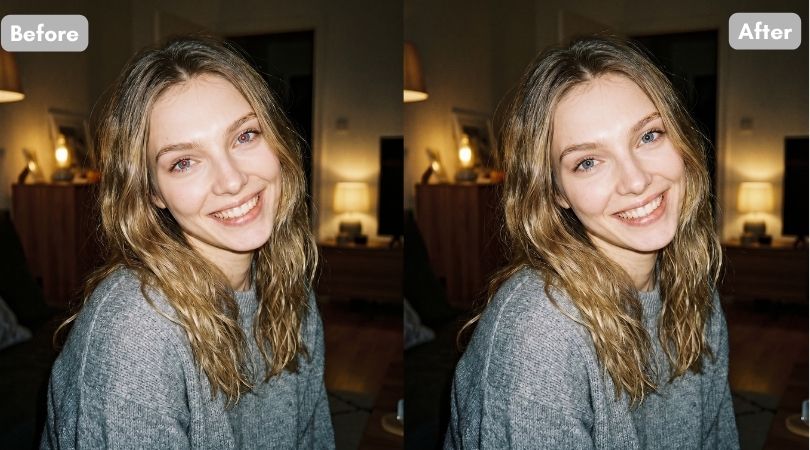
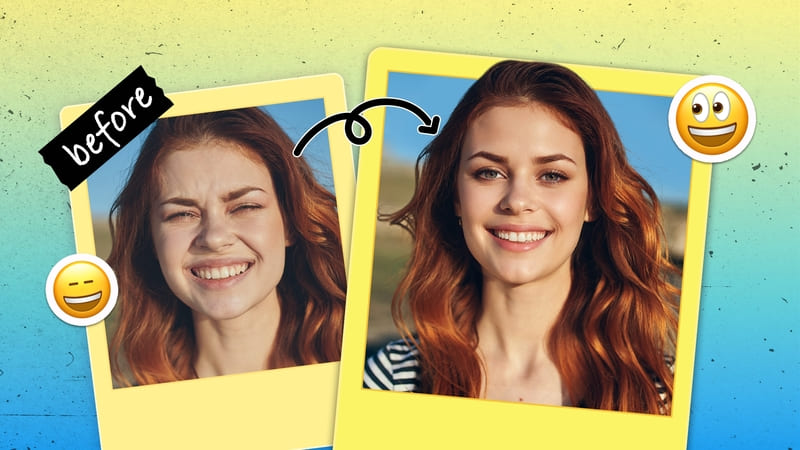
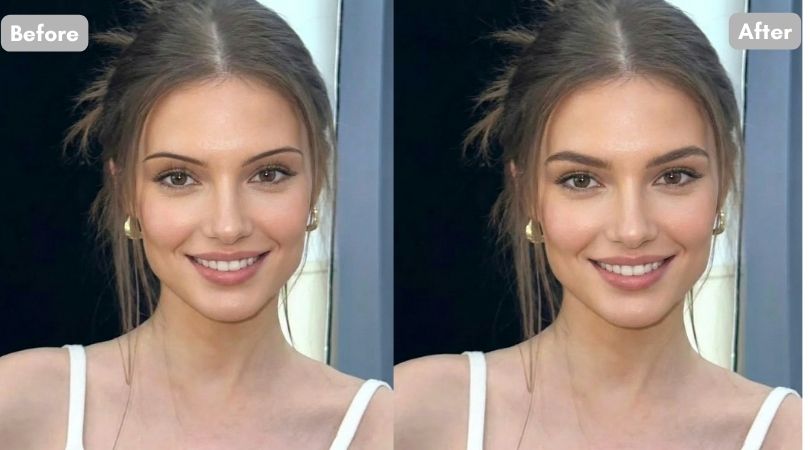
A photograph captures a moment in time and helps preserve memories, where a single image can bring everything back. But what happens when the camera clicks while you are blinking or looking elsewhere? In those cases, the photo often does not turn out the way you hoped. So, how to fix lazy eye in pictures? Thankfully, online tools and apps now make it possible to fix these issues and adjust the image so it looks closer to your best.
 Download on App Store
 Get It on Google Play
How to Fix Lazy Eye in Pictures Online?
These online AI eye fixer tools will help you fix lazy eye from your photos in matter of seconds, sparing you the need to download a third party tool or application. Learn how to fix lazy eye in pictures using BeautyPlus online tool and Gemini as they both work on phenomenal AI engines.
BeautyPlus
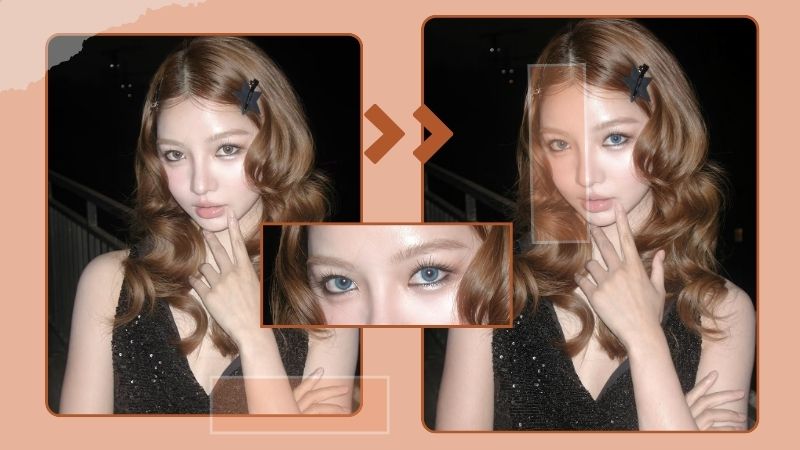
BeautyPlus has built a strong reputation in the online photo editing space by meeting realistic photo-fixing expectations with minimal effort. Its open-eyes photo tool does more than simply open closed eyes. It can also correct small issues such as lazy eye pictures. Unlike tools that rely on guesswork, BeautyPlus allows you to provide multiple reference images of your eyes, helping the system understand how they naturally look.
Beyond eye adjustments, BeautyPlus also gives users the option to modify broader facial features, making it possible to refine an entire look rather than a single detail. This makes the final result feel less like photo editing and more like revisiting the moment when your eyes were focused exactly where they should have been.
Pros and Cons
Pros
- Quick edits directly in the browser with no installation needed.
- Batch edit support allows multiple images at once.
- Preset enhancement modes and eye correction tools make fixes simple.
- Reference photo uploads improve natural-looking results.
Cons
- Free use is limited to 3 times a day.
- Internet connection required for each edit.
Step-by-Step
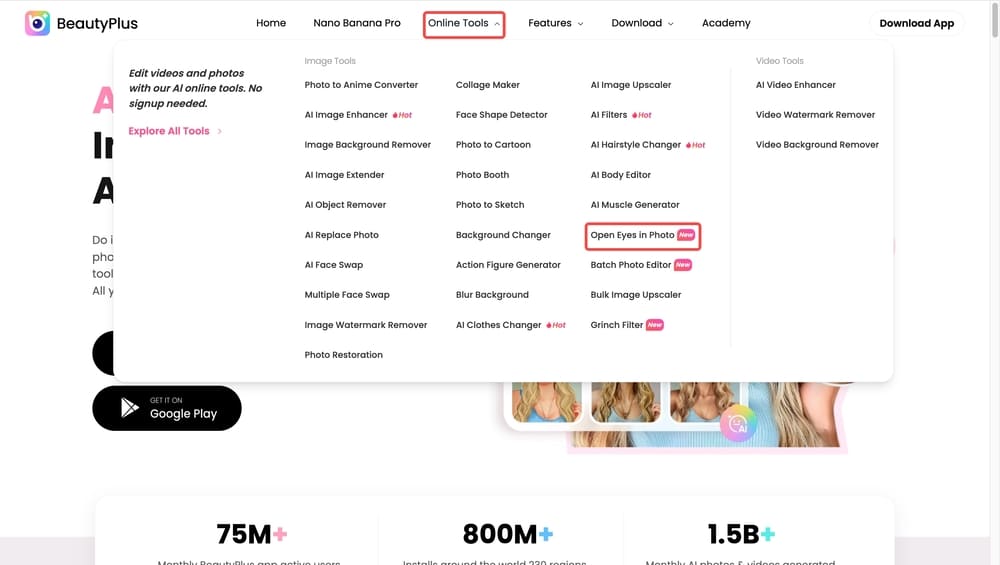
1. Go to the BeautyPlus website and go to the Open Eyes online tool.
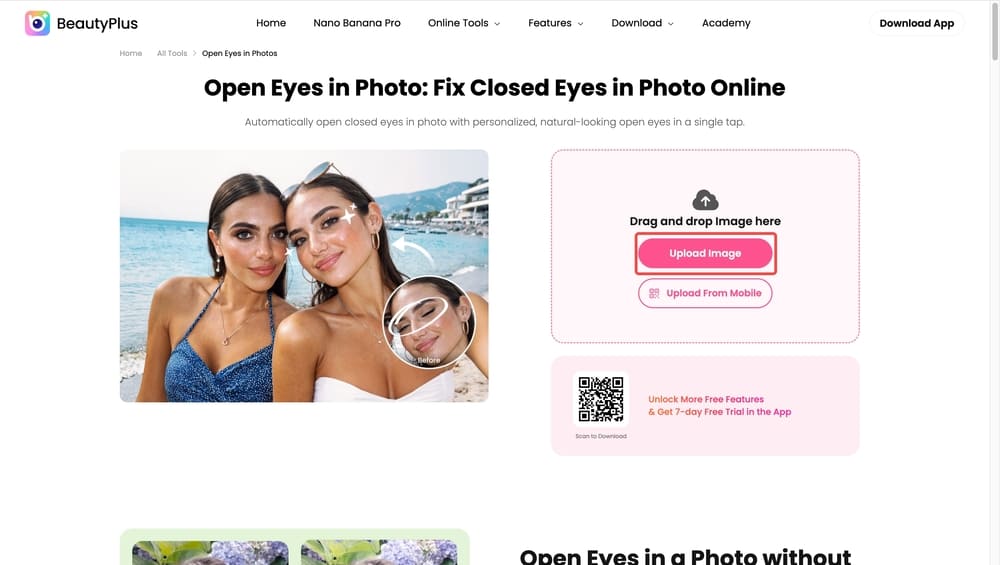
2. Upload the image by clicking “Upload Image” where your lazy eye is visible and make sure the face is clearly visible and well lit.
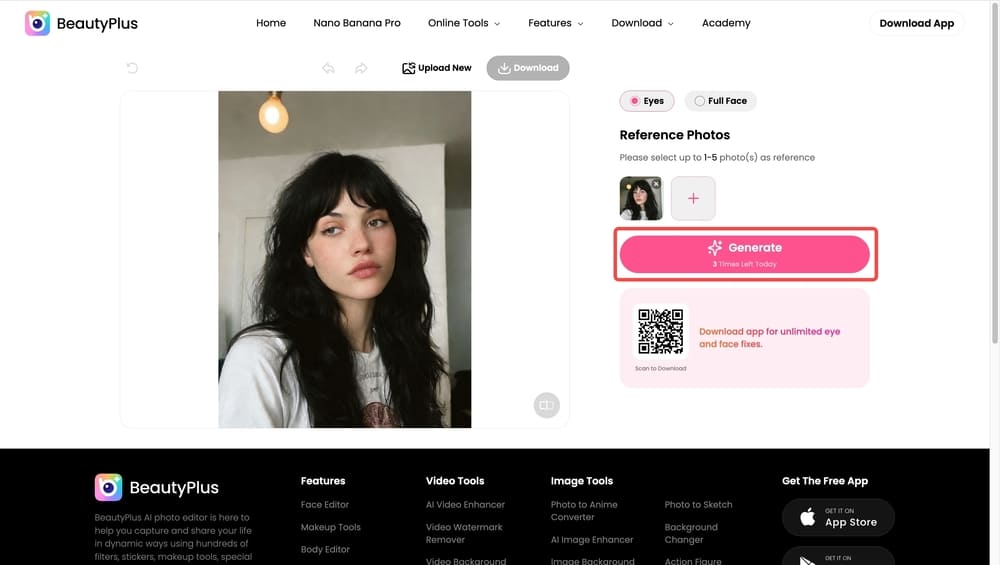
3. Next, upload one or more reference photos where your eyes look natural and properly aligned.
4. Once both the main image and reference photos are uploaded, click the “Generate” button.
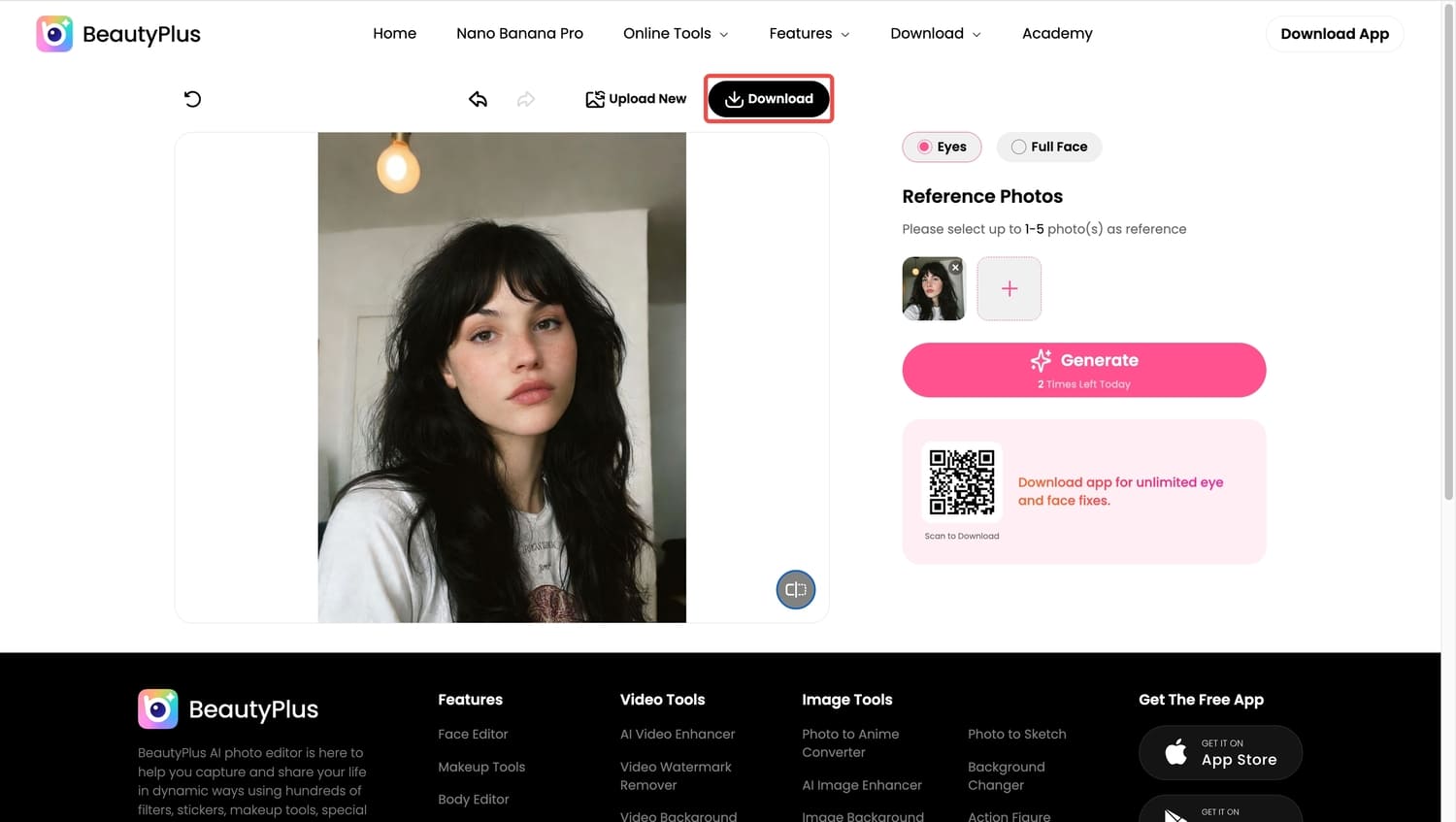
5. Download your final image image by clicking “Download” and share it with friends and family.


Gemini
Gemini, when you think about it, works almost like a command-driven digital genie living on your computer. With a single prompt, it can bring many ideas to life, and to fix lazy eye in photo is not a heavy task for it. That said, you do need to be as clear and descriptive as possible, or the result may not turn out as expected. If you are just getting started, a few trial-and-error attempts are normal, but for the most part, the process is fairly easy.
Pros and Cons
Pros
- Works with natural language prompts, so you can describe the edit in your own words.
- Can make context-aware changes beyond just eye correction.
- No special software to download, everything happens in the browser.
Cons
- Prompt clarity matters. Vague descriptions can lead to unintended edits.
- Trial and refinement may be needed, especially for beginners.
- May not be as fast for simple tweaks compared with purpose-built photo tools.
Step-by-Step
1. Go to the Gemini interface in your browser and make sure you are logged in.
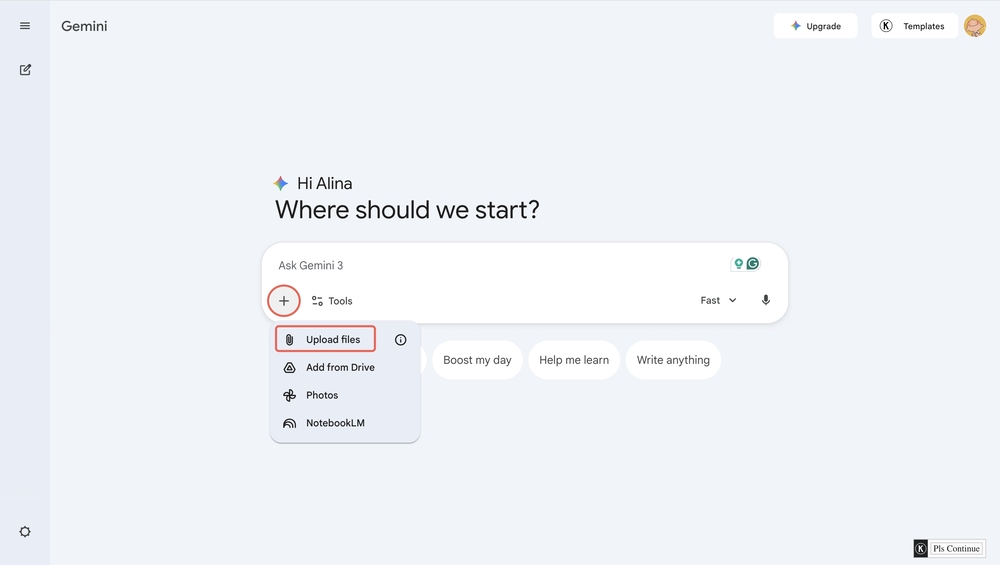
2. Upload the photo where the lazy eye is visible by clicking the “+” icon.
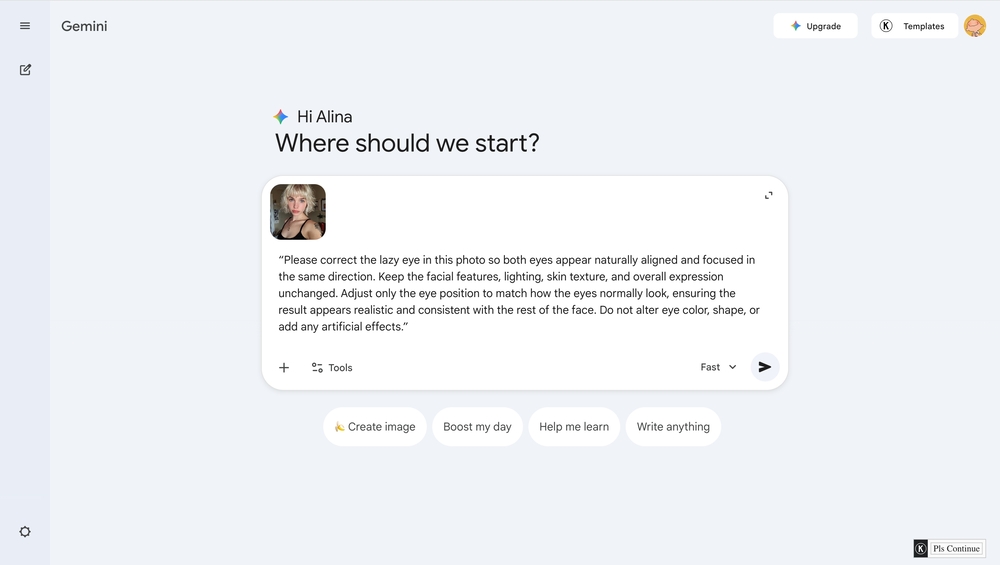
3. Gemini works through prompts, so add in your prompt in the prompt box specifying
- Which eye needs correction
- The direction it should be adjusted
- That the change should look natural and realistic
You can use this as a reference prompt:
“Please correct the lazy eye in this photo so both eyes appear naturally aligned and focused in the same direction. Keep the facial features, lighting, skin texture, and overall expression unchanged. Adjust only the eye position to match how the eyes normally look, ensuring the result appears realistic and consistent with the rest of the face. Do not alter eye color, shape, or add any artificial effects.”
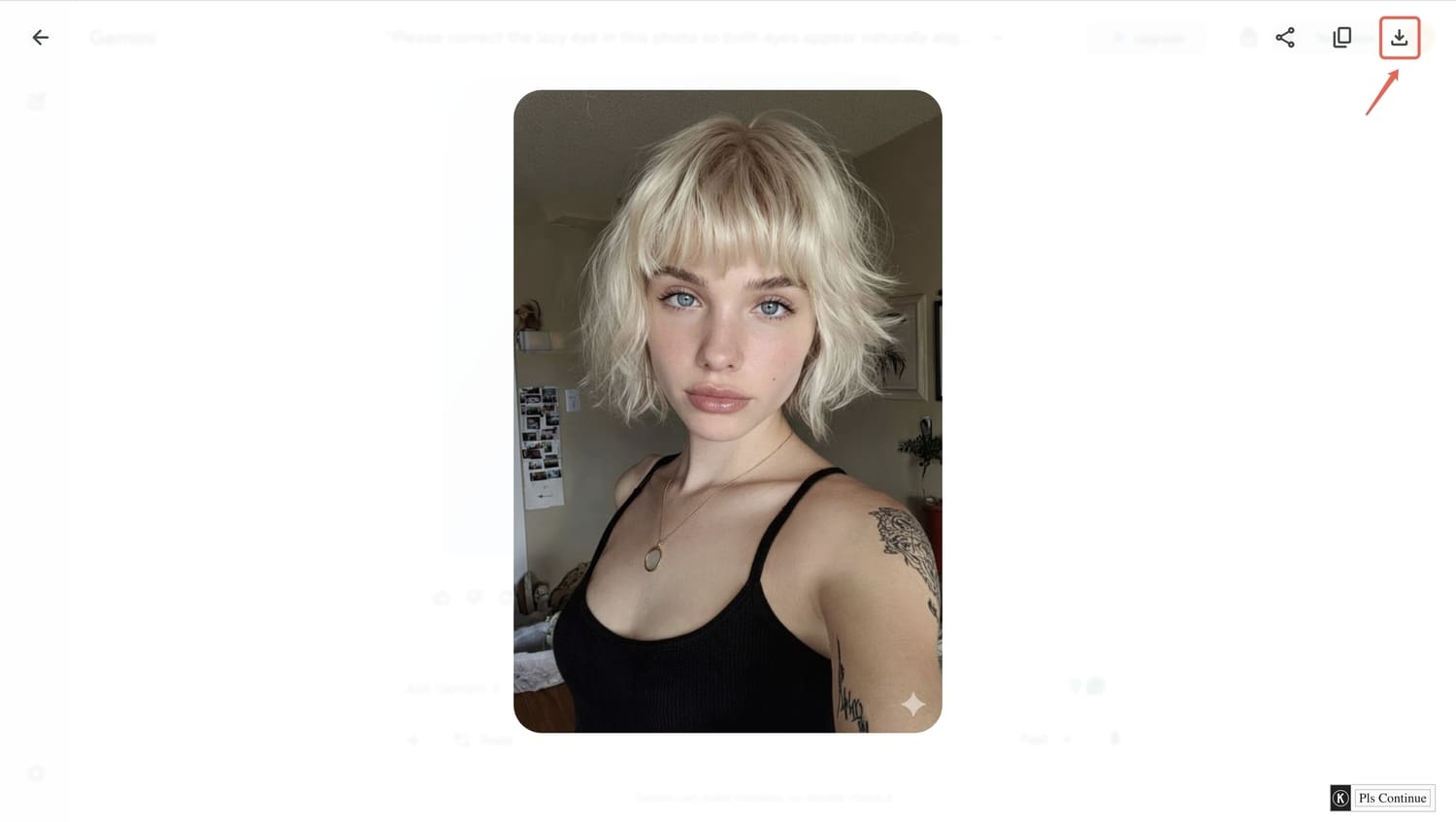
4. Carefully review the output. Check eye alignment, symmetry, and whether the edit looks natural. If needed, refine your prompt and generate another version. Some trial and adjustment are normal, especially when starting out.
5. Once satisfied, download the corrected image and save it to your device. The image can then be shared or posted as needed.


How to Fix Lazy Eye in Pictures with an App?
Pictures of lazy eye can be easily fixed with the right filter. Today you will see how BeautyPlus can do it so effortlessly. Here’s how to fix lazy eye in pictures on phone in the most natural way possible.
BeautyPlus
If you prefer to handle photo editing directly on your device, BeautyPlus covers that as well with its fully featured in-app AI tools. You can import images, edit them within the app, and export them ready to post without having to worry about losing image quality.
Pros and Cons
Pros
- Full set of AI editing tools, including eye enhancements, directly on phone or tablet.
- Offers more interactive controls and a live preview before saving.
- Works offline for many features after download.
- Designed for casual and detailed edits in a mobile workflow.
Cons
- Some advanced tools are behind in-app purchases or subscription.
- Requires installation and permissions on your device.
Step-by-Step
1. Download and launch BeautyPlus on either your Android or iOS device.
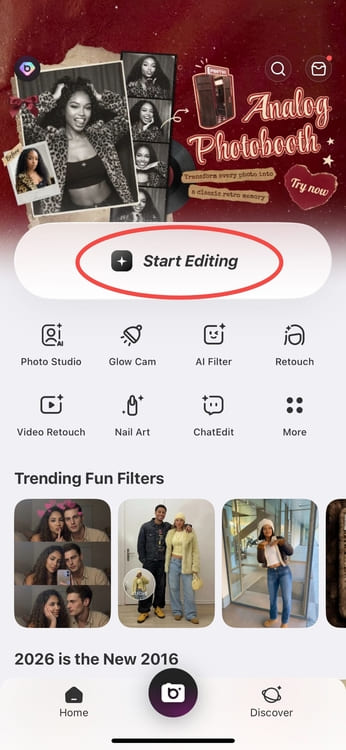
2. On the home screen, tap “Start Editing” to begin a new edit on your portrait with a lazy eye.
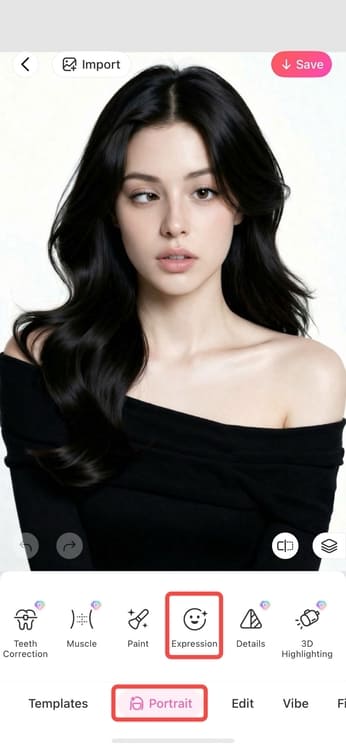
3. Once the photo opens, tap “Portrait” from the editing menu. Inside Portrait, tap “Expression” to access features that adjust facial details naturally.
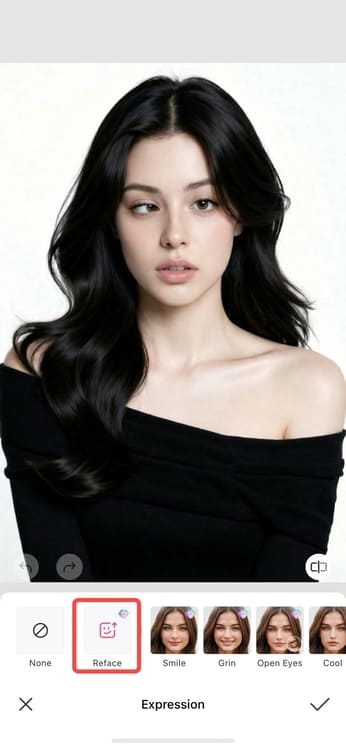
4. Tap “Reface”. This is the option that allows the app to use reference input to improve or correct facial elements.
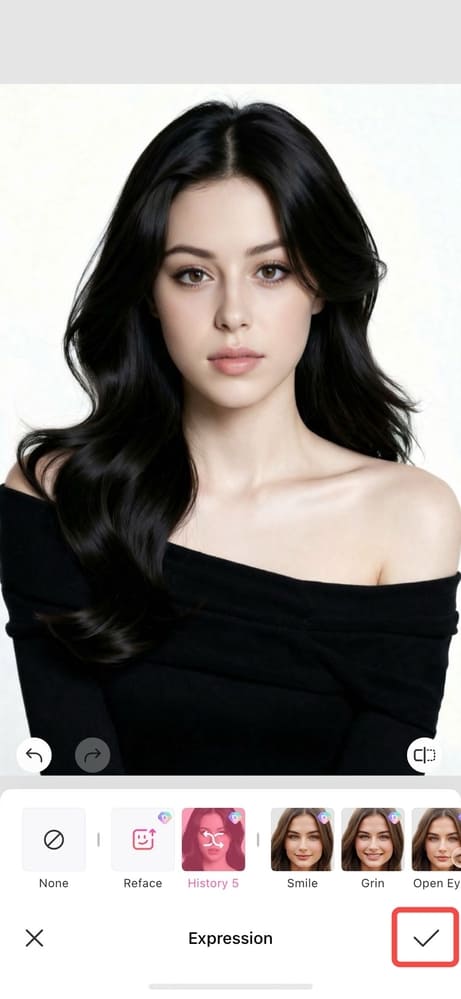
5. Upload a reference photo where your eyes look normal and aligned.
6. Let the tool generate the result. And when satisfied, tap the “Tick” icon to save the edit.
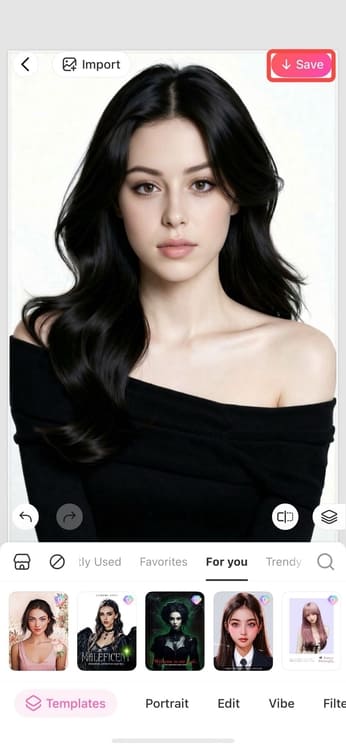
7. And to save the image to your device, tap “Save” at the top right corner of the screen.


Other Tools That Improve How Your Eyes Look in Photos
Along with fixing lazy eyes, many online editing tools also offer small eye-focused adjustments that help improve how a your photo looks overall with a the most subtle changes.
- Eyes brighten
The eye brightening feature gently improves brightness and clarity in the eyes, making them look more awake and lively. It is useful for photos taken in low light or when the eyes appear dull.

- Change eye size
This feature allows you to slightly adjust eye size for better balance and symmetry. The goal is not exaggerating the size but to adjust the size accordingly so it looks more natural in photos.

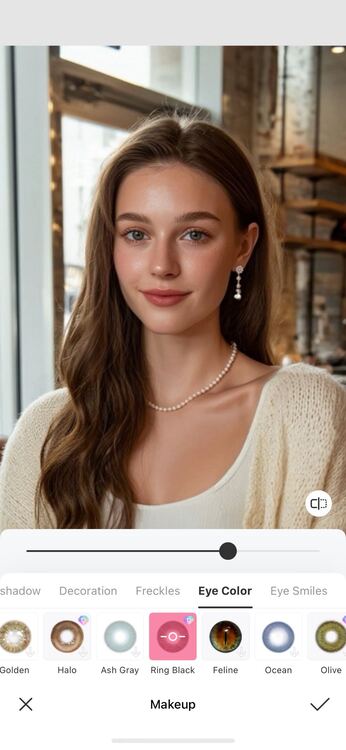
- Change eye color
Eye color adjustment lets you switch or refine eye color while keeping texture and lighting intact. It works best when applied lightly so the result stays realistic.
Bottom Line
A lazy eye, whether it appears accidentally in a moment or is something you have dealt with for a long time, is a small detail that many people notice in photos. Making a subtle adjustment can feel reassuring, even if the image is only for yourself and not meant to be shared. BeautyPlus can be a helpful tool for refining photos in a natural way, allowing you to present the moment as you remember it.
FAQs
You can fix a lazy eye on your phone by using the BeautyPlus app, uploading your photo, and applying the portrait eye correction tool with a reference image.
It is generally safe when using reputable tools, but you should always review the platform’s privacy policy before uploading personal photos.
The easiest option for beginners is using an AI photo app like BeautyPlus, where eye correction tools work with minimal setup.