Top 8 Nail Design Apps for Virtual Try-On 2026
Key Takeaways
- Select BeautyPlus or Meitu for immediate, hassle-free virtual manicures, as their automatic hand detection applies preset patterns to your fingers instantly.
- Dodge Fotor and Pixelcut if you dislike typing, because these platforms lack a dedicated nail try-on tool and force you to write AI text prompts instead.
- Invest $9.99 monthly in NailedBy to receive tailored style recommendations based on skin tone analysis, rather than browsing random, generic templates.
- Download Nail Design Apps to test intricate art virtually before committing to expensive and time-consuming salon appointments.
 Download on App Store
 Get It on Google Play
If you love nail art or are just getting into virtual nail try-on features, these nail design apps are some of the best options to start with. Whether you missed your appointment before a party and ended up with bare nails in photos, or you simply want to test a design before committing, these apps make the process quick and easy. With AI-backed technology, the application looks smooth and natural, giving you a realistic preview without the time or cost of a salon visit.
10 Recommended Nail Design Apps
The following apps don’t all offer the same level of AI nail try-on. Some rely on AI-generated nails, others use preset nail layout, while a few focus on ready-made nail templates. Regardless of the approach, these are some of the best nail apps available for experimenting with nail styles and improving how your hands look in photos.
1. BeautyPlus
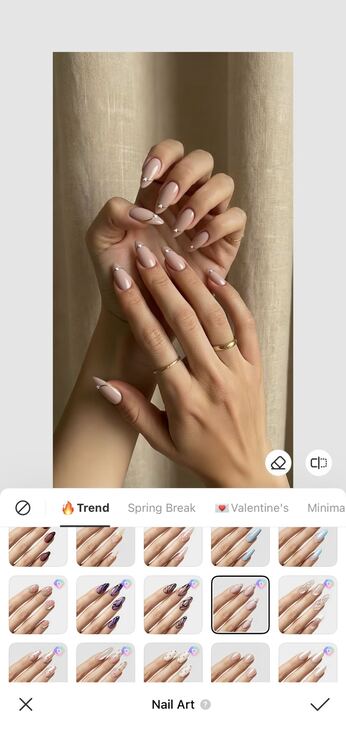
BeautyPlus is one of those tools where navigation feels simple from the start. Even though it offers many features, finding the nail art option is quick and easy once you find it. You can choose from a wide range of nail styles and colors that match different moods and occasions. And if you already have a specific design in mind, like something you found on Pinterest, BeautyPlus also lets you upload that reference and apply a similar look to your photo.
The process itself is just as easy. The app uses AI to recognize your hands and apply the art design nails automatically. This means it works across different hand positions, and the results look smooth and natural in the final photo. For quick edits or creative looks, it can give you salon-style nails without needing to visit one.
Rating: 4.7
Pricing: Starting $4.49/month
2. Meitu
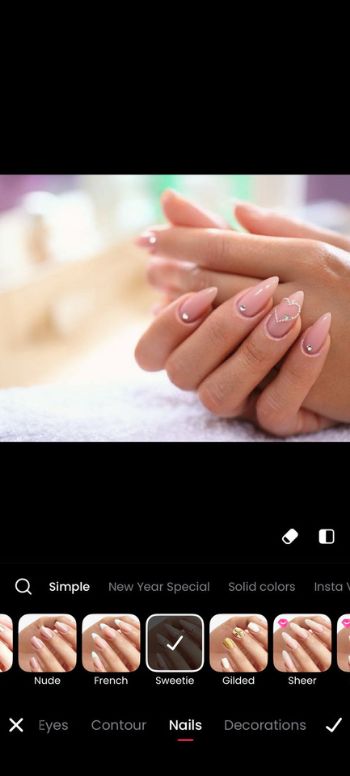
Meitu is another photo editing app that offers a nail art feature on its mobile version. It sits under the Makeup section, so it can be a little tricky to find at first, especially if you expect it to be in a different category. Once you locate it, though, the process is very simple. Just tap the option, and the nail art designer will automatically apply the design to your nails.
Rating: 4.5
Pricing: Starting $4.49/month
3. Fotor
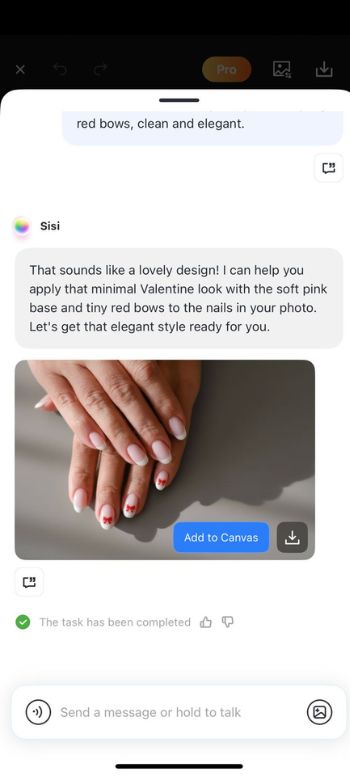
Finding a nail art feature in many photo editing tools can sometimes feel complicated, but with Fotor, the approach is different. It may not offer a dedicated nail art option, yet it still lets you create your own designs through its prompt-based AI tools.
You can generate artistic nail styles just by describing what you want, where the creative possibilities are almost endless, and you can experiment with different ideas until you get the style you like.
Rating: 4.6
Pricing: Starting $8.99/month
4. NailedBy
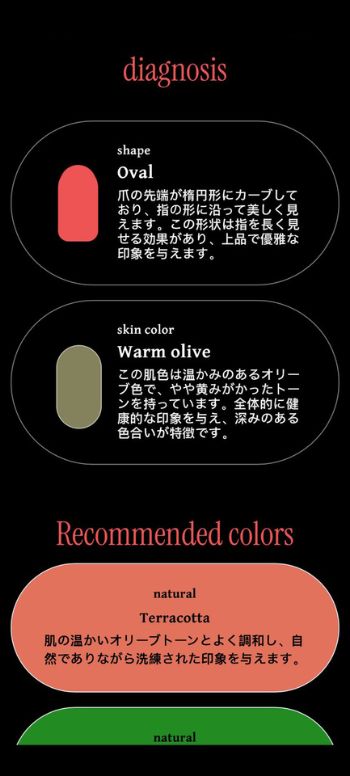
NailedBy is another tool, but it is completely focused on helping you find the right nail art for your hands. Instead of just offering random styles, it works more like a color theory assistant. You upload your photo, and the tool analyzes your skin tone and overall look to suggest nail colors that would suit you best.
After the analysis, it gives you a try-on option, so you can see how each recommended shade or design would look on your nails before choosing one.
Rating: 4
Pricing: Starting $9.99/month
5. YouCam Nails
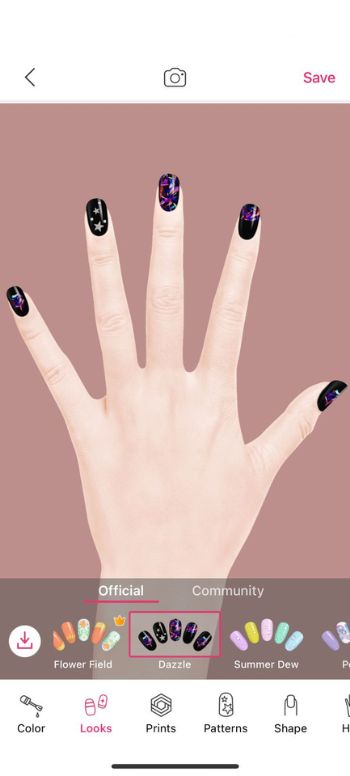
YouCam Nails offers its own way to try out nail designs directly inside the app. You can upload a photo of your hand and test different styles from the built-in library, but it also lets you customize the designs right there with colors, patterns, and finishes.
The app includes a community space where nail lovers share their designs and ideas. You can browse other looks, get inspiration, and connect with people who enjoy nail art just as much.
Rating: 4.1
Pricing: Starting $7.99/month
6. Facetune
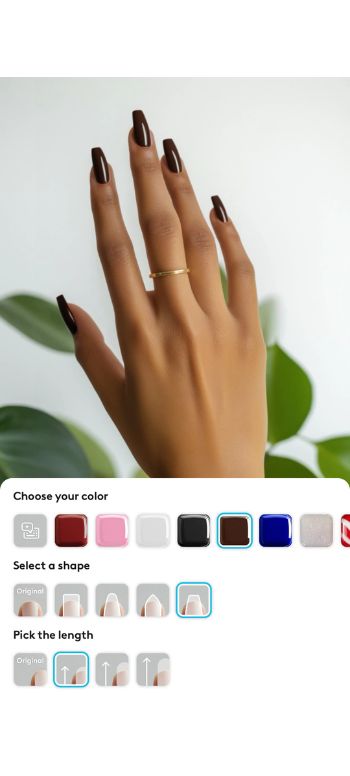
Facetune’s nail try-on feature is more limited compared to apps like BeautyPlus or Meitu. It is strictly designed for hands, so you need to upload a clear photo of your hand first, let the app detect it, and then apply the nail style. The library is also not very extensive. It mainly focuses on solid colors, along with a few shape and length options, rather than offering a wide range of themed or decorative designs.
Rating: 4.5
Pricing: Starting $7.99/month
7. Try Nails-AI Fake Nail Designs
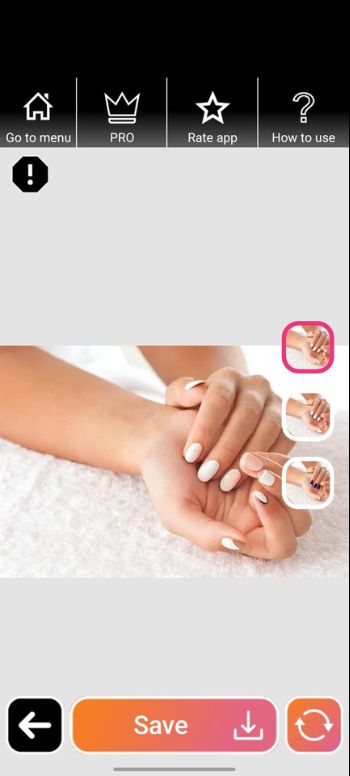
Try Nails-AI Fake Nail Designs focuses on offering a wide range of nail styles, from simple everyday looks to more extravagant and decorative designs. The tool relies more on visual analysis, so your hand needs to be clearly shown in the photo for it to work properly. Once the hand is detected, it applies different nail styles for you to preview.
Rating: 2.7
Pricing: Starting $9.99/month
8. Pixelcut
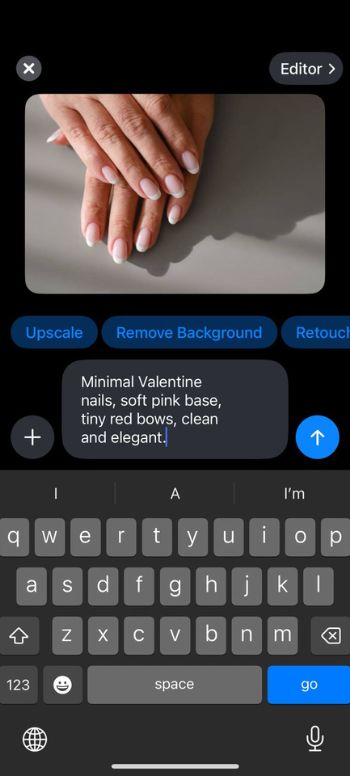
Pixelcut is another photo editor that can be used for many different purposes. When it comes to nail application, it relies on prompt-based editing instead of a dedicated nail feature. You need to type a prompt describing the nail style or design you want, and the tool will generate or apply it to the image.
Rating: 4.7
Pricing: Starting $9.99/month
How to Add Nail Designs to Your Photo On The BeautyPlus App?
BeautyPlus keeps things simple and fun, giving you trendy nail looks in just a few taps without any complicated setup. Here’s how you can use the app to try on nails.
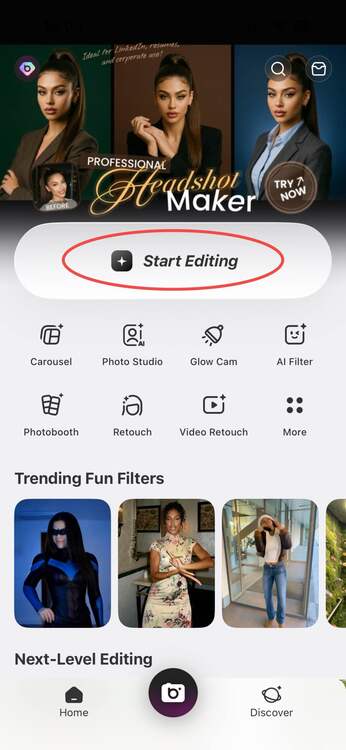
1. Download and launch BeautyPlus on your iOS or Android device, then tap “Start Editing” to upload your photo.
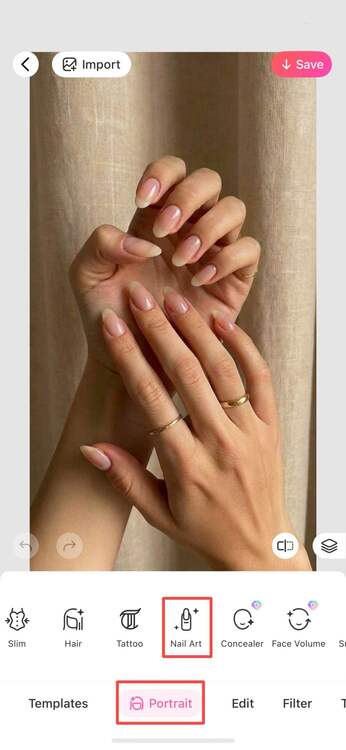
2. Go to the “Portrait” section and select “Nail Art”.
3. Choose a style from the options, or upload your own nail art design by tapping on the nail icon.
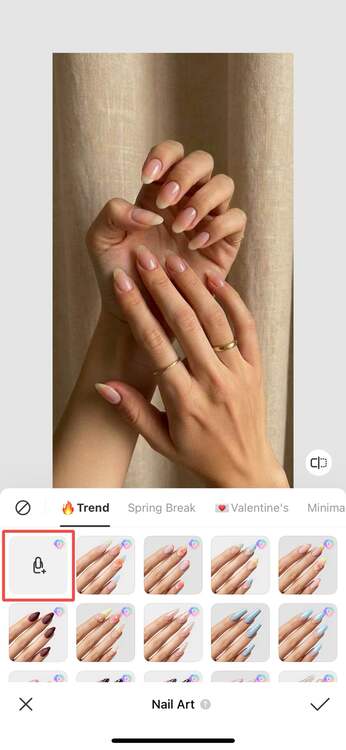
4. Select the image from which you want to import the nail art or the preset style. To finalize the image, tap the tick icon.
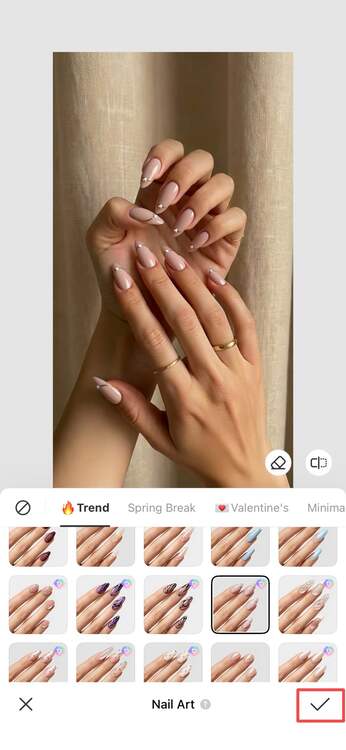
5. Save the image to your device by tapping the “Save” button at the top right of the screen.
Bottom Line
In the end, all these tools can help improve how your nails look in photos, but BeautyPlus makes its mark for its versatility, trendy designs, and easy AI application across different hand positions.
With seasonal styles like Valentine themes already included and the ability to preview premium nails before downloading, it offers a flexible experience for quick edits. While professional nail artists will always deliver the best real-world results, these try-on tools are a practical option when you want polished, stylish photos without the time or cost of a salon visit.
Yes, the nail try-on feature is available in the free version of BeautyPlus. You can apply basic nail styles without paying. However, some premium designs, advanced AI tools, or extra themes may require a paid subscription.
BeautyPlus and YouCam Nails are among the best options. BeautyPlus works well as an all-in-one editor with AI nail try-on and photo tools, while YouCam Nails is more focused on nail designs, customization, and community inspiration. The better choice depends on whether you want a full photo editor or a dedicated nail app.
You can use AI nail try-on tools like NailedBy, BeautyPlus, or YouCam Nails. These apps analyze your hand or skin tone and let you preview different colors and styles on your photo.