Virtual Nail Try On: How to Try 100+ AI Nails for Free?
Key Takeaways
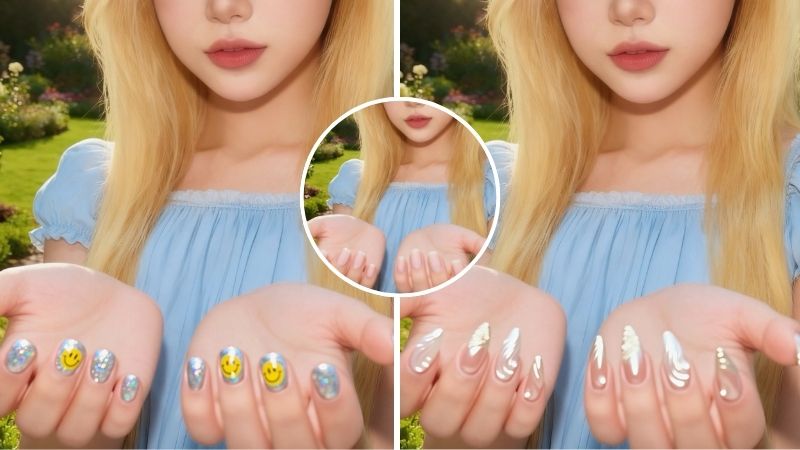
- Many virtual nail try-on apps offer in-built templates while others like BeautyPlus offer additional benefit of trying customized nail art through AI.
- PerfectCorp offers real-time nail previews because it allows live camera try-on, preset hand models, basic shades, textures, and quick color testing.
- BeautyPlus also has a custom upload feature where users can upload their own designs and have them applied to their nails.
We all deserve a little pampering from time to time. A facial, a trim, and a meni-pedi is the bare minimum you deserve for your monthly upkeep. However, procedures like manicures are on the pricier side, and it’s natural that you’d want your manicure to look good. Not every design is meant for everybody. Your nail shape, your complexion, and your nail bed make your design as personal to you as your fingerprint, and if you don’t want to risk getting a bad nail job, look into virtual nail try on.
 Download on App Store
 Get It on Google Play
How to Try Virtual Nail on Your Phone?
Different types of nail shapes suit different people. If you’re on the lookout for a nail simulator that carries different nail shapes and you don’t want to settle for a basic manicure, here are two options that could have exactly what you’re looking for.
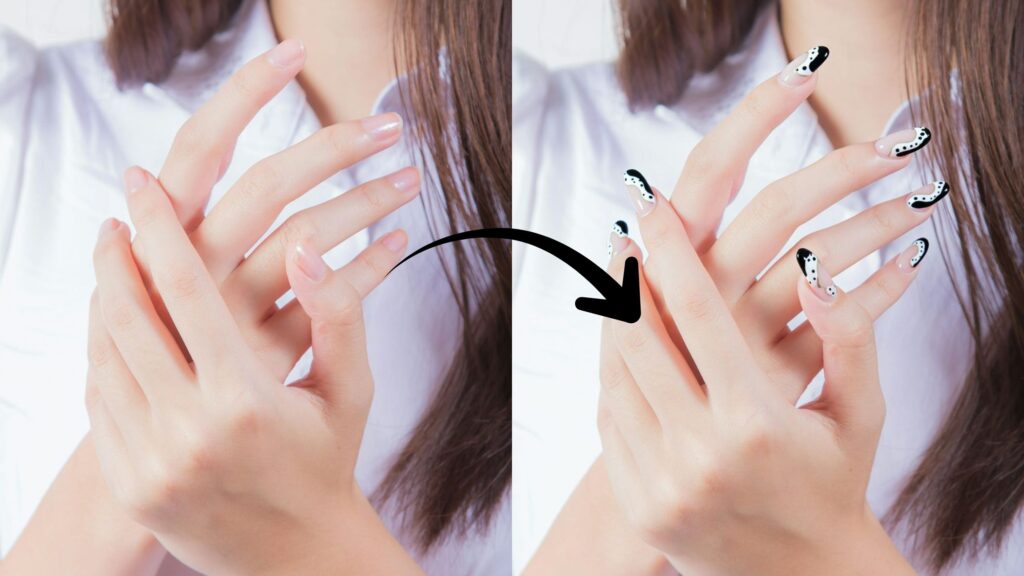
Beautyplus App
BeautyPlus is primarily an all-in-one beauty app that hosts a wide variety of editing and AI functions to help people polish their look both in photos and in real life. It is a popular editing tool, but it is slowly garnering a reputation as one of the most reliable apps for personalized beauty, which includes an easy-to-use nail try on that could help you pick out your nail design before your next nail appointment at the salon. Here is how you can use the BeautyPlus app to get the perfect manicure virtually.
Use Built-in Nail Art Styles
BeautyPlus comes packed with a variety of nail art styles and here is how you can try them out for yourself:
1. Open and download the BeautyPlus app and tap “Start Editing”.
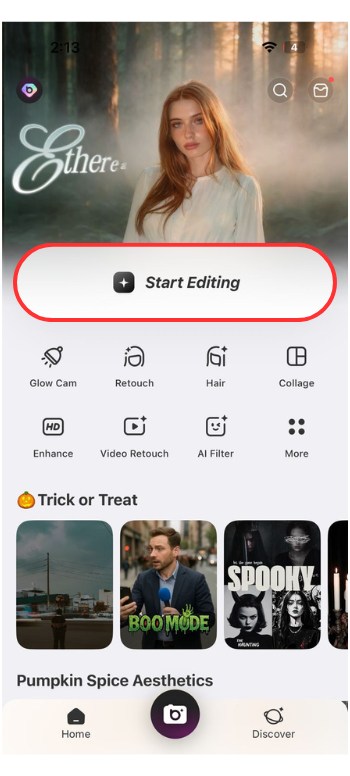
2. You can then upload a photo of your nails and amongst the editing options at the bottom, select “Portrait” and scroll to “Nail Art”.
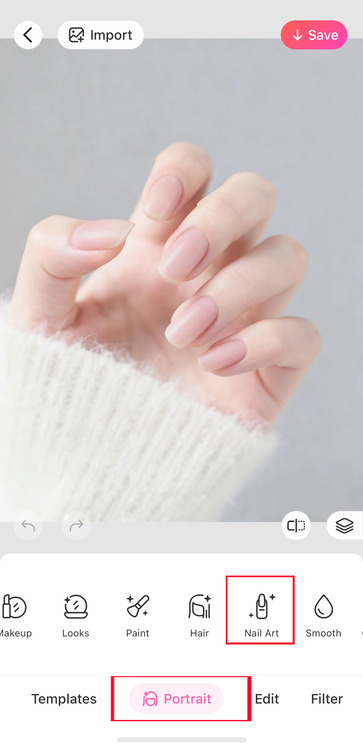
3. Choose from the pictures of nail designs and let AI overlay the design onto your nails.
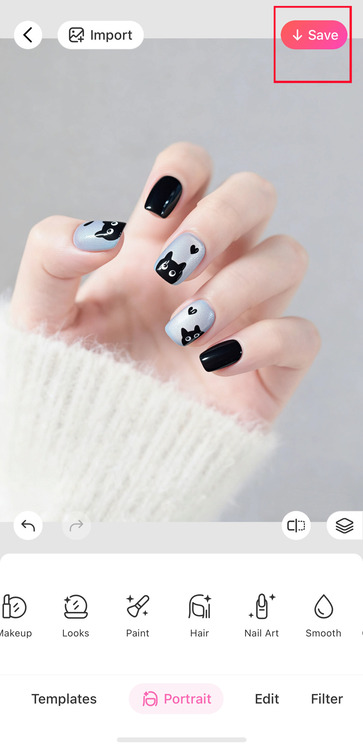
4. Finally, once you’re happy with the design, you can save the image by tapping the “Save” button on the top right of the screen.
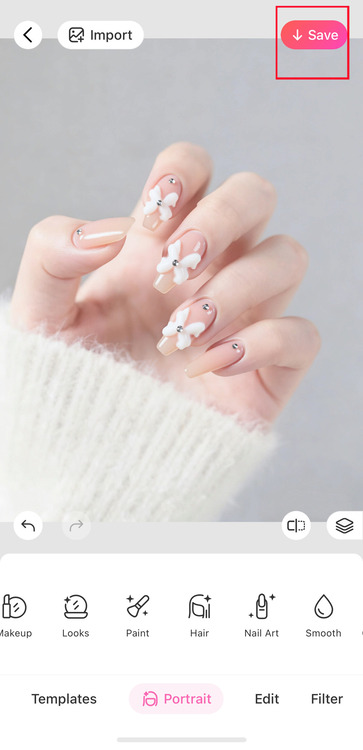
Customize Your Own Nails
You can even try out a custom nail design of your choosing with the following steps.
1. Once again, tap “Start Editing” and upload your photo, preferably of just your nails or one where your nails are clearly visible.
2. Tap “Portrait” and select “Nail Art”.
3. The very first tab is “Hot”, under that you’ll see a ”+” sign where you can upload a photo with nail art.
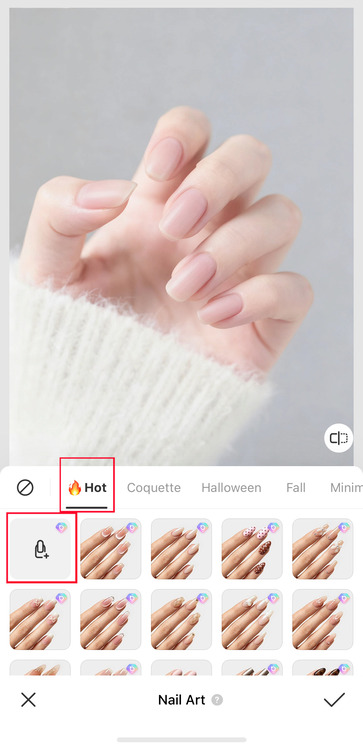
4. Once uploaded, you’ll have to wait for AI to apply the design and just like that you have a DIY manicure reference within seconds.
5. Finally, once you’re happy with the design you can save the image by tapping the “Save” button on the top right of the screen.
How to Get Virtual Nail Arts Online?
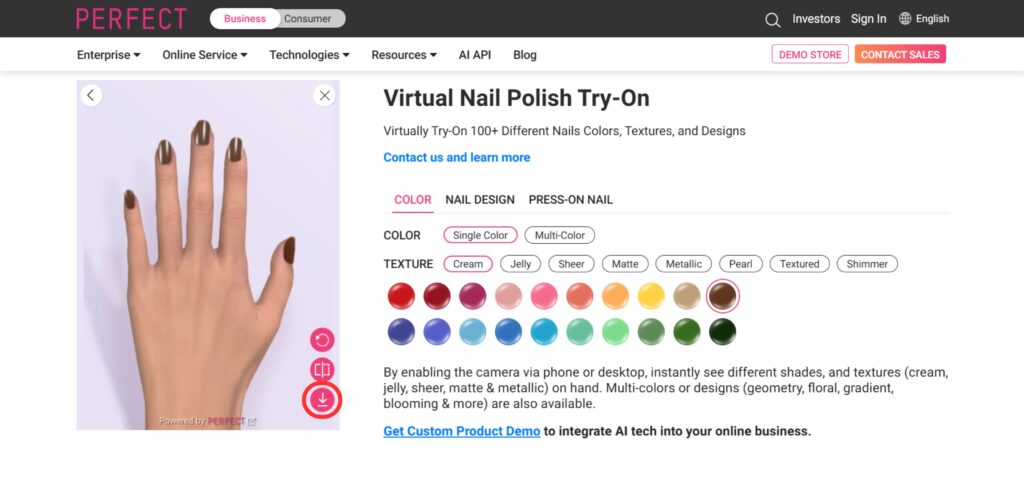
If you don’t feel like downloading another app on your phone that takes up a lot of space, then you can easily use an online tool to get your dream virtual nail try on without the hassle. PerfectCorp comes with a dedicated virtual nail try-on feature that is meant solely to help you find the perfect manicure. Here is how you can use the online tool to help you take the mystery out of nail art.
1. Go to the PerfectCorp Website and click “Try On”.
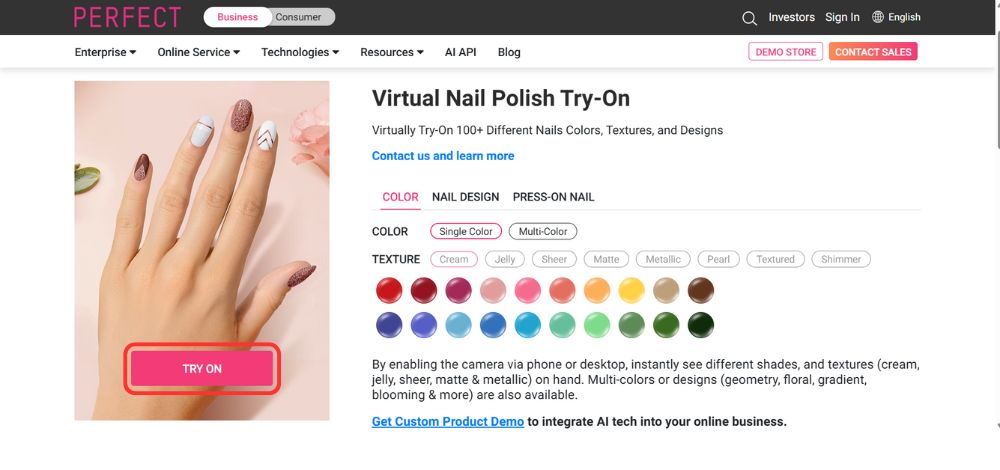
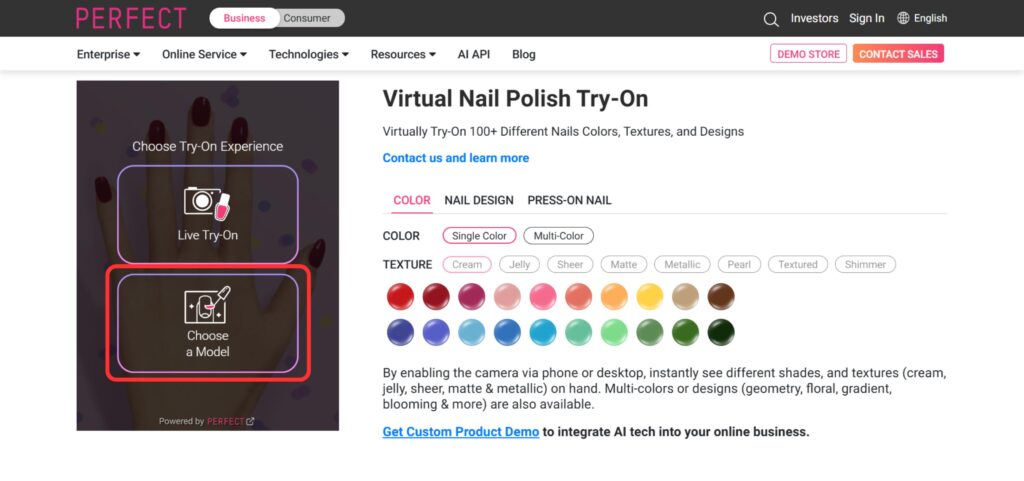
2. You can then choose the type of experience you’d like, you can either choose “Live Try-On” or “Choose a Model”. Here is how to navigate each one.
3. If you choose the “Live Try-On” simply give the site access to your camera when prompted.
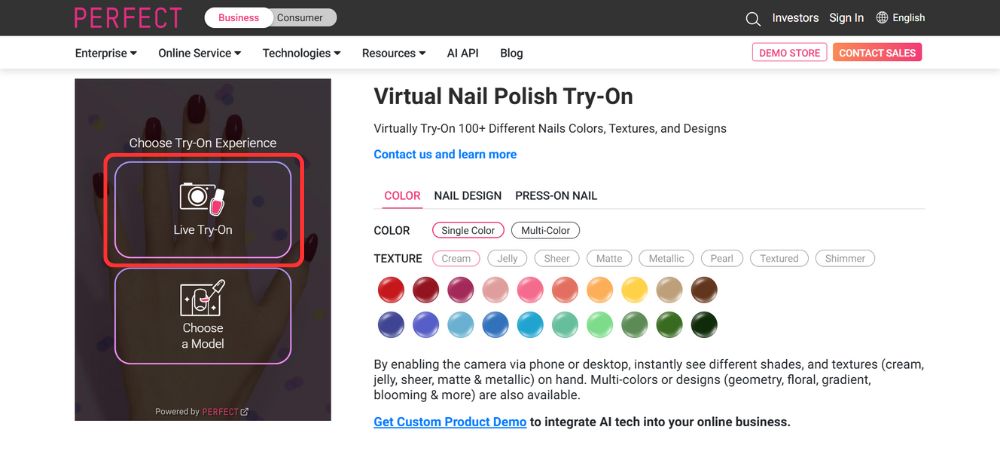
4. Once the camera is live, it’ll show you a color overlaid onto your nails in real time, you can choose different colors, nail designs, or even try out press-ons from the options below.
5. You even have the option to choose “multi-color” and choose a colorful set and you can even adjust the texture. You can choose cream, jelly, sheer, or matte textures to mimic the look you plan to get.
6. To adjust the smoothness, adjust the slider on the right.
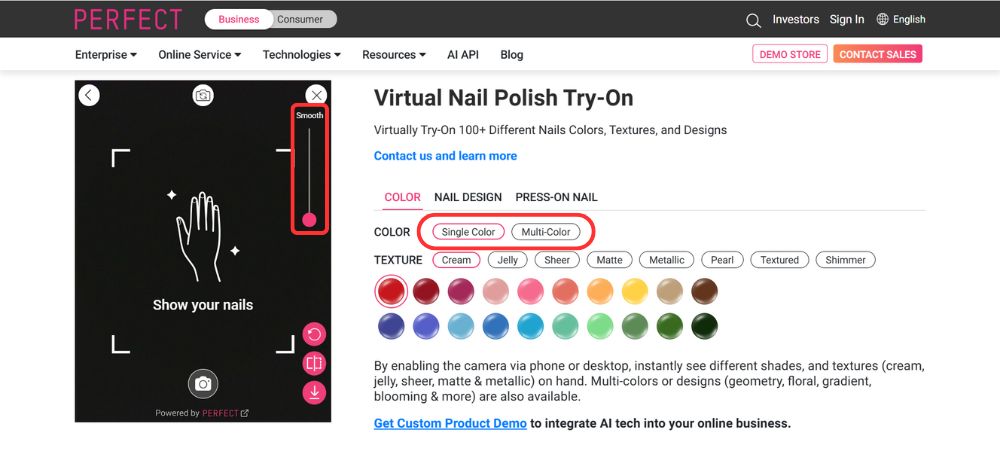
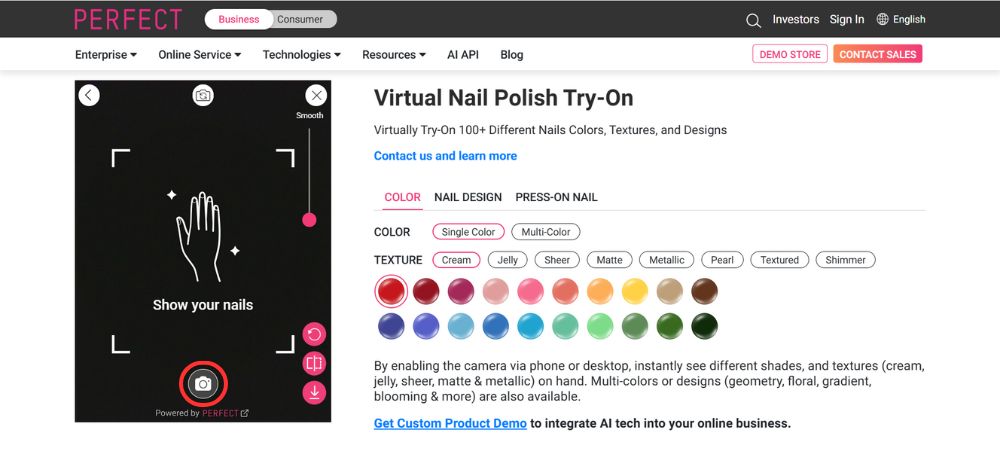
7. Once you’re satisfied with the photo, tap the shutter icon at the bottom and then tap the download icon on the bottom right to save the photo to your device.
8. If you tap “Choose a model” you’ll be prompted to choose the type of hand you’d like to try different styles on. Pick one closest to your skin tone and nail shape.
9. You can then try on different colors (single or multi colored sets), alter the texture, try on nail designs, and try out press-ons on the model to guage how it would look on your hands.
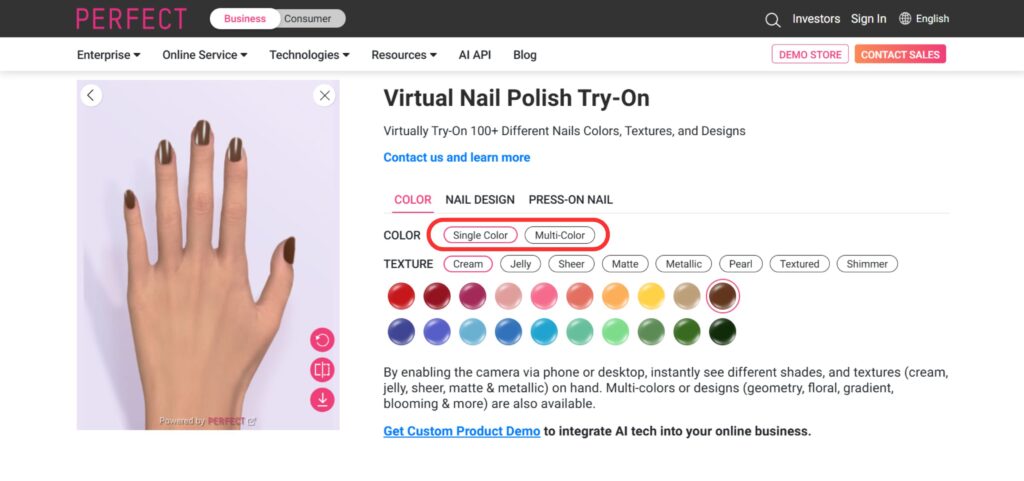
10. Once you’re happy with the design simply tap the download icon on the bottom right to save the model hand with your design to show to your nail tech.
BeautyPlus vs PerfectCorp: Which Virtual Nail Try On Tool Suits You?
Here is a comparison of both the tools so you can make a more informed decision on what suits you best.
| Feature | BeautyPlus | PerfectCorp |
| How it captures your hand | Upload a photo of your hand | Use the camera to capture your hand in real time, or choose from preset hand images. |
| Professional Color Library | Approx.300 types of trending nail art styles, from animal print to French, or Chrome. | Only 50+ standard Basic Shades |
| Speed & Live Experience | 3-5 Seconds per photo | Near-Instant (< 0.5 sec) LIVE Try-On |
| Texture & Lighting | Intelligent Light Reflection & True-to-Life Finish | Simple Shade Saturation & Flat Look |
| Custom Uploads | Exclusive DIY photo Upload | Not Allow |
| Shape & Length Control | Precision Length and Pro Shape Adjustments | Fixed Basic Nail Shapes |
How It Captures Your Hand
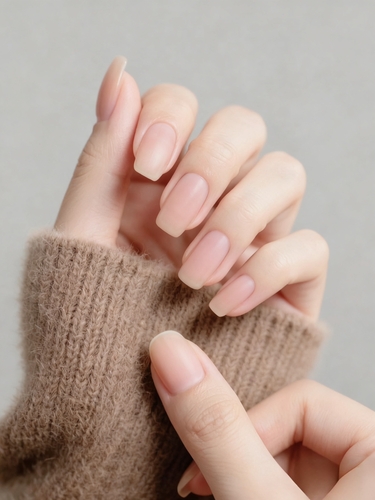
BeautyPlus allows you to upload a photo of your hand for nail try-ons, whereas PerfectCorp provides more flexibility, where you can either capture your hand in real time using your camera or select from preset hand models that resemble your own.
Professional Color Library
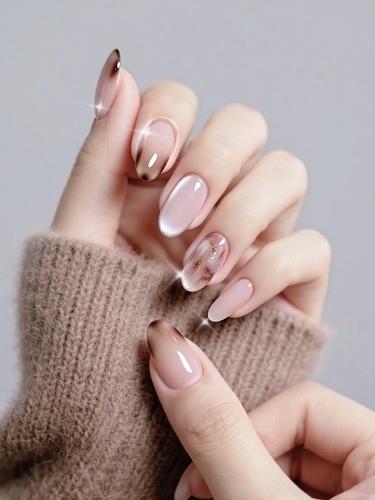
BeautyPlus nail art library has around 300 nail art styles, including trending designs like animal prints, French tips, and chrome finishes. In contrast, PerfectCorp provides a smaller collection of 50+ standard basic shades, focusing on essential colors rather than elaborate patterns.
Speed & Live Experience
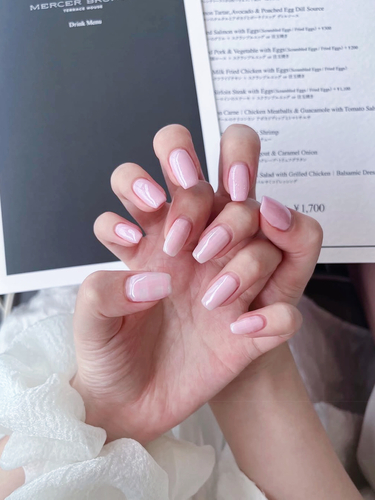
BeautyPlus processes each photo in 3–5 seconds, while PerfectCorp delivers a near-instant virtual try-on experience, generating live previews in under 0.5 seconds for a more interactive session.
Texture & Lighting
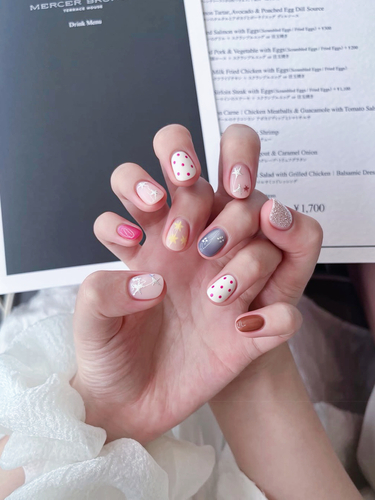
BeautyPlus simulates intelligent light reflection and produces a true-to-life glossy finish, creating a realistic appearance. PerfectCorp, on the other hand, relies on simple shade saturation, resulting in a flatter and basic visual output.
Custom Uploads
BeautyPlus supports exclusive DIY uploads, letting users test nail inspirations saved from their phone or social media. PerfectCorp does not allow custom uploads, limiting users to its in-app library.
Shape & Length Control
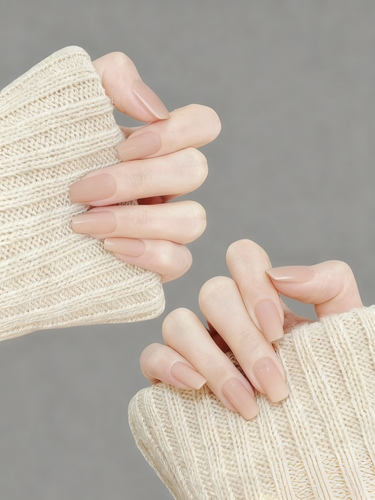
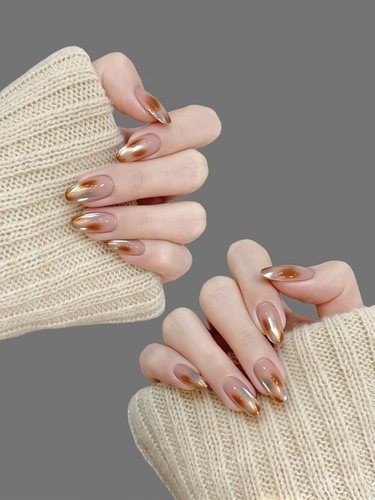
BeautyPlus features precision adjustments for nail shape and length, catering to different hand profiles. PerfectCorp offers only fixed basic shapes, providing less customization for individual preferences.
Both tools offer virtual nail try ons that depict a realistic portrayal of what to expect, giving you much-needed clarity on what to tell your nail tech on your next appointment.
Bottom Line
There is immense satisfaction in knowing what works for you and using that as part of a routine in your upkeep. Experimenting with nail art is one of the many joys that allows us to be expressive with our sense of self and our sense of style, and thanks to apps like BeautyPlus and tools like PerfectCorp we have effectively removed the guesswork from the process of self-discovery.